EasyManua.ls Logo

Panasonic NV-RX37A - Selecting the Desired Pre-Programmed Title; Selecting the Desired Colour of the Pre¬ Programmed Title

Panasonic NV-RX37A
79 pages
Print Icon
To Next Page IconTo Next Page
To Previous Page IconTo Previous Page
Loading...
Selecting
the
Desired
Pre-programmed
Title
After
displaying
the
[TITLE
SET
MENU]
Menu...
(-
I
S
)
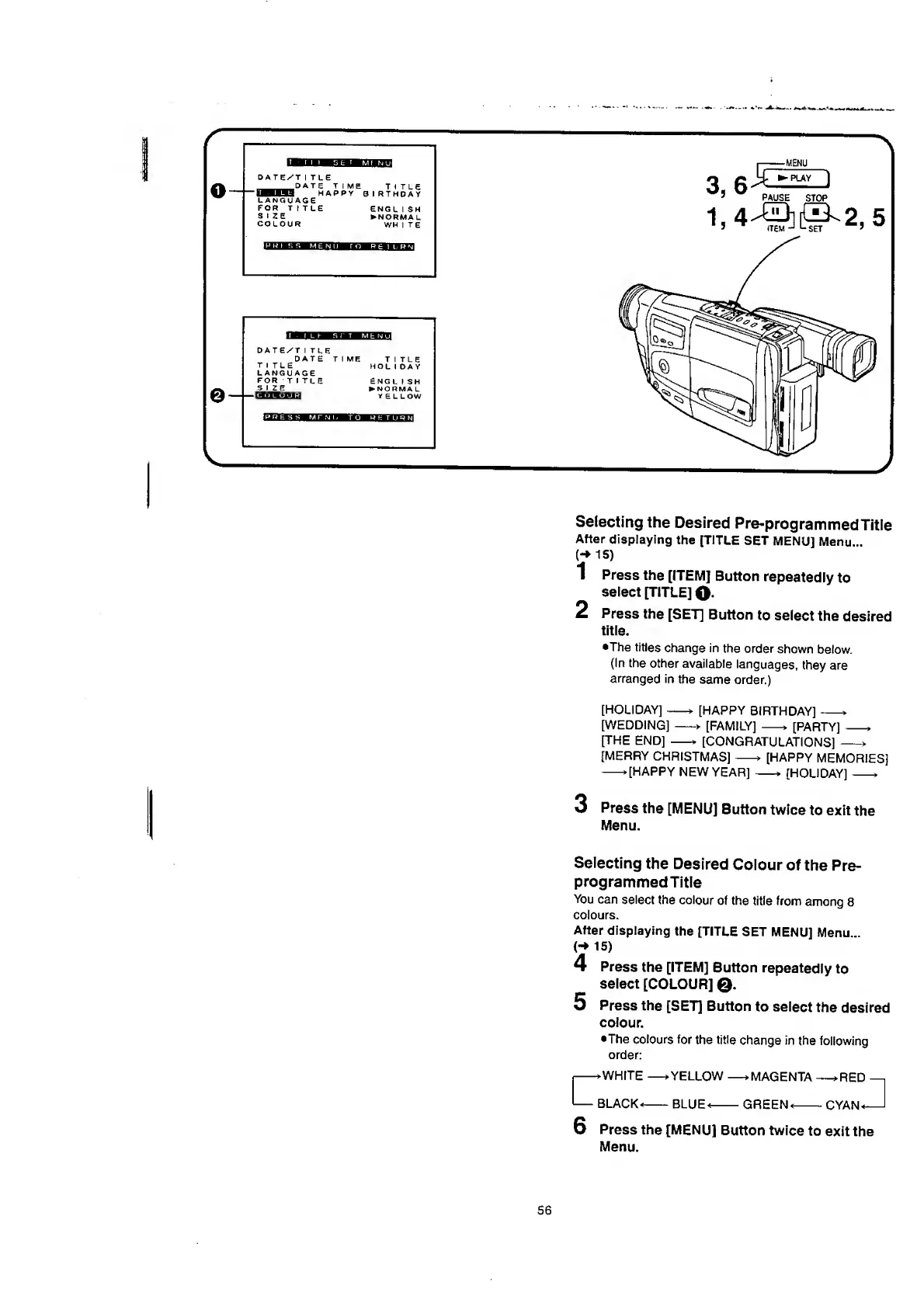
1
Press
the
[ITEM]
Button
repeatedly
to
select
[TITLE]
O-
2
Press
the
[SET]
Button
to
select
the
desired
title.
•The
titles
change
in
the
order
shown
below.
(In
the
other
available
languages,
they
are
arranged
in
the
same
order.)
[HOLIDAY]-»
[HAPPY
BIRTHDAY]-*
[WEDDING]-»
[FAMILY]
->
[PARTY]-*
[THE
END]
-*
[CONGRATULATIONS]
[MERRY
CHRISTMAS]-*
[HAPPY
MEMORIES]
-*[HAPPY
NEW
YEAR]
[HOLIDAY]-*
3
Press
the
[MENU]
Button
twice
to
exit
the
Menu.
Selecting
the
Desired
Colour
of
the
Pre¬
programmed
Title
You
can
select
the
colour
of
the
title
from
among
8
colours.
After
displaying
the
[TITLE
SET
MENU]
Menu...
<-»
15)
4
Press
the
[ITEM]
Button
repeatedly
to
select
[COLOUR]
Q.
5
Press
the
[SET]
Button
to
select
the
desired
colour.
•The
colours
for
the
title
change
in
the
following
order:
56

Table of Contents

Related product manuals