EasyManua.ls Logo

Panasonic NV-RX37A - Fast-Forwarding; Rewinding; Eliminating Picture Distortions (Tracking Adjustment).35

Panasonic NV-RX37A
79 pages
Print Icon
To Next Page IconTo Next Page
To Previous Page IconTo Previous Page
Loading...
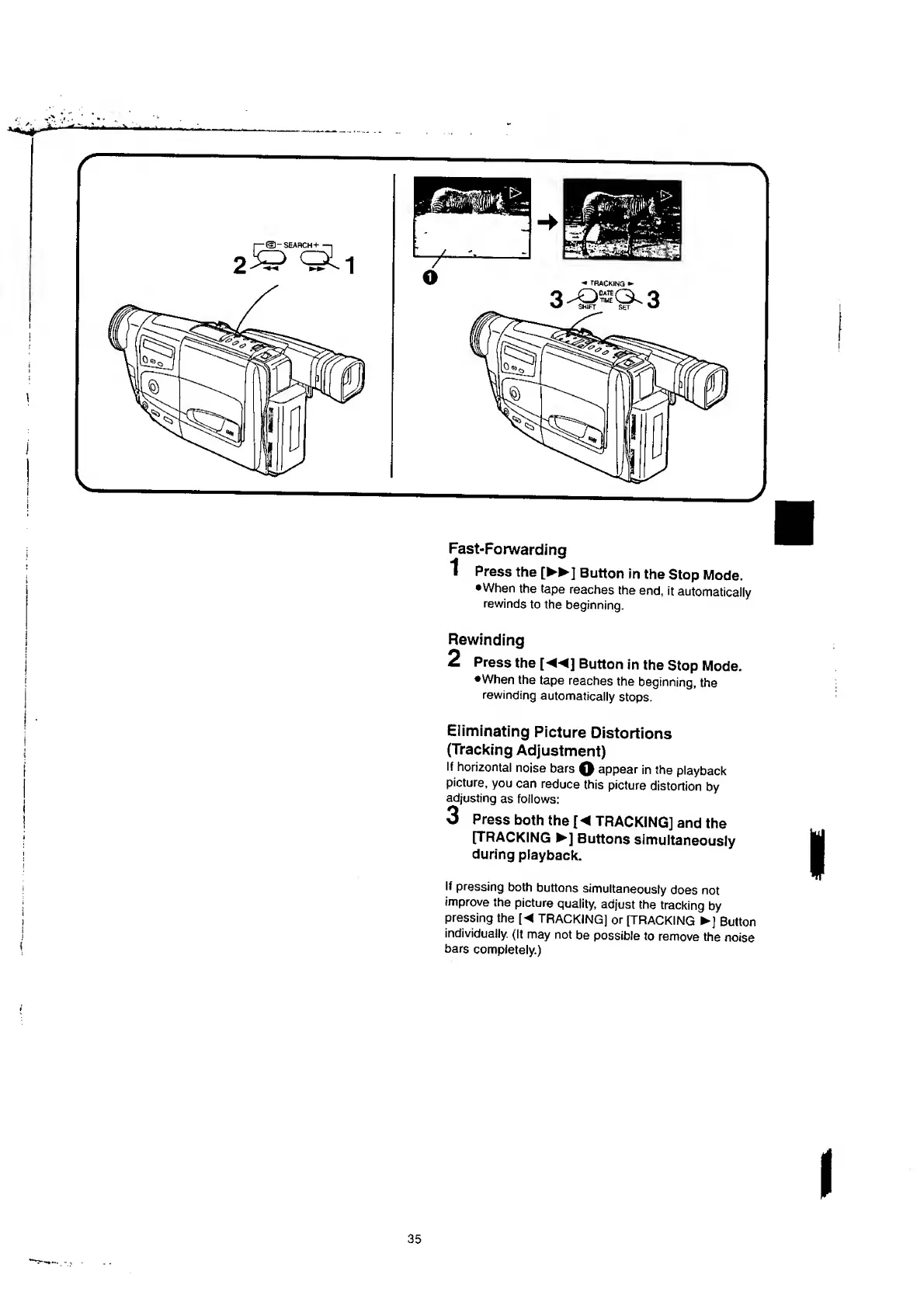
Fast-Forwarding
1
Press
the
[
►►
]
Button
in
the
Stop
Mode.
•When
the
tape
reaches
the
end,
it
automatically
rewinds
to
the
beginning.
Rewinding
2
Press
the
[
]
Button
in
the
Stop
Mode.
•When
the
tape
reaches
the
beginning,
the
rewinding
automatically
stops.
Eliminating
Picture
Distortions
(Tracking
Adjustment)
If
horizontal
noise
bars
Q
appear
in
the
playback
picture,
you
can
reduce
this
picture
distortion
by
adjusting
as
follows:
3
P
r
ess
both
the
[
TRACKING]
and
the
[TRACKING
]
Buttons
simultaneously
during
playback.
If
pressing
both
buttons
simultaneously
does
not
improve
the
picture
quality,
adjust
the
tracking
by
pressing
the
[
TRACKING]
or
[TRACKING
]
Button
individually.
(It
may
not
be
possible
to
remove
the
noise
bars
completely.)

Table of Contents

Related product manuals