EasyManua.ls Logo

Panasonic NV-RX37A - Using the Memory Stop Function

Panasonic NV-RX37A
79 pages
Print Icon
To Next Page IconTo Next Page
To Previous Page IconTo Previous Page
Loading...
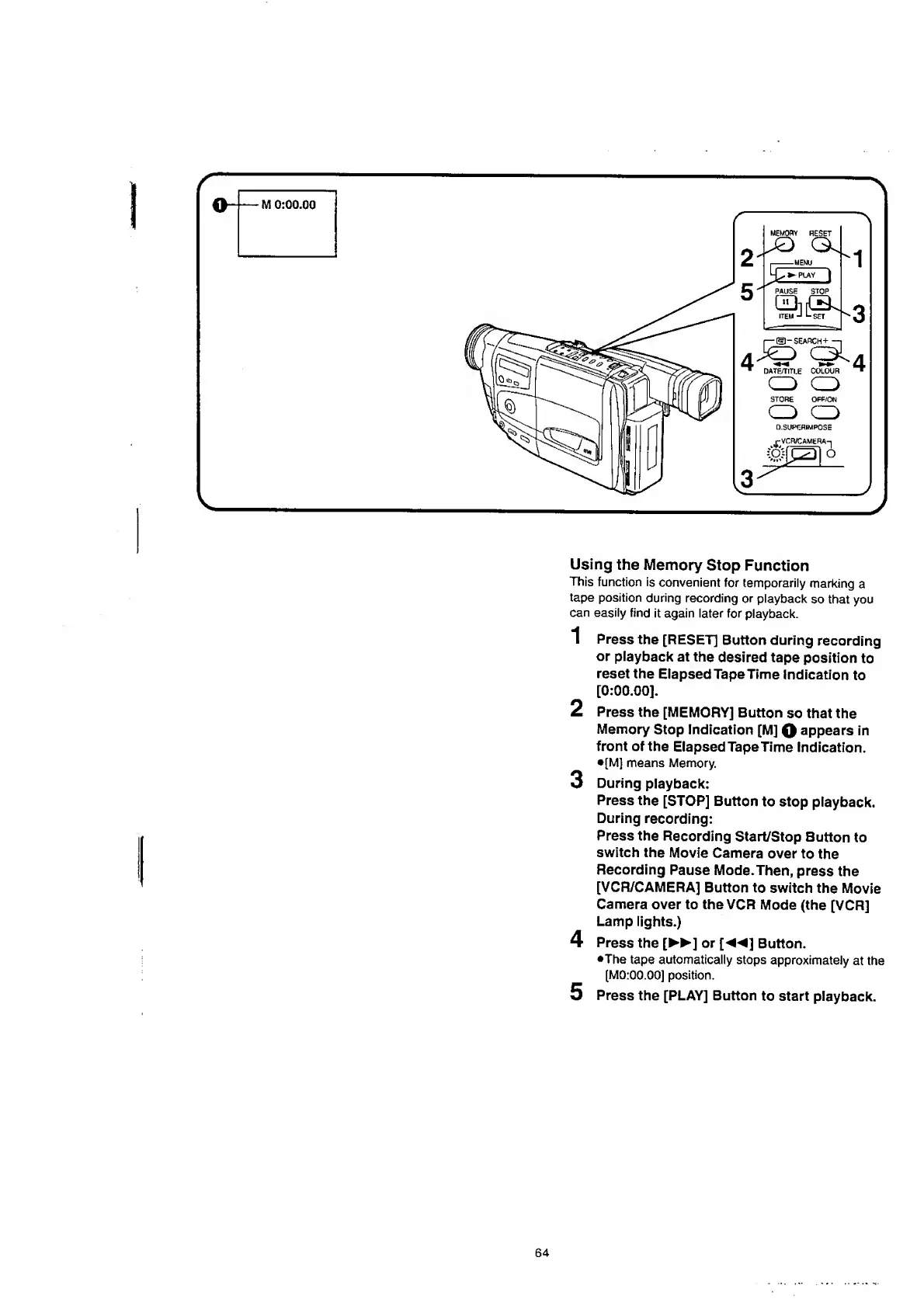
Using
the
Memory
Stop
Function
This
function
is
convenient
for
temporarily
marking
a
tape
position
during
recording
or
playback
so
that
you
can
easily
find
it
again
later
for
playback.
1
Press
the
[RESET]
Button
during
recording
or
playback
at
the
desired
tape
position
to
reset
the
Elapsed
Tape
Time
Indication
to
[
0
:
00
.
00
].
2
Press
the
[MEMORY]
Button
so
that
the
Memory
Stop
Indication
[M]
Q
appears
in
front
of
the
Elapsed
Tape
Time
Indication.
•[M]
means
Memory.
3
During
playback:
Press
the
[STOP]
Button
to
stop
playback.
During
recording:
Press
the
Recording
Start/Stop
Button
to
switch
the
Movie
Camera
over
to
the
Recording
Pause
Mode.Then,
press
the
[VCR/CAMERA]
Button
to
switch
the
Movie
Camera
over
to
the
VCR
Mode
(the
[VCR]
Lamp
lights.)
4
Press
the
[
►►
]
or
[
]
Button.
•The
tape
automatically
stops
approximately
at
the
[M0:00.00]
position.
5
Press
the
[PLAY]
Button
to
start
playback.
64

Table of Contents

Related product manuals