EasyManua.ls Logo

Panasonic NV-RX37A - Cue Playback; Review Playback; Still Playback

Panasonic NV-RX37A
79 pages
Print Icon
To Next Page IconTo Next Page
To Previous Page IconTo Previous Page
Loading...
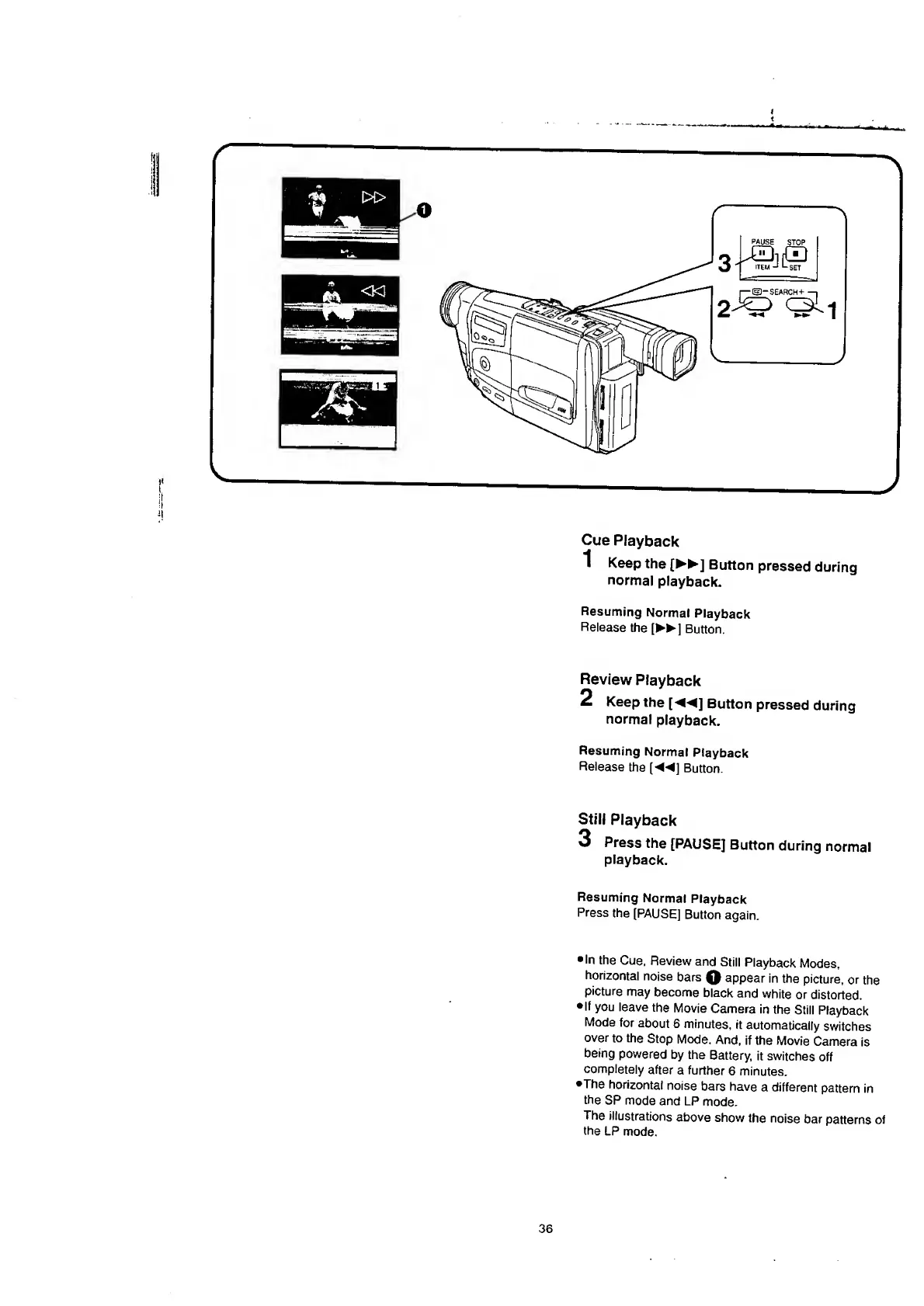
Cue
Playback
1
K
eep
the
[
]
Button
pressed
during
normal
playback.
Resuming
Normal
Playback
Release
the
[
►►
]
Button.
Review
Playback
2
K
eep
the
[
]
Button
pressed
during
normal
playback.
Resuming
Normal
Playback
Release
the
(
]
Button.
Still
Playback
3
P
ress
the
[PAUSE]
Button
during
normal
playback.
Resuming
Normal
Playback
Press
the
[PAUSE]
Button
again.
In
the
Cue,
Review
and
Still
Playback
Modes,
horizontal
noise
bars
0
appear
in
the
picture,
or
the
picture
may
become
black
and
white
or
distorted,
If
you
leave
the
Movie
Camera
in
the
Still
Playback
Mode
for
about
6
minutes,
it
automatically
switches
over
to
the
Stop
Mode.
And,
if
the
Movie
Camera
is
being
powered
by
the
Battery,
it
switches
off
completely
after
a
further
6
minutes.
•The
horizontal
noise
bars
have
a
different
pattern
in
the
SP
mode
and
LP
mode.
The
illustrations
above
show
the
noise
bar
patterns
of
the
LP
mode.

Table of Contents

Related product manuals