EasyManua.ls Logo

Panasonic NV-RX37A - Advanced Operations; Using the Power Save Function; Using the Auto Power Save Function

Panasonic NV-RX37A
79 pages
Print Icon
To Next Page IconTo Next Page
To Previous Page IconTo Previous Page
Loading...
Advanced
Operations
Using
the
Power
Save
Functions
To
ensure
economical
use
of
electric
power
from
your
Battery,
this
Movie
Camera
is
equipped
with
two
Power
Save
Functions:
1.
Auto
Power
Save
Function
(explained
below)
2.
Anti-Ground
Recording
Function
(-4
39)
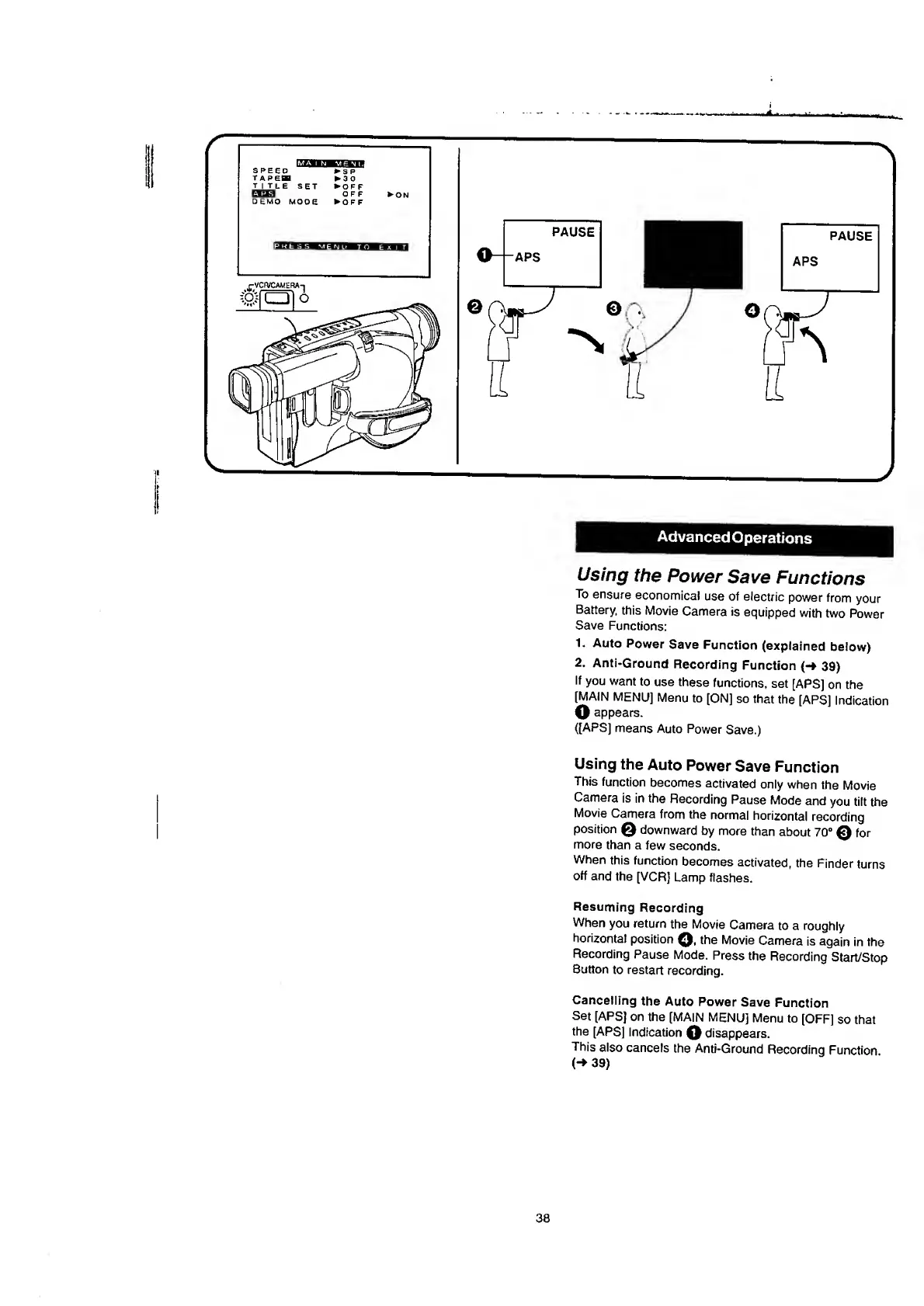
If
you
want
to
use
these
functions,
set
[APS]
on
the
[MAIN
MENU]
Menu
to
[ON]
so
that
the
[APS]
Indication
O
appears.
([APS]
means
Auto
Power
Save.)
Using
the
Auto
Power
Save
Function
This
function
becomes
activated
only
when
the
Movie
Camera
is
in
the
Recording
Pause
Mode
and
you
tilt
the
Movie
Camera
from
the
normal
horizontal
recording
position
Q
downward
by
more
than
about
70°
®
for
more
than
a
few
seconds.
When
this
function
becomes
activated,
the
Finder
turns
off
and
the
[VCR]
Lamp
flashes.
Resuming
Recording
When
you
return
the
Movie
Camera
to
a
roughly
horizontal
position
Q,
the
Movie
Camera
is
again
in
the
Recording
Pause
Mode.
Press
the
Recording
Start/Stop
Button
to
restart
recording.
Cancelling
the
Auto
Power
Save
Function
Set
[APS]
on
the
[MAIN
MENU]
Menu
to
[OFF]
so
that
the
[APS]
Indication
disappears.
This
also
cancels
the
Anti-Ground
Recording
Function
(->
39
)
38

Table of Contents

Related product manuals