EasyManua.ls Logo

Panasonic NV-RX37A - Using the Title Menu

Panasonic NV-RX37A
79 pages
Print Icon
To Next Page IconTo Next Page
To Previous Page IconTo Previous Page
Loading...
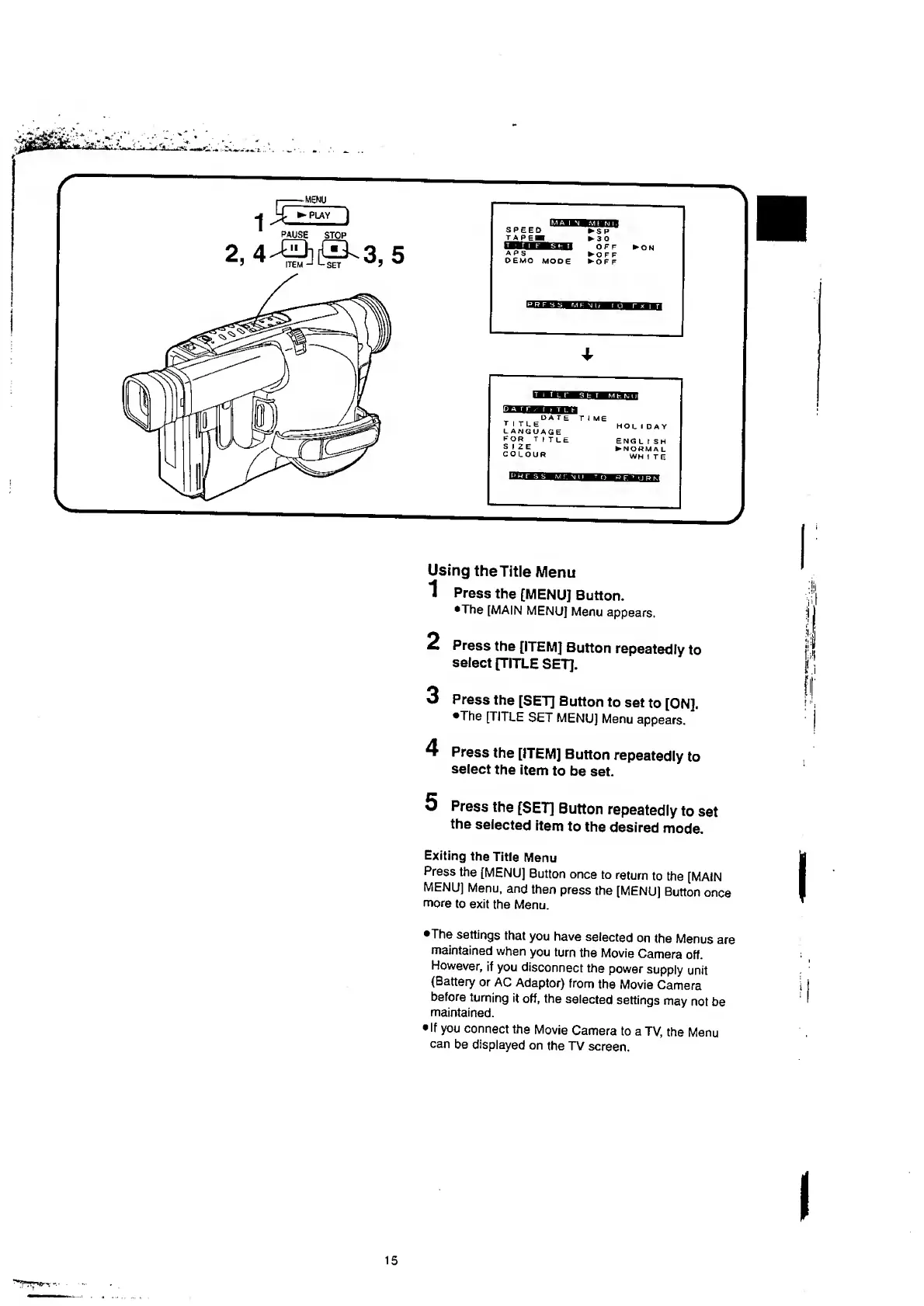
Press
the
[ITEM]
Button
repeatedly
to
select
[TITLE
SET].
3
Press
the
[SET]
Button
to
set
to
[ON].
•The
[TITLE
SET
MENU]
Menu
appears.
4
Press
the
[ITEM]
Button
repeatedly
to
select
the
item
to
be
set.
Press
the
[SET]
Button
repeatedly
to
set
the
selected
item
to
the
desired
mode.
Exiting
the
Title
Menu
Press
the
[MENU]
Button
once
to
return
to
the
[MAIN
MENU]
Menu,
and
then
press
the
[MENU]
Button
once
more
to
exit
the
Menu.
•The
settings
that
you
have
selected
on
the
Menus
are
maintained
when
you
turn
the
Movie
Camera
off.
However,
if
you
disconnect
the
power
supply
unit
(Battery
or
AC
Adaptor)
from
the
Movie
Camera
before
turning
it
off,
the
selected
settings
may
not
be
maintained.
If
you
connect
the
Movie
Camera
to
a
TV,
the
Menu
can
be
displayed
on
the
TV
screen.
15

Table of Contents

Related product manuals