EasyManua.ls Logo

Panasonic NV-RX37A - Page 63

Panasonic NV-RX37A
79 pages
Print Icon
To Next Page IconTo Next Page
To Previous Page IconTo Previous Page
Loading...
r
o
o
J
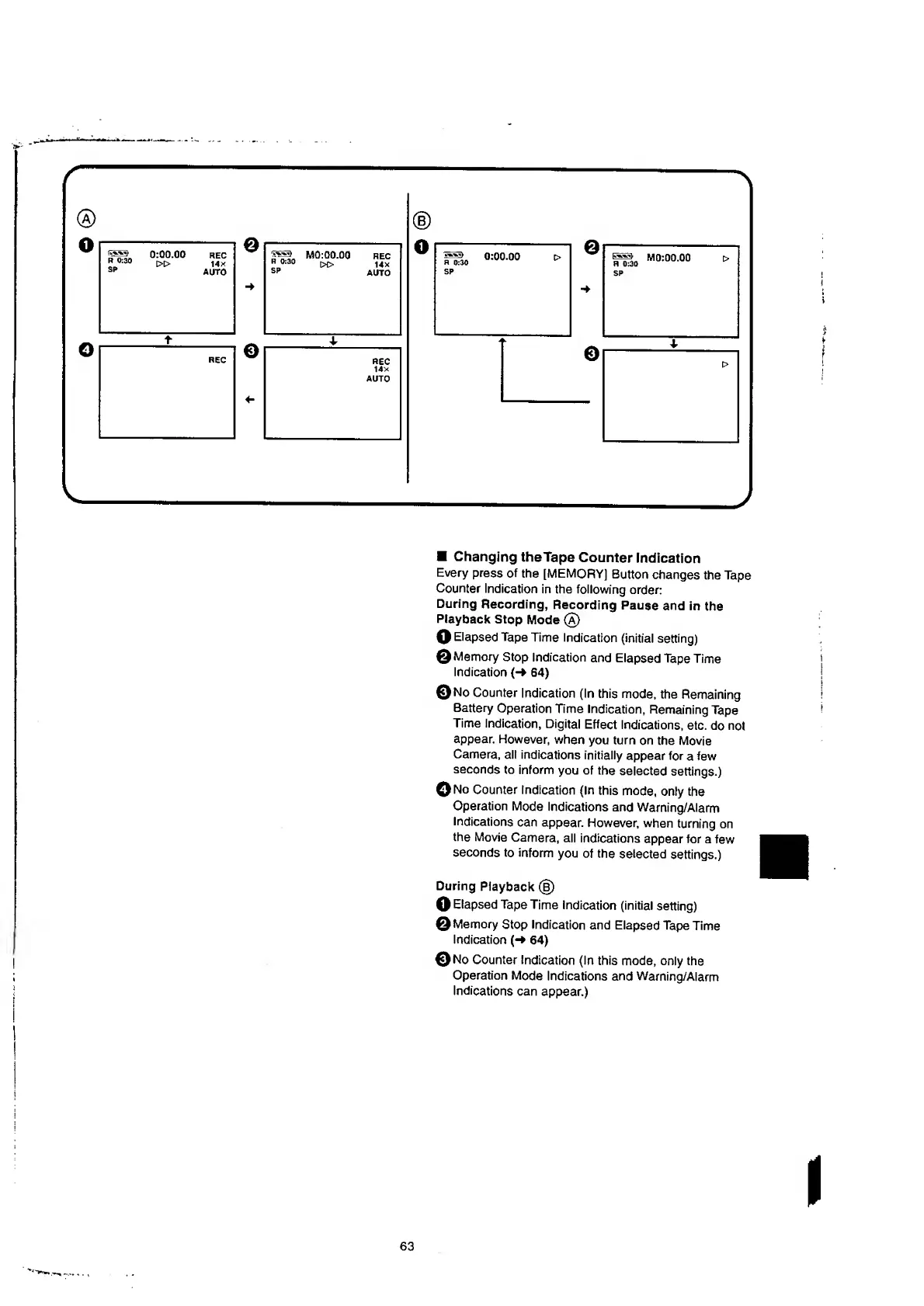
Changing
theTape
Counter
Indication
Every
press
of
the
[MEMORY]
Button
changes
the
Tape
Counter
Indication
in
the
following
order:
During
Recording,
Recording
Pause
and
in
the
Playback
Stop
Mode
(a)
O
Elapsed
Tape
Time
Indication
(initial
setting)
©Memory
Stop
Indication
and
Elapsed
Tape
Time
Indication
{-»
64)
©No
Counter
Indication
(In
this
mode,
the
Remaining
Battery
Operation
Time
Indication,
Remaining
Tape
Time
Indication,
Digital
Effect
Indications,
etc.
do
not
appear.
However,
when
you
turn
on
the
Movie
Camera,
all
indications
initially
appear
for
a
few
seconds
to
inform
you
of
the
selected
settings.)
©No
Counter
Indication
(In
this
mode,
only
the
Operation
Mode
Indications
and
Warning/Alarm
Indications
can
appear.
However,
when
turning
on
the
Movie
Camera,
all
indications
appear
for
a
few
seconds
to
inform
you
of
the
selected
settings.)
During
Playback
(§)
O
Elapsed
Tape
Time
indication
(initial
setting)
©Memory
Stop
Indication
and
Elapsed
Tape
Time
Indication
64)
©No
Counter
Indication
(In
this
mode,
only
the
Operation
Mode
Indications
and
Warning/Alarm
Indications
can
appear.)

Table of Contents

Related product manuals