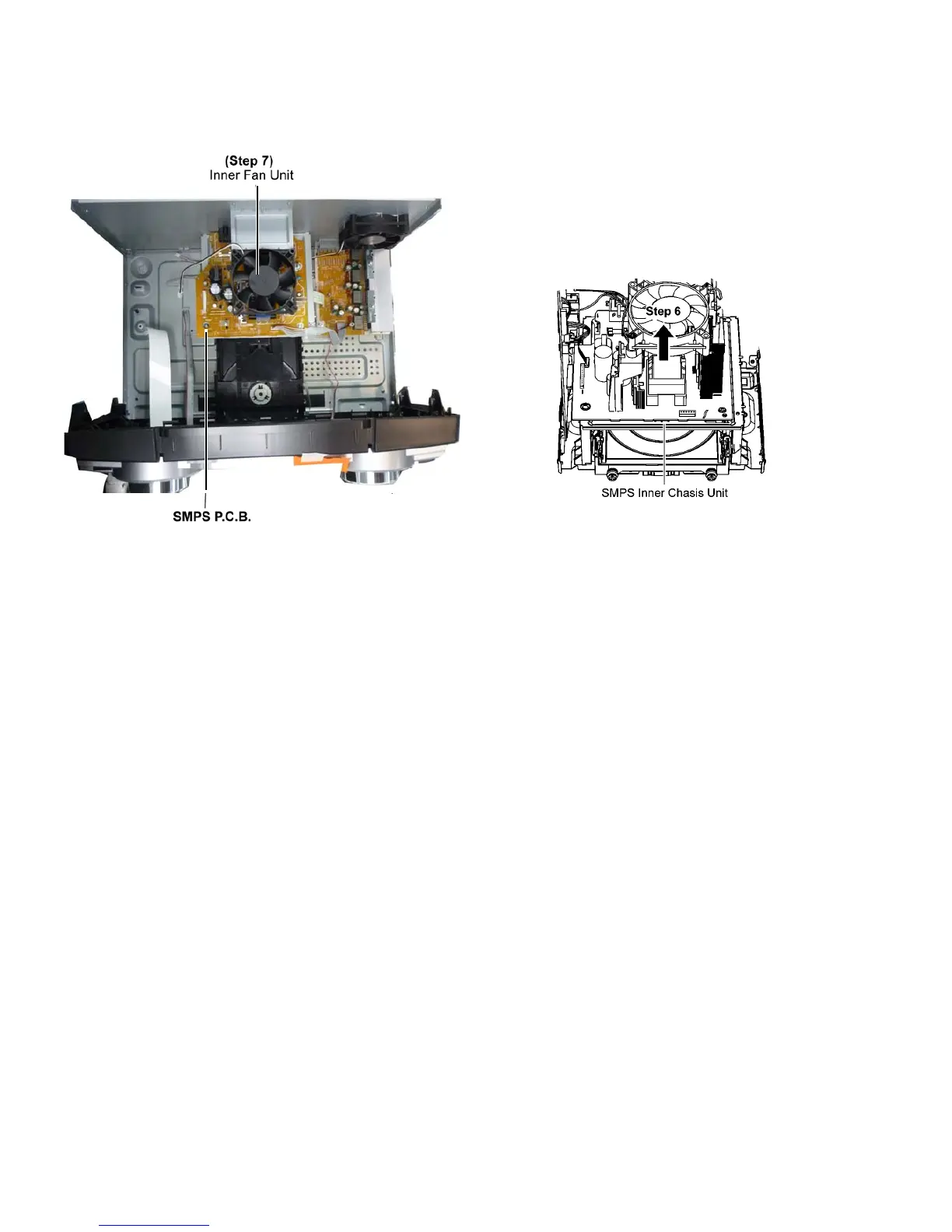
Step 6 Remove 2 screws
Step 7 Remove the Inner Fan Unit.
Caution: Keep the Fan Fixtures in safe place, place it back
during assembling.
Step 8 Remove the SMPS P.C.B..
Caution: During assembling, ensure that the SMPS P.C.B.
is properly located & fully seated onto the Inner Chassis
Unit.





 To Next Page