18
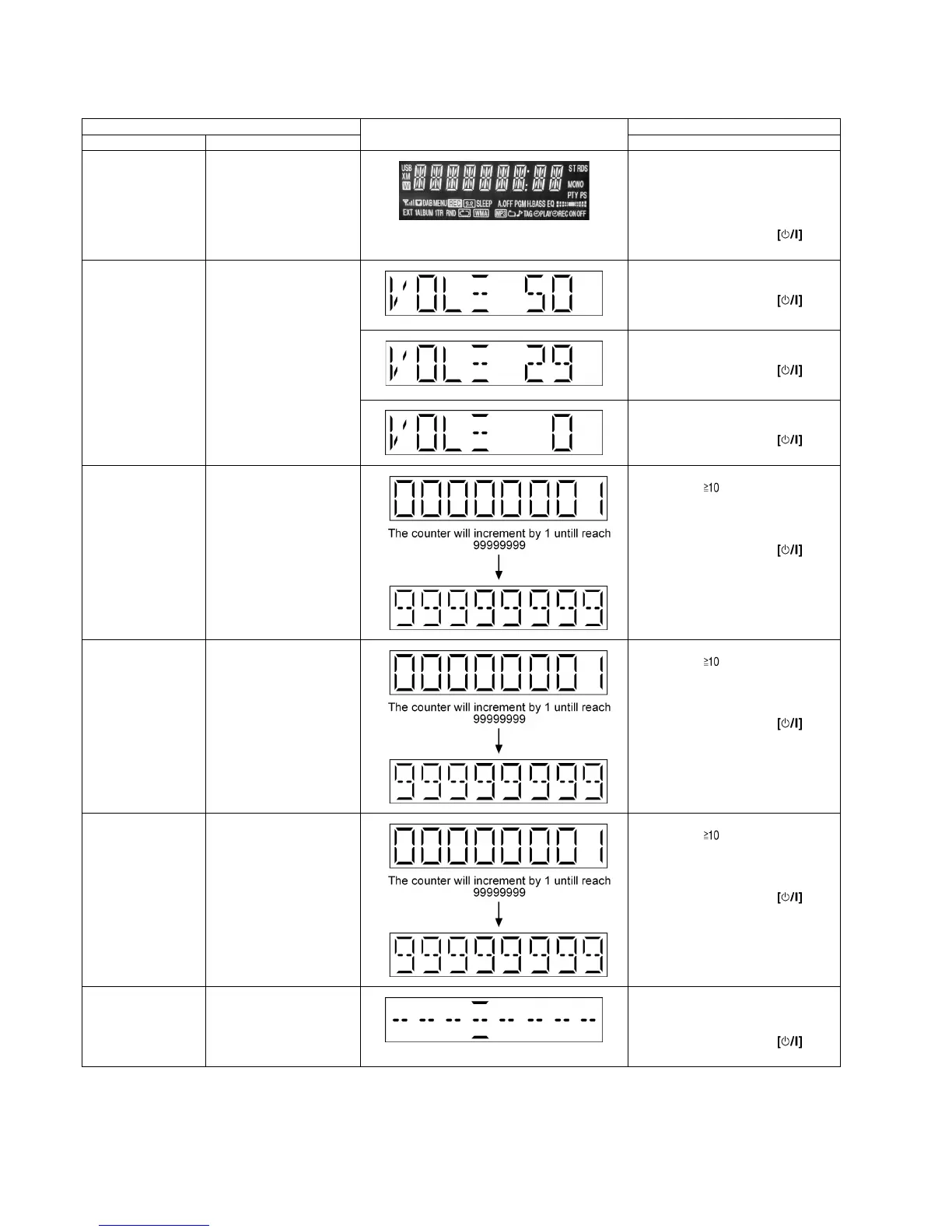
7.2.2. Service Mode Table 2
Item FL Display Key Operation
Mode Name Description Front Key
FL Display Test To check the FL segments
display (All segments will
light up)
In Doctor Mode:
1. Press [DIMMER] button on
remote control.
To cancel, press [0] button on remote
control.
To exit Doctor Mode, press but-
ton on main unit or remote control.
Volume Setting To check for volume setting
during this mode, Bass &
treble is set to 0dB & EQ is
switch off.
In Doctor Mode:
1. Press [7] button on remote control.
To exit Doctor Mode, press but-
ton on main unit or remote control.
In Doctor Mode:
2. Press [8] button on remote control.
To exit Doctor Mode, press but-
ton on main unit or remote control.
In Doctor Mode:
3. Press [9] button on remote control.
To exit Doctor Mode, press but-
ton on main unit or remote control.
CD Loading Test Mode
(DLS6C)
To determine the reliability of
CD Loading unit.
To check for the Open/Close
operation for the CD loading
unit. It fails when there is
abnormality in opening or
closing.
In Doctor Mode:
1. Press [ ], [1], [1] button on
remote control.
To cancel, press [0] button on remote
control.
To exit Doctor Mode, press but-
ton on main unit or remote control.
CD Traverse Unit Test
Mode (DLS6C)
To check for the traverse unit
operation. In this mode, the
first & last track is access &
read. (TOC). It fails when
TOC is not completed by IOS
or the traverse is out of
focus.
In Doctor Mode:
1. Press [ ], [1], [2] button on
remote control.
To cancel, press [0] button on remote
control.
To exit Doctor Mode, press but-
ton on main unit or remote control.
CD Combination Test
Mode (DLS6C)
A combination of CD loading
& traverse unit test.
In Doctor Mode:
1. Press [ ], [1], [3] button on
remote control.
To cancel, press [0] button on remote
control.
To exit Doctor Mode, press but-
ton on main unit or remote control.
Cold Start To activate cold start upon
next AC power up.
In Doctor Mode:
1. Press [SLEEP] button on remote
control.
To exit Doctor Mode, press but-
ton on main unit or remote control.












 To Next Page