34
BASIC OPERATIONS
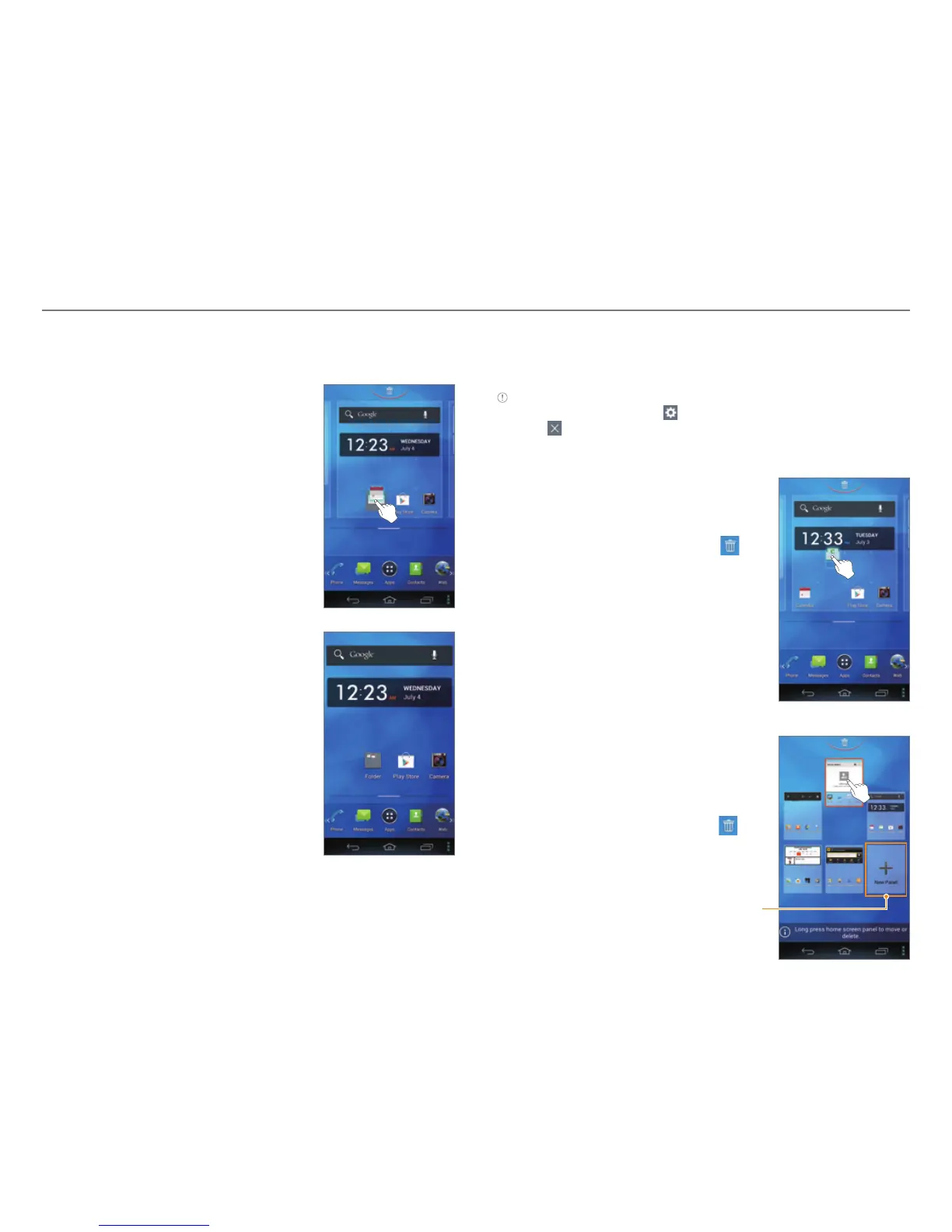
Adding a Folder
Add a folder that contains shortcuts or application icons.
1. On the Home screen, tap and hold
an icon.
2. Drag it onto another icon.
3. Release your finger when a folder is
created.
To Add an Icon to a Folder
Tap and hold an icon on the Home screen, and then drag it
onto the folder.
Note
x Open the folder and tap to change the title or color of the folder.
x Tap
to close the folder.
Arranging an Icon, Widget, or Folder
1. On the Home screen, tap and hold
an item.
2. Drag it to a desired location.
x To delete an item, drag it to
at the top of the screen.
Arranging a Panel
1. On the Home screen, squeeze two
fingers together.
2. Tap and hold a panel.
3. Drag it to a desired location.
x To delete a panel, drag it to
at the top of the screen.
Add a new panel.



 To Next Page