12
PIT KEY
IrDA
LED
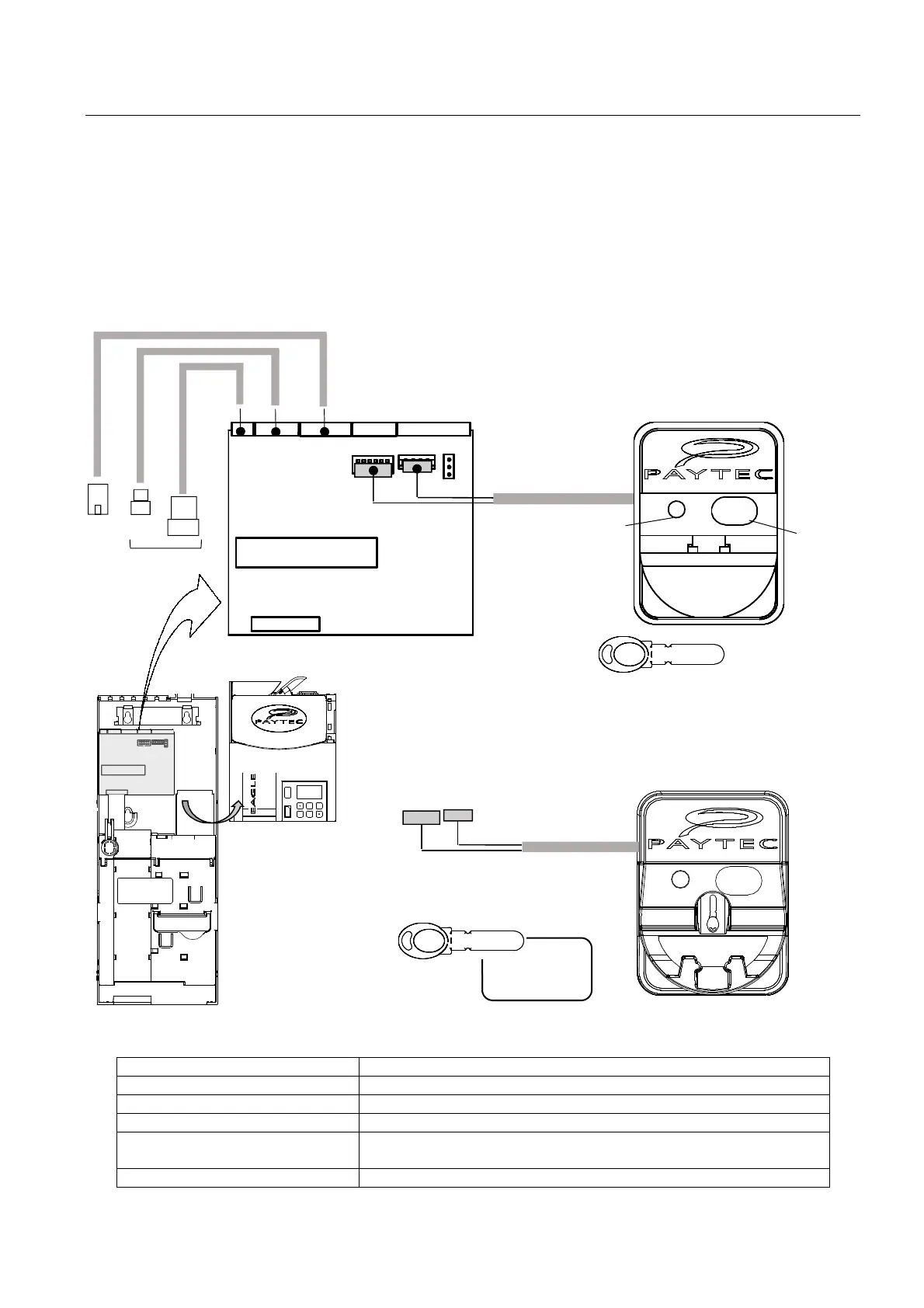
Connecting a local Key reader
Reader CAIMAN PIT or MIFARE
(MF).
A CAIMAN reader (either PIT or MF) can be connected to EAGLE.
All the options in EAGLE dedicated to the use of keys/cards described in this document are valid when using
keys/cards with a local Paytec reader.
The reader CAIMAN PIT enables payments with a Paytec PIT Key (Transponder RF 125KHz).
The reader CAIMAN MIFARE
enables payments with a Paytec MF key/card (RF 13.56MHz).
The reader must be plugged on connectors J9 and J10 on the back of the selector.
The connecting cable, which is different for PIT and MF readers, is supplied with the reader itself
LED on the key reader faceplate
OFF Reader OFF.
Flashing green every 5 secs. Reader ON … ready for use.
Green ON The key can be pulled out.
Red ON Writing … (don’t pull out the key).
Yellow ON
• Key error.
• System ON with key sensor dulled.
Flashing yellow + Err 2 Extended Audit full.
MDB
master
MF KEY
MF CARD



 To Next Page