14
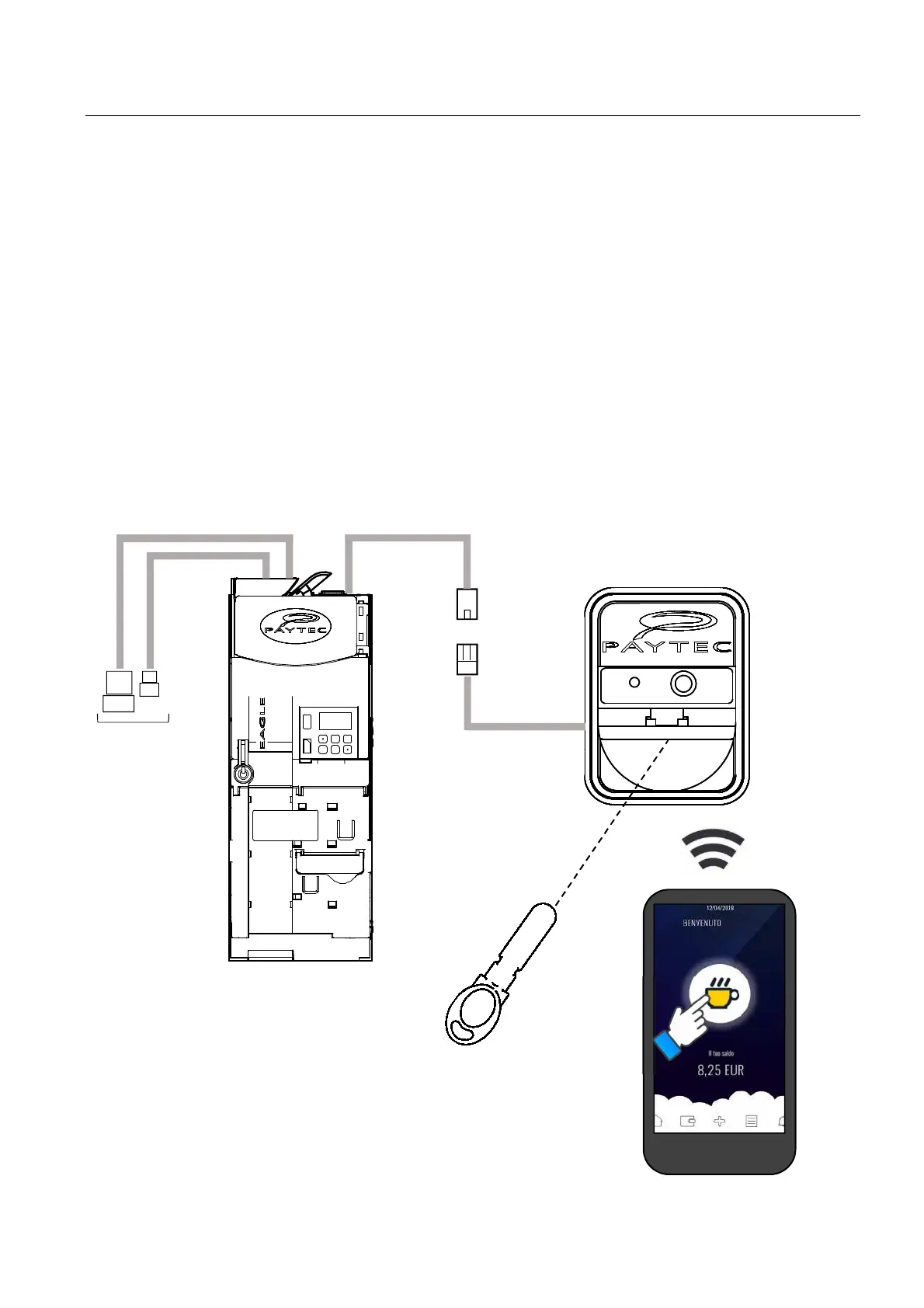
PIT KEY
SMARTPHONE
MDB SLAVE
Connecting OPTO MDB reader
The changegiver EAGLE (updated to f/w 2.00 or later) can be connected to the reader Paytec OPTO MDB, which
is configured as a double Cashless unit MDB (Cashless Key + Cashless Smartphone).
The OPTO reader will act as a double Cashless unit MDB, thus enabling payments with Smartphone or with PIT
key.
In this case, the following addresses must be set on OPTO:
Key Address 60H AUDIT as Cashless 1
OPTO Address 10H AUDIT as Cashless 2
OPTO is connected to the changegiver MDB master cable.
When connecting the OPTO reader, you CANNOT connect a local Paytec reader, too.
Please, consult OPTO user guide for more detailed info about the use of keys and/or Smartphone.
Any info about the use of keys in this document are valid for a local Key reader.
NOTICE
The Changegivers EAGLE having a f/w revision earlier than 2.00 can control the OPTO reader, but OPTO must
be configured as single Cashless MDB unit (e.g. for Smartphone only) on the address MDB = 10H (see OPTO
user guide).



 To Next Page