91
Sending configuration files from PC to
SIB
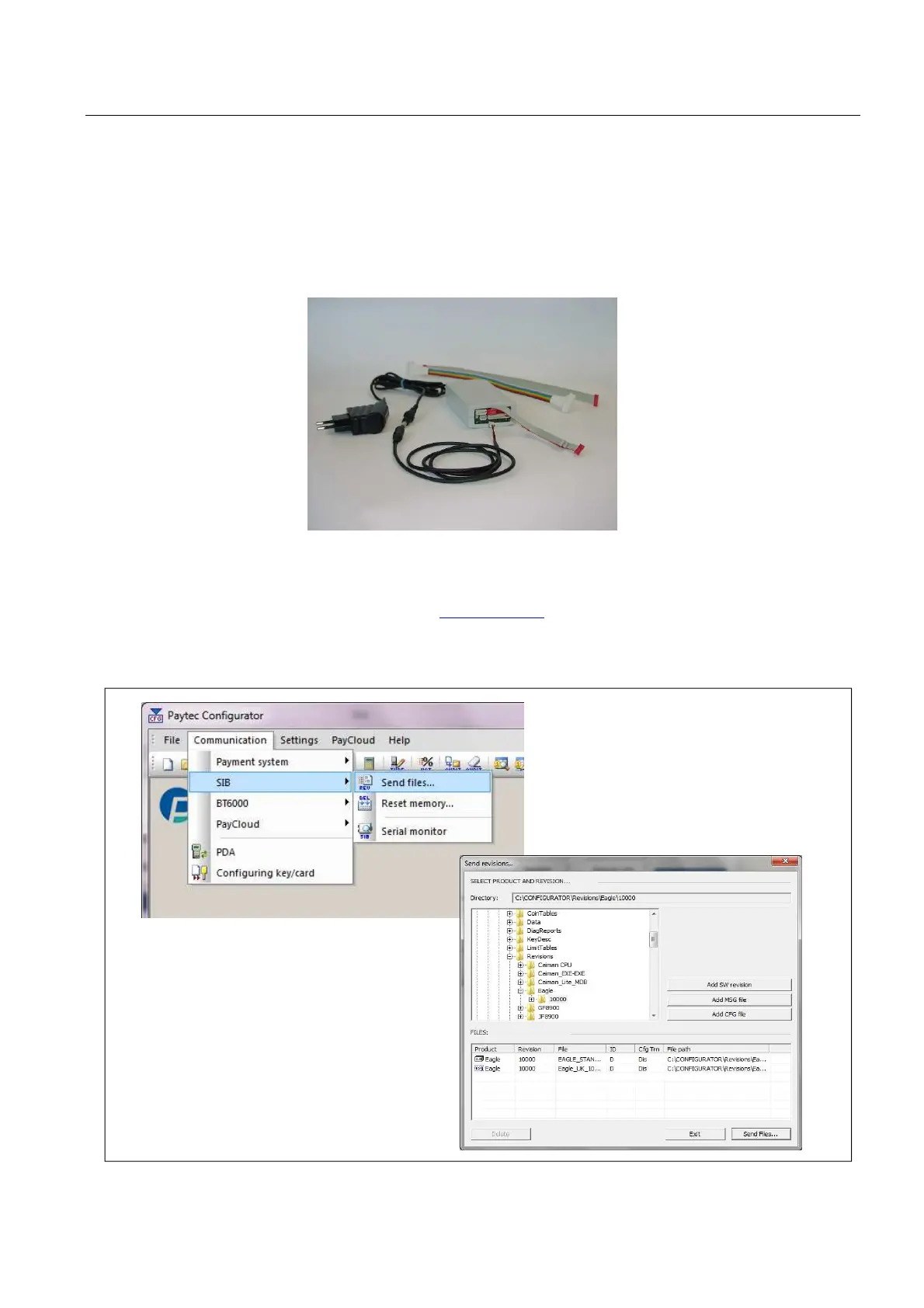
Fig.21
Fig.22
Updating firmware
SIB (Fig.21) is a PAYTEC tool enabling operators to update Paytec payment systems with the latest firmware
revision.
The SIB tool must be updated with f/w rev 5.10 (or later). Contact Paytec for more info.
The SIB tool is plugged via the red connector (Fig.7, pag.11) with the 6-pin flat cable supplied with SIB.
Be careful the cable is plugged with correct polarity.
Cut power before the SIB unit is either connected or disconnected.
Firmware updating procedure:
1) download the latest firmware revision from www.paytec.eu;
2) transfer firmware revision file from the PC to the SIB via Paytec Configurator (see Fig.22);
3) transfer firmware revision from SIB to EAGLE.
NOTICE - Always send both firmware and message files. Read SIB user guide.



 To Next Page