11 Document Number: PD196-103 Rev 1
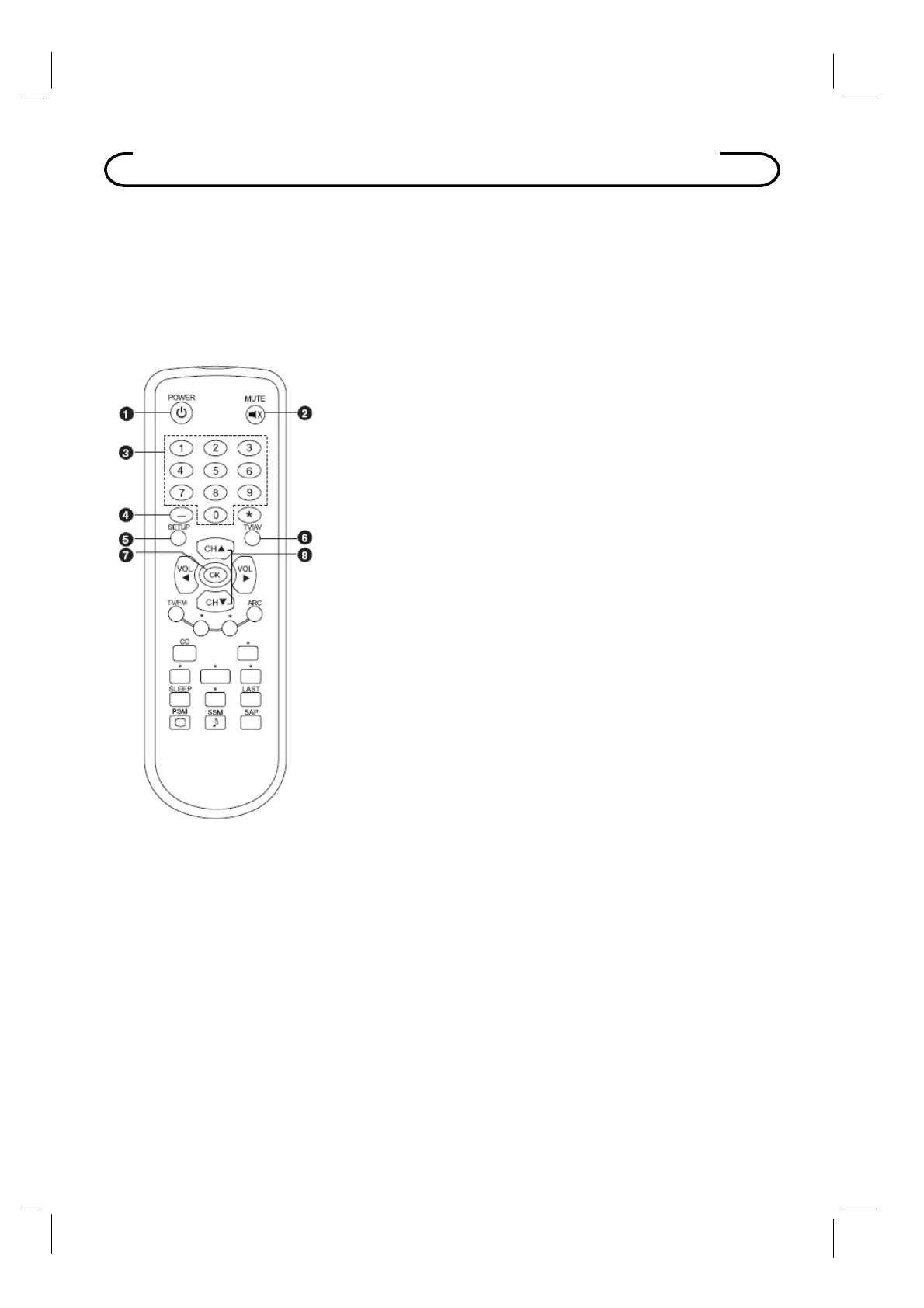
Programming Remote Control
A programming remote control is required to perform all TV setup adjustments including
programming channels. The remote is NOT included with the TV and must be ordered
separately – one remote is capable of programming an entire hospital of televisions. Please
order programming remote control part number PD108-420.
Remote Control
Before
ou use the remote controller,
lease install the batteries.
1
POWE
Turns the
TV on or off.
2
MUTE
urns the sound on or off.
3
NUMBER buttons
Selects channel numbers.
4 Dash
Press to select DTV (Digital TV) channels.
For example, to select channel ‘54-3’, press ‘54’, then press ‘-’
and ‘3’.
5
SETUP
Displays the main menu.
Exit current OSD menu.
6
TV
Selects programmed external inputs.
7
O
Accepts your channel selection. Displays digital channel
information.
8
CH
▲▼
(Channel Up / Down)
Selects next channel or a menu item.



 To Next Page