17 Document Number: PD196-103 Rev 1
Connections
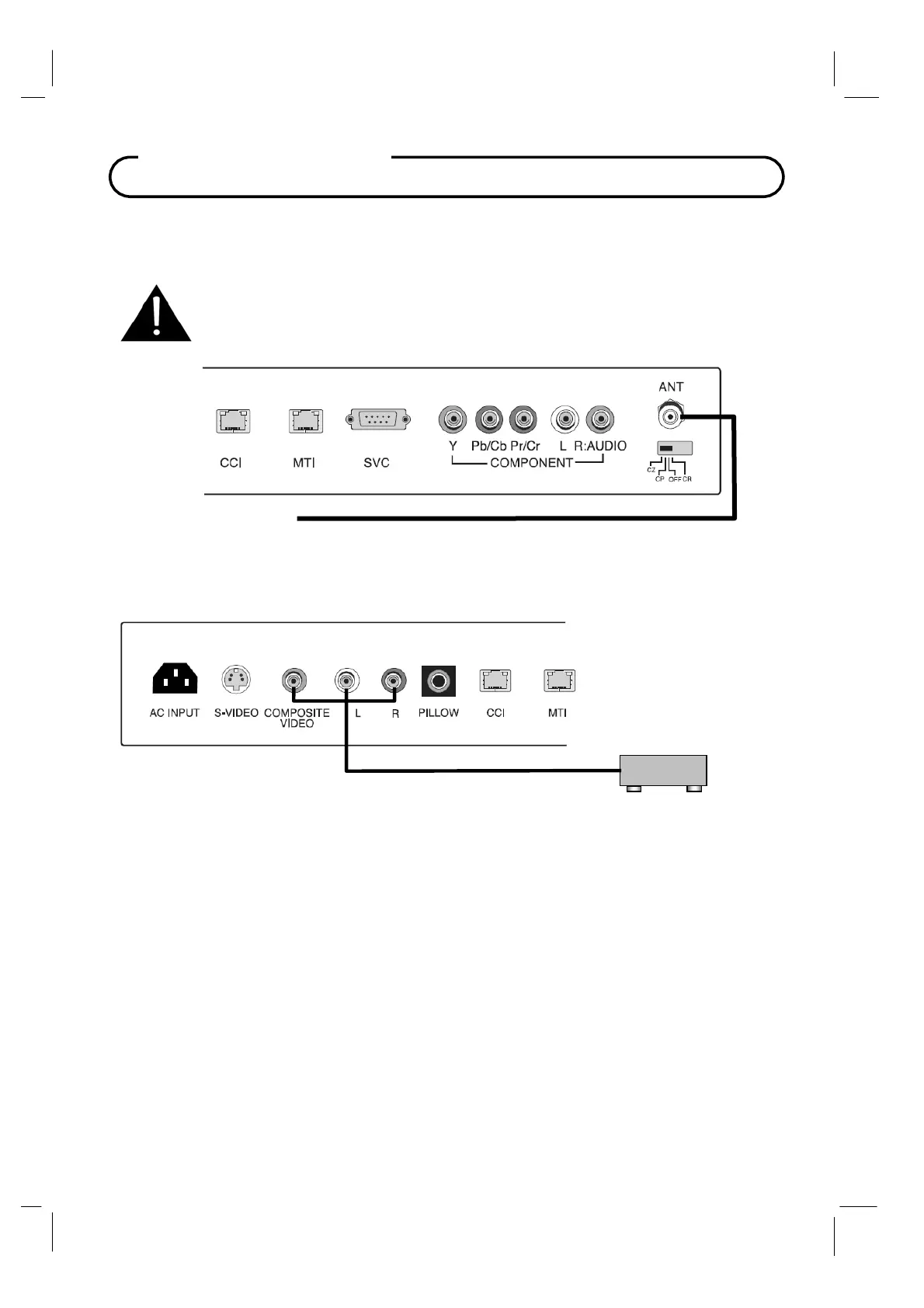
Antenna “ANT” Connection
1. Connect the audio outputs from the device (L, R) to the L & R on the TV. Connections are
color code.
2. Connect the video output from the device to the COMPOSITE VIDEO jack on the TV.
Connection is color-coded.
3. Verify that the COMPOSITE VIDEO mode is enabled in the Source Setup menu. Please see
“Source Setup” instructions elsewhere in this manual for details.
4. Press the TV/AV button repeatedly until COMPOSITE VIDEO appears in the lower right corner
of the screen indicating selection of Composite Video.
5. Activate the device.
Hospital Coax Cable
CAUTION: Some hospital cable systems provide power voltage on the coaxial
cable. This TV is NOT designed to be powered via a coaxial cable. Do not
connect to a powered coaxial cable. Damage will result to the TV.
COMPOSITE VIDEO/AUDIO IN
Connects composite video and stereo or mono audio from devices such as VCR’s,
DVD’s, and Game Boxes.
VCR



 To Next Page