33 Document Number: PD196-103 Rev 1
Channel Setup
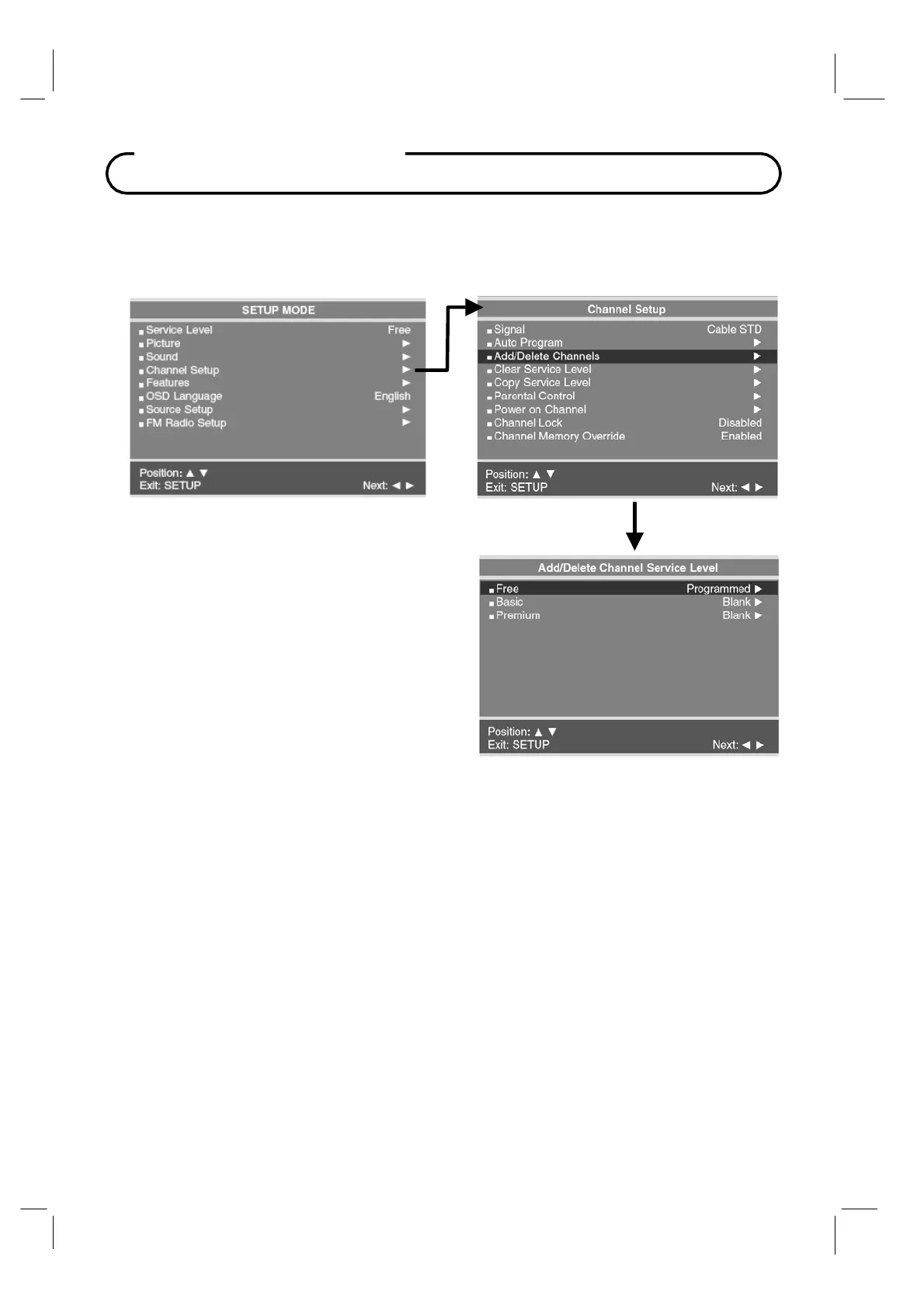
Add / Delete Channels
Individual analog TV channels that are missing can be added to a Service Level. Or, analog
TV channels that require deletion can be removed from a Service Level. Currently
registered Digital channels can be enabled or disabled in each service level.
1. Press the SETUP button to display the
SETUP MODE menu.
2. Press the CH▲ / CH▼
button to select
Channel Setup.
Press VOL◄ / VOL► to
select.
3. Press the CH▲ / CH▼
button to select
Add/Delete Channels.
Press VOL◄ /
VOL► to select.
4. Press the CH▲ / CH▼ button to select the
Service Level you wish to add or delete
channels.
5. Press VOL◄ / VOL► to enter the
Add/Delete Channels menu for that Service
Level.



 To Next Page