10 Document Number: PD196-103 Rev 1
Control
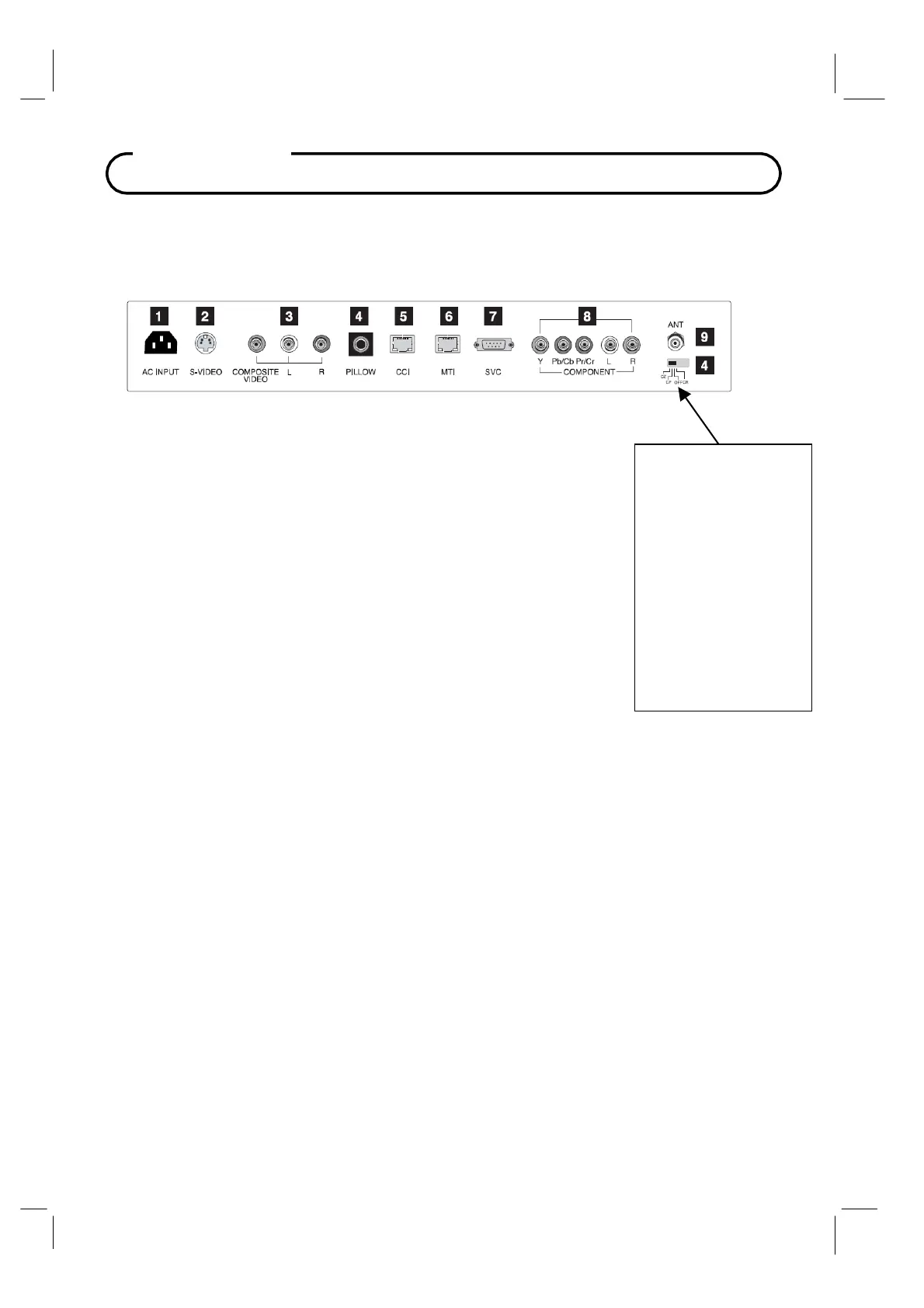
Rear Panel
1.
AC IN PU T
Power Cord connection jack.
2.
S-VIDEO IN
Connect the video output of an S -VIDEO VCR to the S-VIDEO input.
Connect the audio output to L and R jacks.
3. COMPOSITE VIDEO / AUDIO L, R IN
Connect the Audio / Video outputs of external equipment to these inputs.
4. PILLOW
Pillow speaker port.
Use the switch to select correct voltage.
CZ : Zenith Compatible (+14V)
CP
: Philips Compatible (+5V)
CR : RCA
Compatible (-5V)
Off : Pillow port disable (0V)
5.
CCI
Communication port.
6.
MTI
Connection to MTI device.
7. SVC
Service port.
8.
COMPONENT IN
Connect the COMPONENT audio / video output sockets of the DVD to the
COMPONENT audio / video input sockets of the set.
9.
ANT
Connection to Cable TV Coax.
! CAUTION !
Moving this switch changes
the voltage supplied to the
pillow speaker.
Make sure it is set correctl
BEFORE plugging in the
pillow speaker jumpe
cable.
Failure to do so WILL
RESULT IN THE PILLOW
SPEAKER BEING
OVERDRIVEN AND
POSSIBLE DAMAGE TO
THE PILLOW SPEAKER.



 To Next Page