35 Document Number: PD196-103 Rev 1
Channel Setup
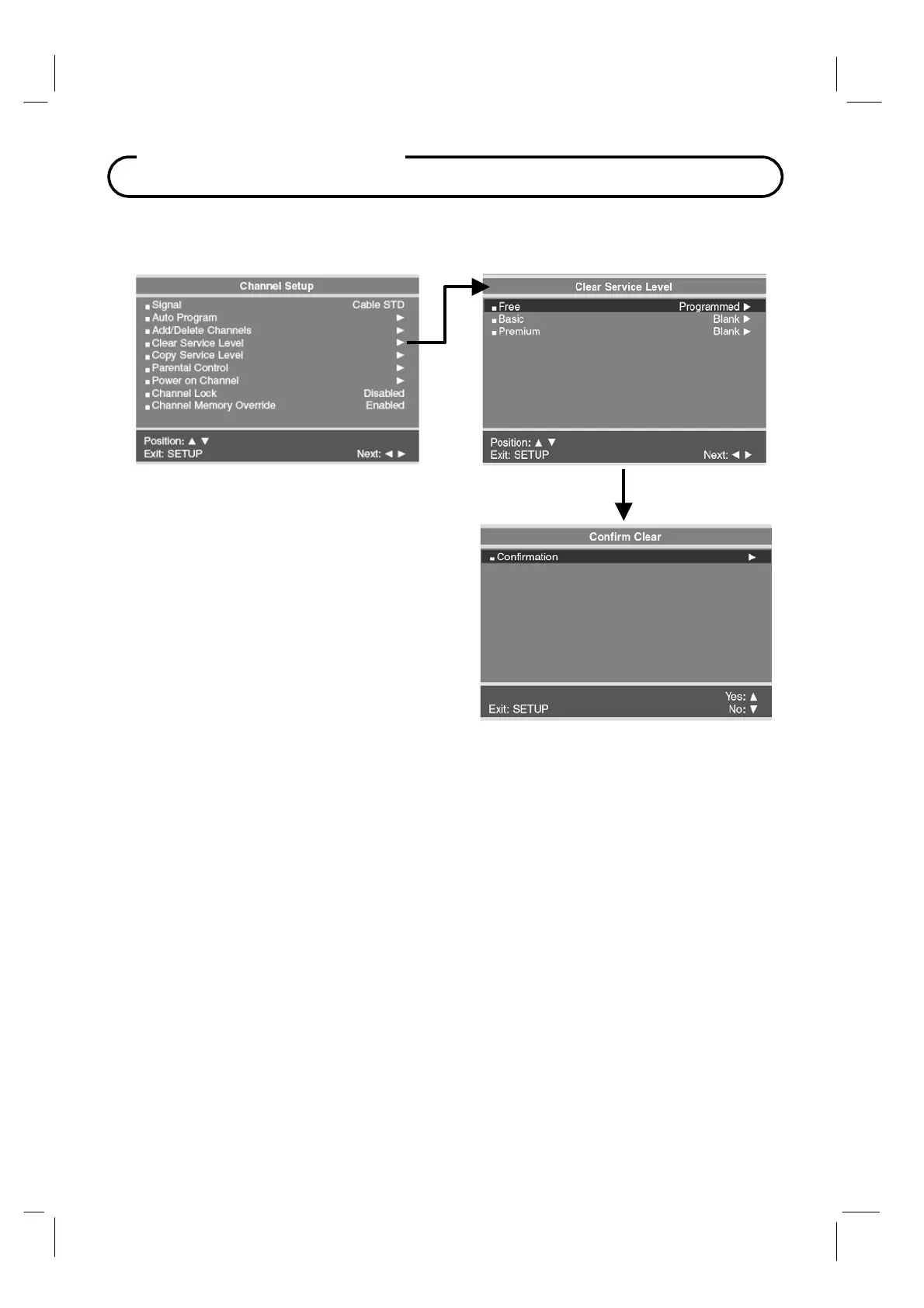
Clear Service Level
Empties a service level of all programmed channels leaving it blank.
1. From the Channel Setup menu, press
the CH▲ / CH▼ buttons to select
Clear Service Level menu.
2. A listing of service levels are shown
with the current programmed status.
Press the CH▲ / CH▼ button to select
the desired Service Level.
3. Press the VOL◄ / VOL► button once.
A Confirm Clear menu appears.
4. Press the CH▲ to confirm clearing of
the selected Service Level. Press the
CH▼ button to exit without making any
changes to the selected Service Level.
5. Press the SETUP button to return to
the preceding menu.



 To Next Page