43 Document Number: PD196-103 Rev 1
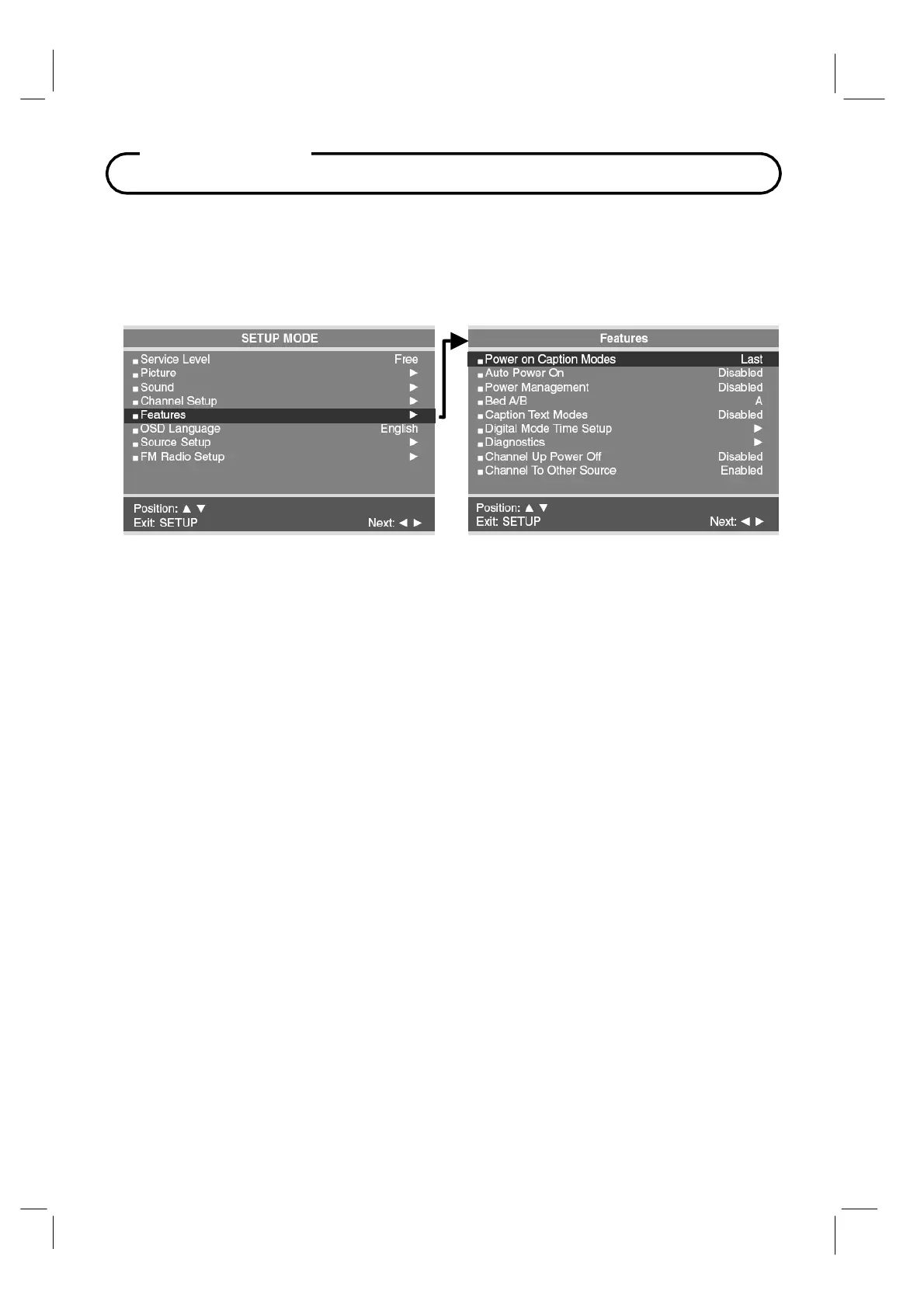
Features
Power On Captions Mode
Power on Captions Mode memorizes the caption setting upon powering the
TV off. With this
feature set Off, the
TV will always power on with captions disabled.
With this feature set to Last, the
TV powers on with the last caption’s setting.
1. Press the
SETUP
button.
2. Press the
CH▲ / CH▼
button to select the
Features
menu.
3. Press the
CH▲ / CH▼
button to select
Power On Captions Mode.
4.
Press the
VOL◄ / VOL►
button to select
Last
or
Off.
5.
Press the
SETUP
button to return to the preceding menu.
Auto Power On
The TV will turn on and stay on whenever electrical power is applied to the set. This feature is
useful for controlling the TV from a wall switch or preventing the TV from being turned off via the
front TV power button, IR remote, or pillow speaker.
1.
In
Features
menu, press the
CH▲ / CH▼
button to select
Auto Power On.
2.
Press the
VOL◄ / VOL►
button to select
Disabled
or
Enabled.
3.
Press the
SETUP
button to return to the preceding menu.
The Features menu provides adjustable settings that customize the TV to your hospital.



 To Next Page