23 Document Number: PD196-103 Rev 1
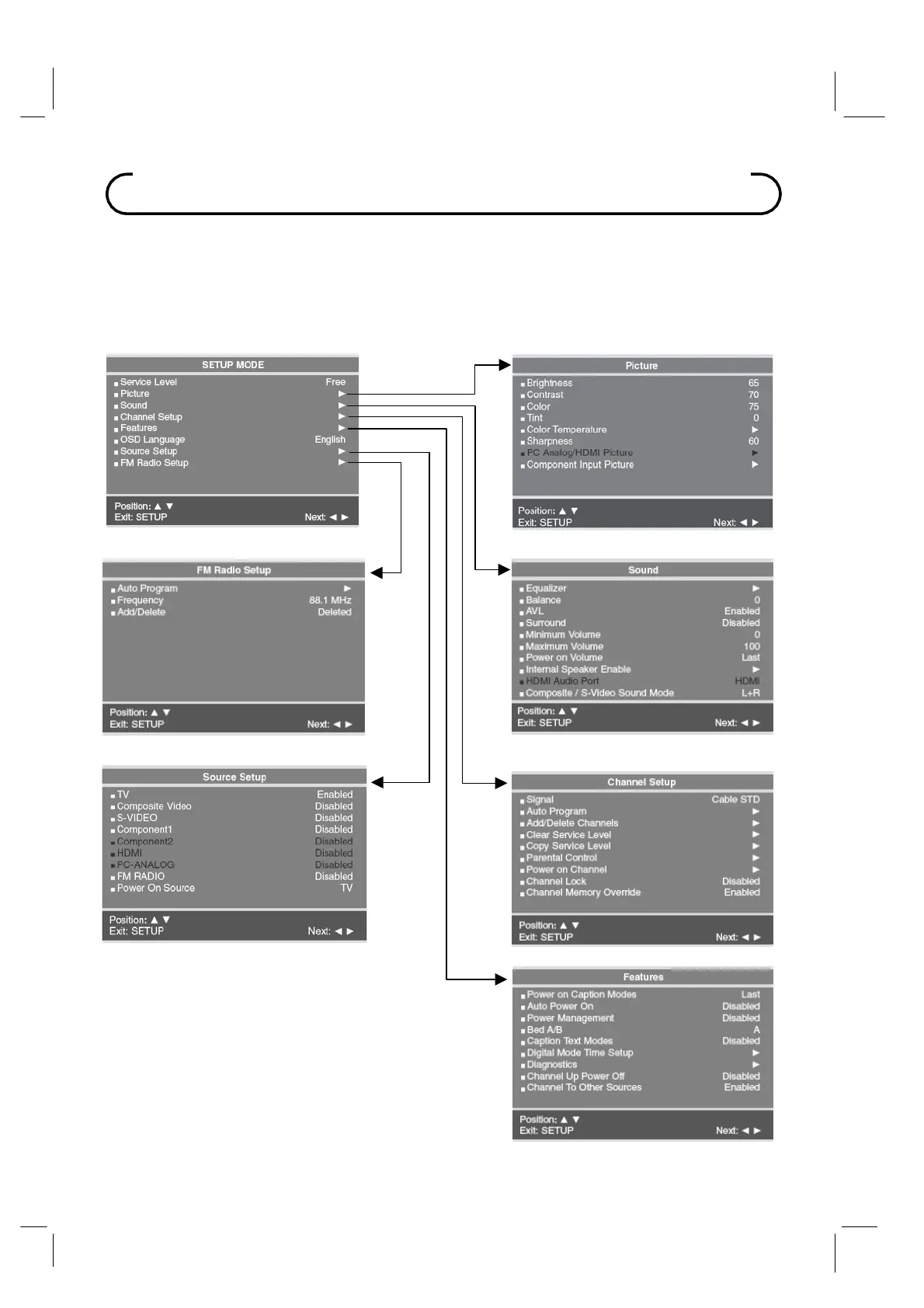
On Screen Menus and Displays
The TV is programmed using the Menus.
1. Press the SETUP button on the IR remote control to display the main SETUP menu.
2. Press the
CH▲
/ CH▼
buttons to select a menu item.
3.
Adjust or enter the menu item using the
VOL◄
/ VOL►
buttons.
4.
Press the SETUP button on the IR remote control to return to the preceding menu.



 To Next Page