39 Document Number: PD196-103 Rev 1
Parental Control
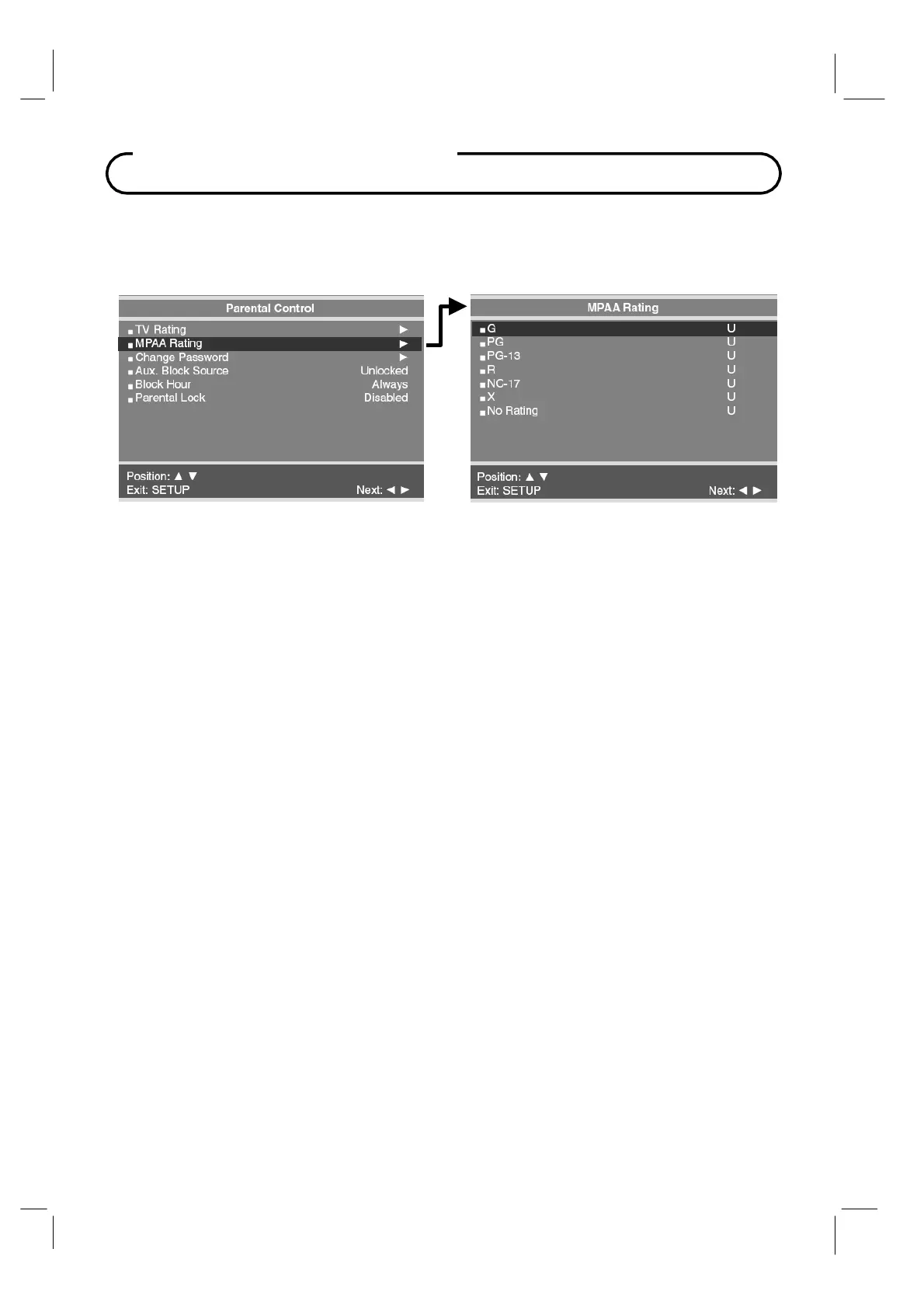
MPAA Rating
Most televised movies are now rated. MPAA Rating selectively allows the TV to only present
movie content that is unblocked per its preset level.
1. I
n
Parental Control
menu, press the
CH▲ / CH▼
button to select the
MPAA
Rating
menu. And
then press the
VOL◄ / VOL►
button to enter.
2.
Press the
CH▲ / CH▼
button to select a particular MPAA
Rating.
3.
While a particular category is selected, press the
VOL◄ / VOL►
buttons to active it. A
highlighted letter (‘
U
’
or
‘
B
’) will be displayed.
Press the
CH▲ / CH▼
button to change
the
‘
U
’
or
‘
B
’.
The
TV displays a black screen for a blocked movie.
4.
Press the
SETUP
button to return to the previous menu.
NOTE: Parental Control
will automatically block any category that is "more restrictive"
For example, if you block the "PG-13" category, then "R", "NC-17" and "X" will automatically be
blocked also.



 To Next Page