28 Document Number: PD196-103 Rev 1
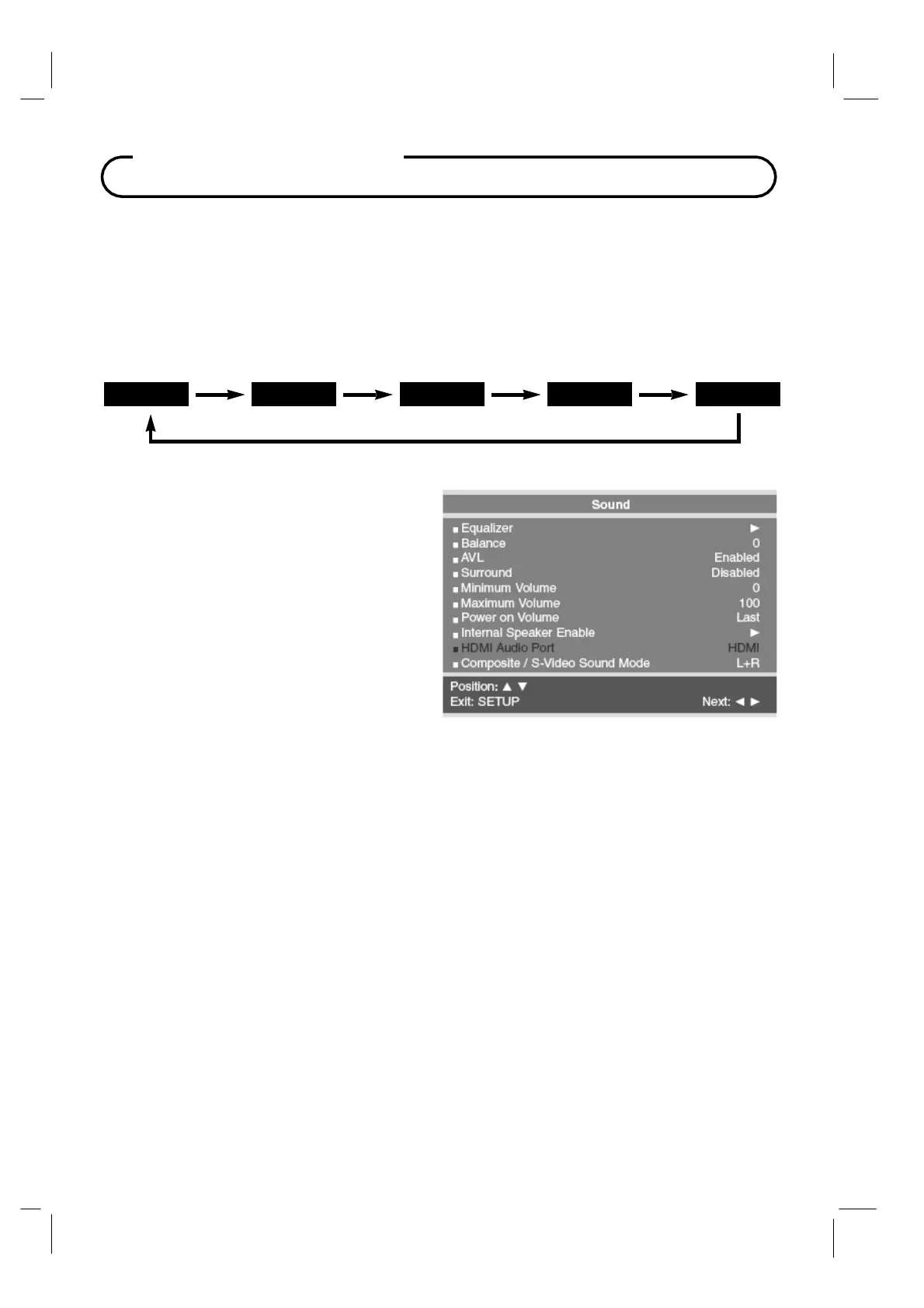
Sound Control
Sound Status Memory
Selection of the factory preset equalized sound modes and user mode is also available directly
using the remote control.
1.
Press the
SSM
button on the remote control to display the current Sound Equalizer
setting.
2.
Press the
SSM
button repeatedly to advance and select a different equalizer setting.
Flat
Music
Movie S
eech Use
Balance
Adjusts the sound balance from the left and
right speakers mounted in the
TV. Balance has
no effect on the pillow speaker.
1.
In
the
Sound
menu, press the
CH▲ / CH▼
button to select
Balance.
2.
Press
VOL◄ / VOL►
to adjust the sound
balance from the
TV.
3.
Press the
SETUP
button to return to the
preceding menu.
AVL
Automatic Volume Level sound control is available through this setting. With the
AVL
set to
Enabled, the
TV’s volume will be limited to two-thirds of maximum loudness. This feature
prevents sound blasting during commercials.
1.
In
Sound
menu, press the
CH▲ / CH▼
button to select
AVL.
2.
Press
VOL◄ / VOL►
to select
Disabled
or
Enabled.
3.
Press the
SETUP
button to return to the
recedin
menu.
Surround
Surround sound adds an extra dimension to the depth of to the sound.
1.
In
Sound
menu, press the
CH▲ / CH▼
button to select
Surround.
2.
Press
VOL◄ / VOL►
to turn Surround
Enabled
or
Disabled.
3.
Press the
SETUP
button to return to the preceding menu.



 To Next Page