9 Document Number: PD196-103 Rev 1
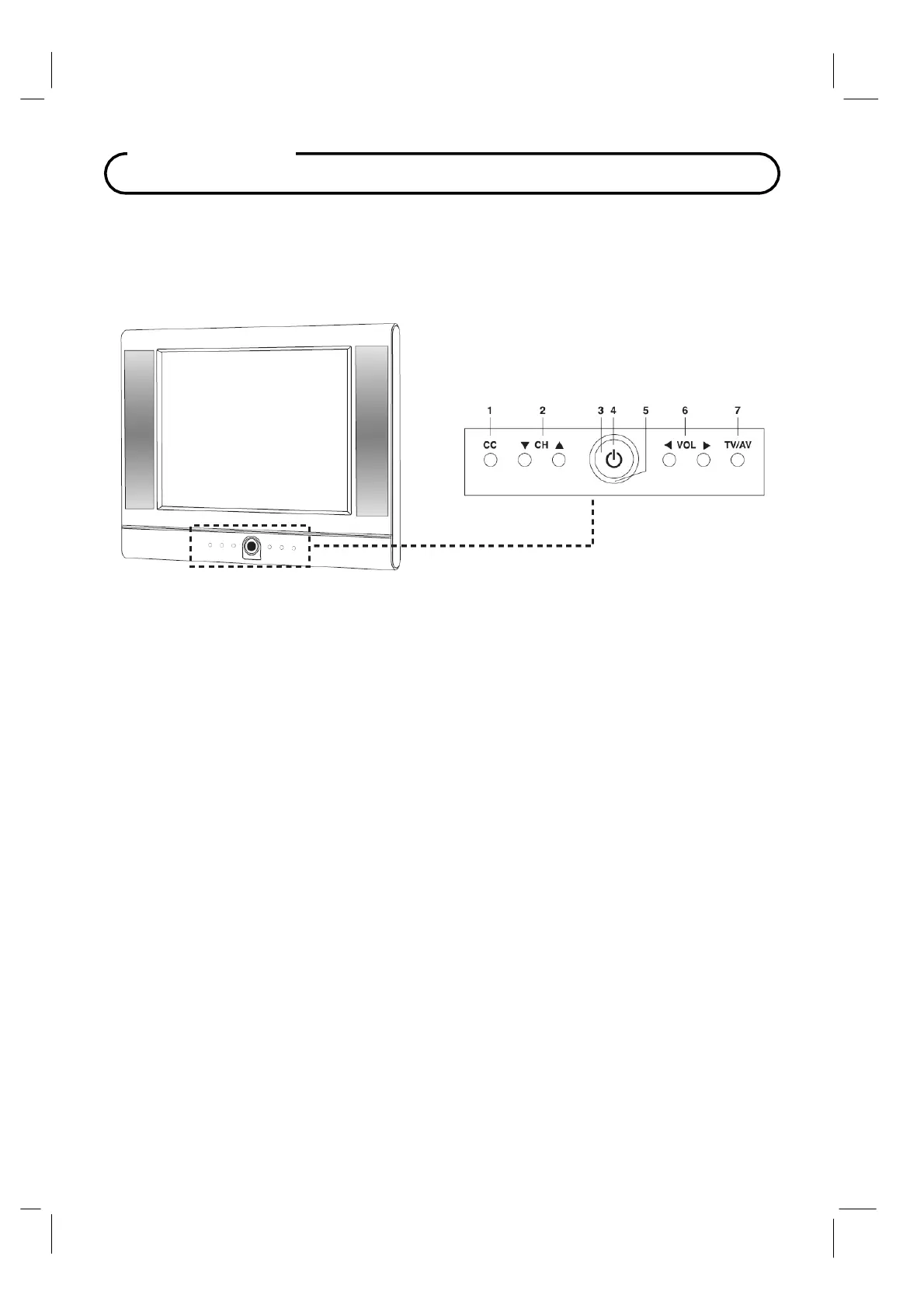
Controls
Front Panel
1.
CC
Sets the caption function.
2.
▼
CH ▲
(Channel Down / Up)
Selects a channel or a menu item.
3.
Power Indicator
Illuminates in red when the
TV is off.
Illuminates in green when the
TV is switched on.
4.
ON / OFF
Switches
TV set on or off.
5.
Remote control sensor
Accepts the IR signal of remote controller.
6. ◄
VOL ►
(Volume Down / Up)
Adjusts the volume. Adjusts menu settings.
7.
TV / AV
Selects
the video
mode.



 To Next Page