27 Document Number: PD196-103 Rev 1
Sound Control
Sound
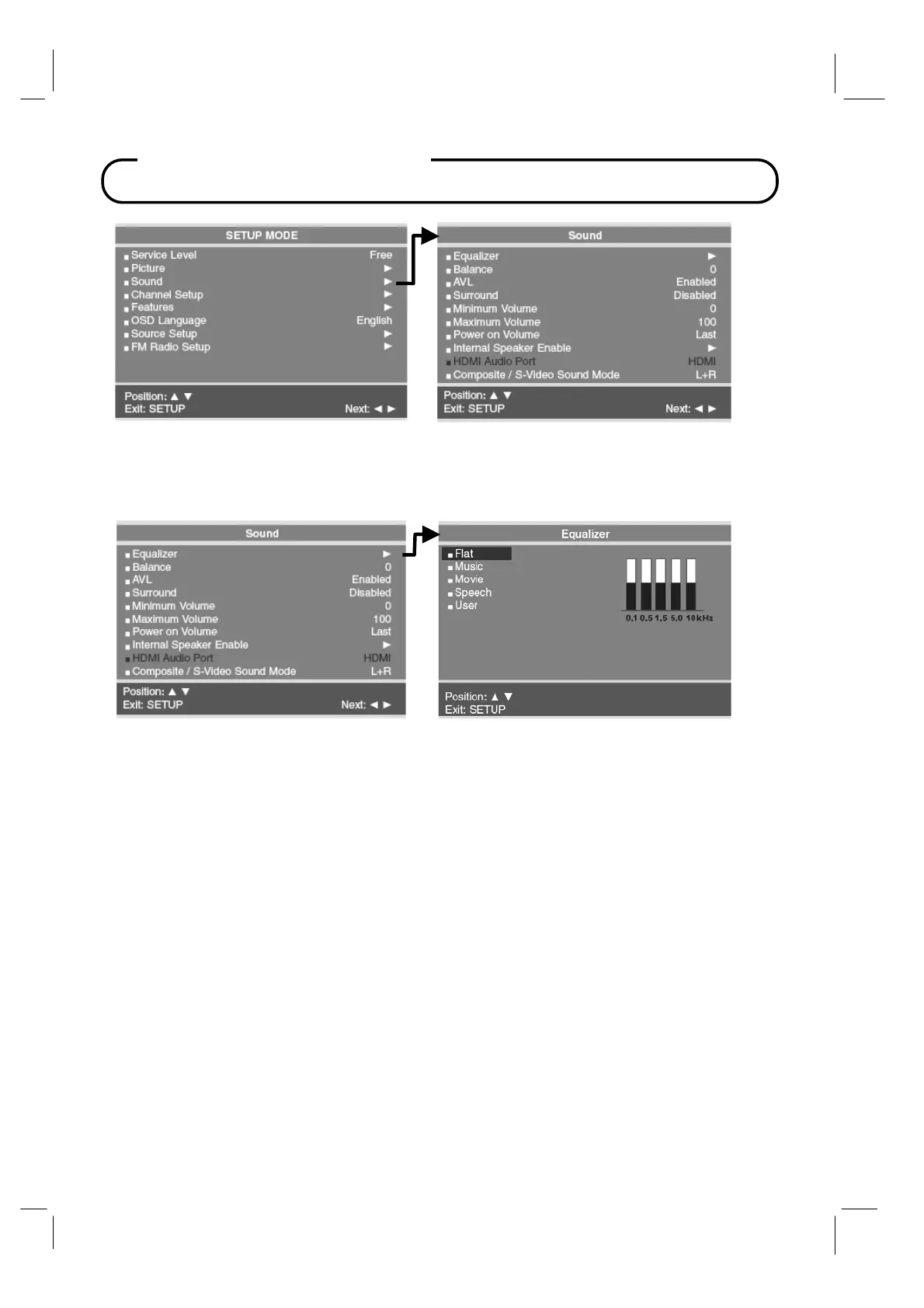
The Sound menu allows very precise adjustment of several sound parameters.
Equalizer
Four non-adjustable preset PDI factory sound modes are available: Flat, Music, Movie, or
Speech. An adjustable User mode allows custom adjustment of the sound’s tonal
frequency response.
1. Press the SETUP button on the remote.
2. Select the Sound menu item.
3. Press the CH▲ / CH▼ button and select Equalizer.
A listing of available frequency bands and current settings will be display.
The Flat, Music, Movie, and Speech settings are factory preset sound modes and
cannot be adjusted. Select User to adjust and customize the sound equalization.
4. Press the VOL◄ / VOL► button to select the desired sound band.
5. Press the CH▲ / CH▼ button to adjust the strength of sound for that particular sound
band. Press the VOL◄ / VOL► button to select another sound band and adjust the
strength with the CH▲ / CH▼ button.
6. Press the SETUP button to return to the preceding menu.



 To Next Page