45 Document Number: PD196-103 Rev 1
Features
Digital Mode Time Setup
The current time will be set automatically from a digital channel signal provided by a
broadcasting TV station.
1.
In
Features
menu, press the
CH▲ / CH▼
button to select
Digital Mode Time Setup.
2.
Press the
VOL◄ / VOL►
button to select your viewing area time zone;
Pacific,
Alaska,
Hawaii,
Newfoundland,
Atlantic,
Eastern,
Central,
Mountain.
3.
Press the
CH▲ / CH▼
button to select
Daylight Saving.
4.
Press the
VOL◄ / VOL►
button to select
Auto,
On,
Off
depending on whether or not your
viewing area observes Daylight Saving time.
5.
Press the
SETUP
button to return to the preceding menu.
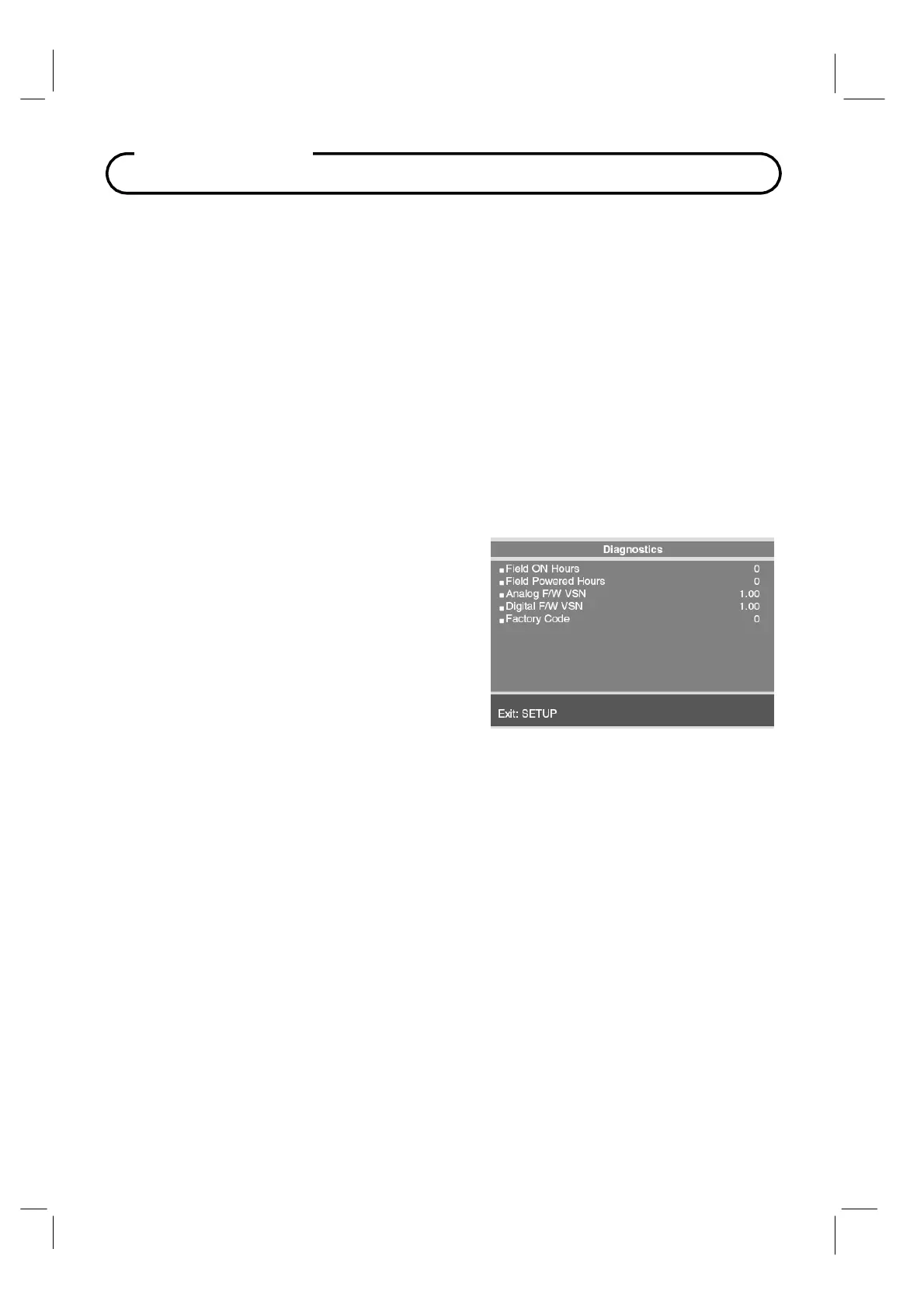
Diagnostics
This menu provides readouts of the TV’s internal
operation. The Diagnostics menu items are read-
only and can not be changed.
Field ON Hours
: Cumulative time TV is actually on
Field Powered Hours
: Cumulative time TV is powered.
Analog F/W VSN
:
Analog Firmware Version.
Digital F/W VSN
: Digital Firmware Version.
Factory Code
: Use for Factory Diagnostics



 To Next Page