19 Document Number: PD196-103 Rev 1
Connections
S-VIDEO Connection
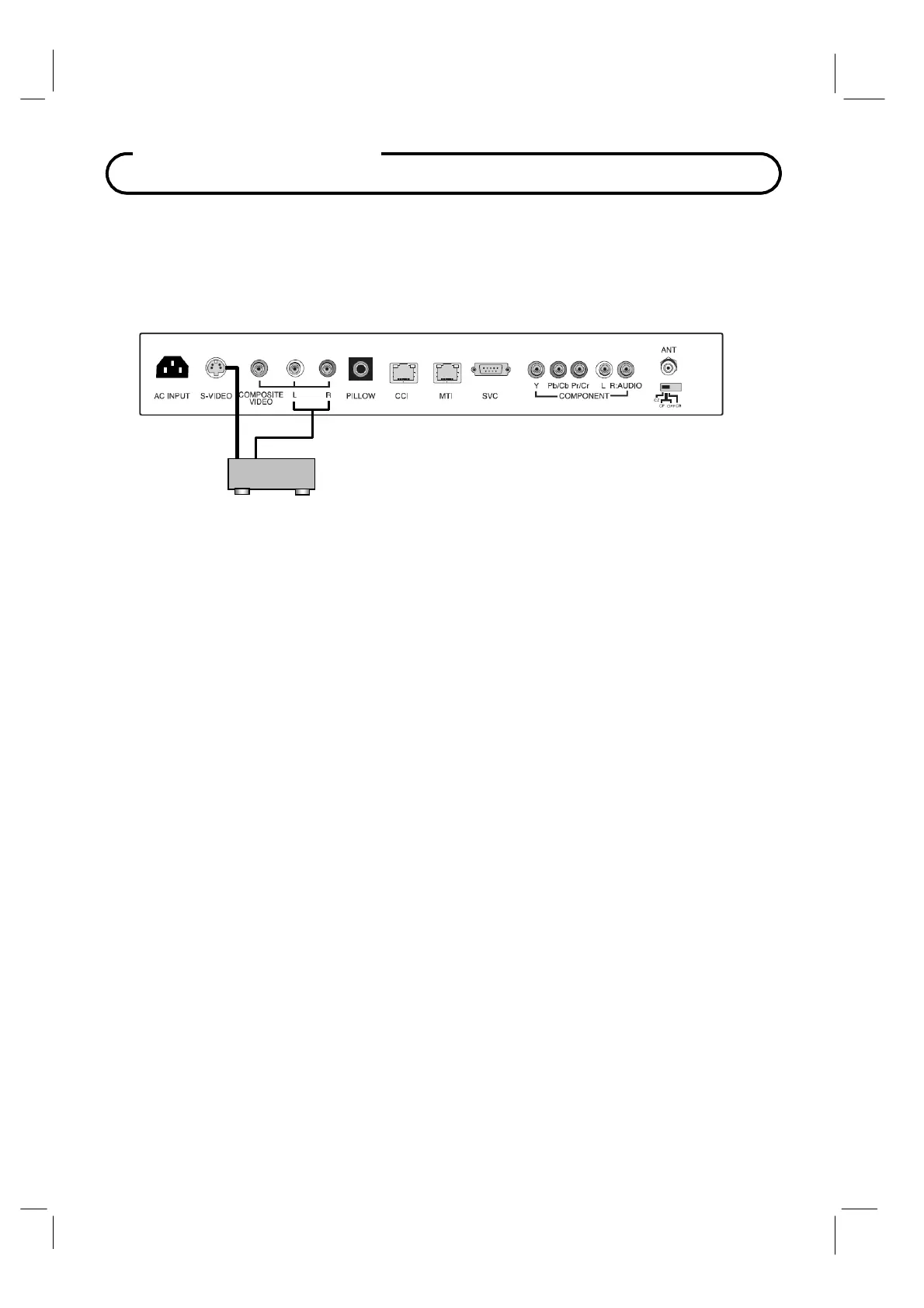
If the external equipment you connect has an S-VIDEO jack, you can use an S-VIDEO cable
for improved picture quality (compared to an
A / V cable).
1.
Connect the VCR’s S-Video output directly to the TV’s S-VIDEO connector.
2. Connect the VCR’s L & R audio to the TV’s L & R connector inputs.
3. Verify that the S-VIDEO mode is enabled in the Source Setup menu. Please see “Source
Setup” instructions elsewhere in this manual for details.
4. Press the TV/AV button repeatedly until S-VIDEO appears in the lower right corner of the
screen indicating selection of S-VIDEO.
5.
Activate the VCR. The VCR playback picture appears on the screen.
VCR



 To Next Page