38 Document Number: PD196-103 Rev 1
Parental Control
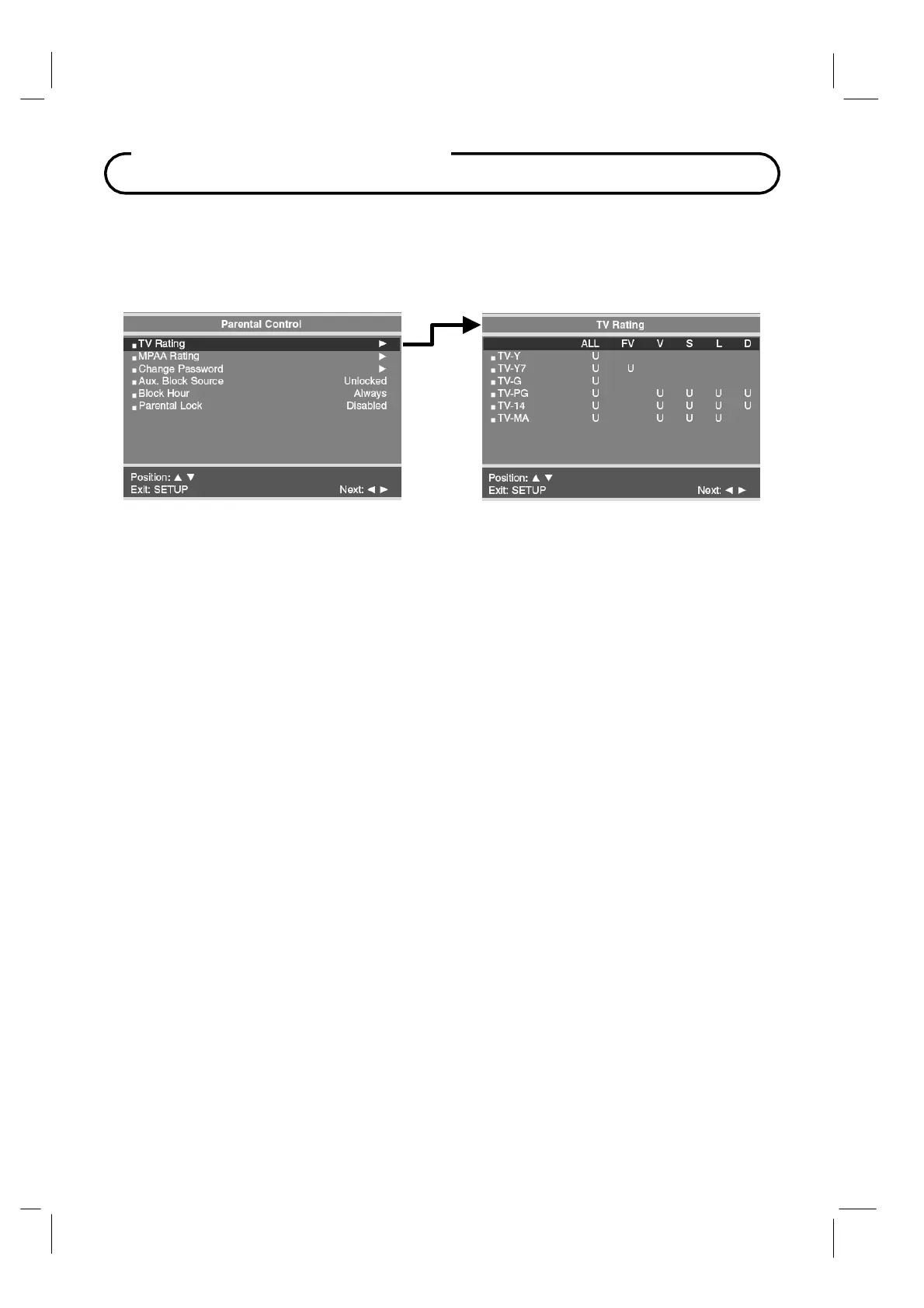
TV Rating
Most television programming are now rated.
TV Rating allows the
TV to selectively present
only programming content that is unblocked per its preset level.
A
program that is blocked,
displays a black screen only.
1.
In the Parental Control menu, press the
CH▲ / CH▼
button to select the TV Rating
menu.
Then press the
VOL◄ / VOL► button to enter.
2.
Press the
CH▲ / CH▼
button to move to one of the six age-based categories. At this point,
one of the
TV-Ratings is selected. Depending on your existing setup, a letter "
U
" or "
B
" will
be highlighted. (U=Unblocked, B=Blocked).
3.
While the "U" or "B' is highlighted, press the
CH▲ / CH▼
buttons to block or unblock the
category.
4.
Select
one
of
these TV-Ratings: TV-Y, TV-Y7,
TV-G, TV-PG, TV-14
or TV-MA
.
Then while
the
TV-Rating is selected, repeatedly press the
VOL◄ / VOL►
buttons. This will cycle
through the available sub-ratings (ALL, FV, V, S, L
or D). A
highlighted letter ("U" or "B") will
be displayed for each sub-rating. While the
"U" or "B"
is highlighted, press the
CH▲ /
CH▼
button to change the sub-rating. To select a different
TV-Rating, press the
CH▲ /
CH▼
buttons with cursor in the first column.
5.
Press the
SETUP
button to return to the preceding menu.



 To Next Page