Line:
With this option its possible to enable or disable the selected screen.
Screen 1 is always active.
DisabledEnabled
Screen active:
Screen setup 02
Each screen can display up to 7 different elements.
The real available lines are depending on the size of the used elements.
Different elements are:
- Off: No element selected for this line.
- Small spacer: An empty line of 5 pixels.
- Large spacer: An empty line of 50 pixels.
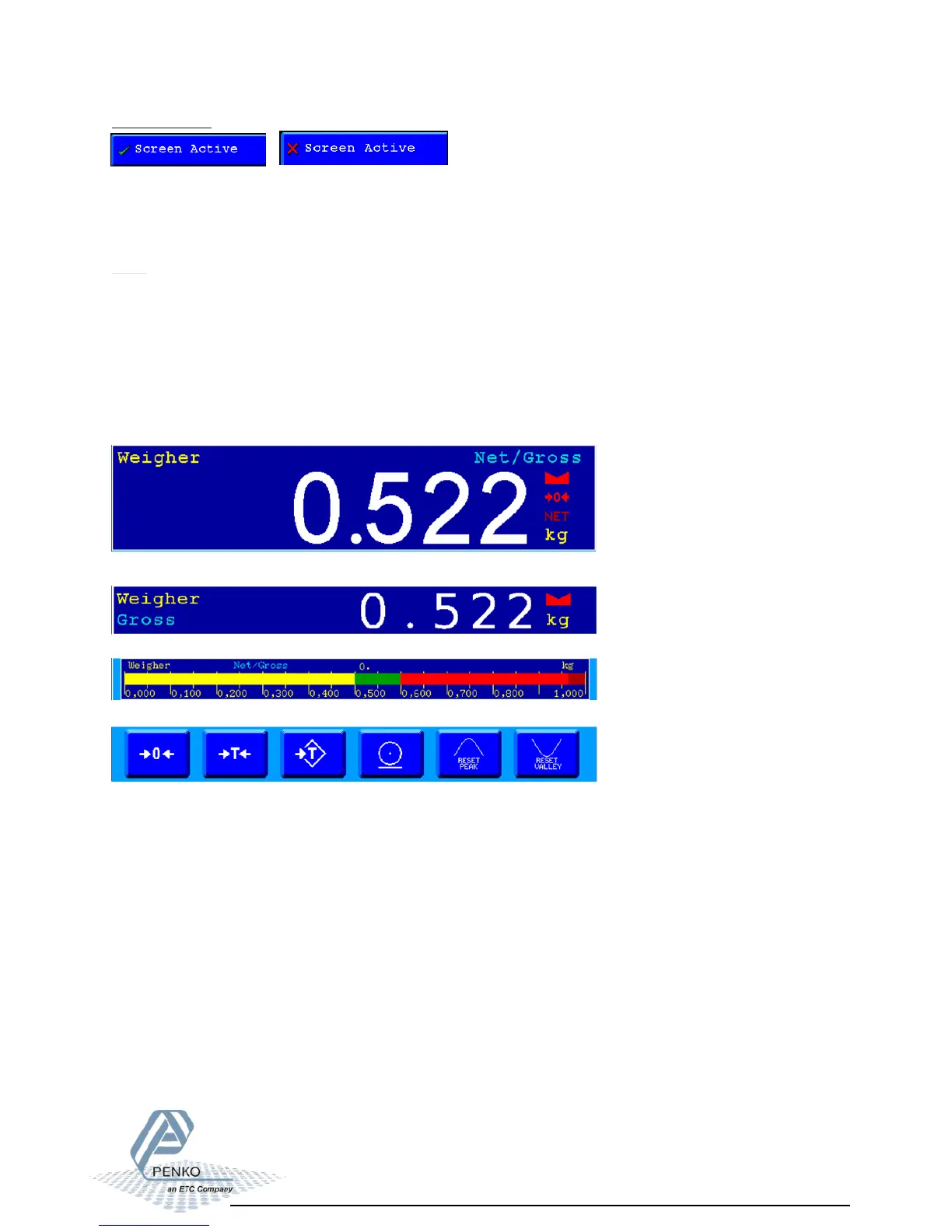
- Large indicator: An indicator with big display which can show, Nett/tarre, gross,
filtered nett, filtered gross, peak, valley and tare.
- Small indicator: An indicator with small display witch can be linked to,
- Bargraph: Displays a bargraph coupled to the weigher.
- Buttons: Displays the weigher buttons.
- I/O status: Displays the 4 outputs/levels.
Nett/tarre, gross,
filtered nett, filtered gross, peak, valley and tare.



 To Next Page