Screen setup 06
Disabled Text:
Here you can change the colour of text of units that are disabled in the menu
Element Readout:
Here you can change the colour of the readout text of the standard elements on the
standard Flex screens. The elements that are affected are:
- Large Indicator
- Small Indicator
- Process Data
Button Face:
Here you can change the colour buttons in the menu and in the standard flex screens
Recall Defaults:
Here you can reset all colours to the factory default settings.
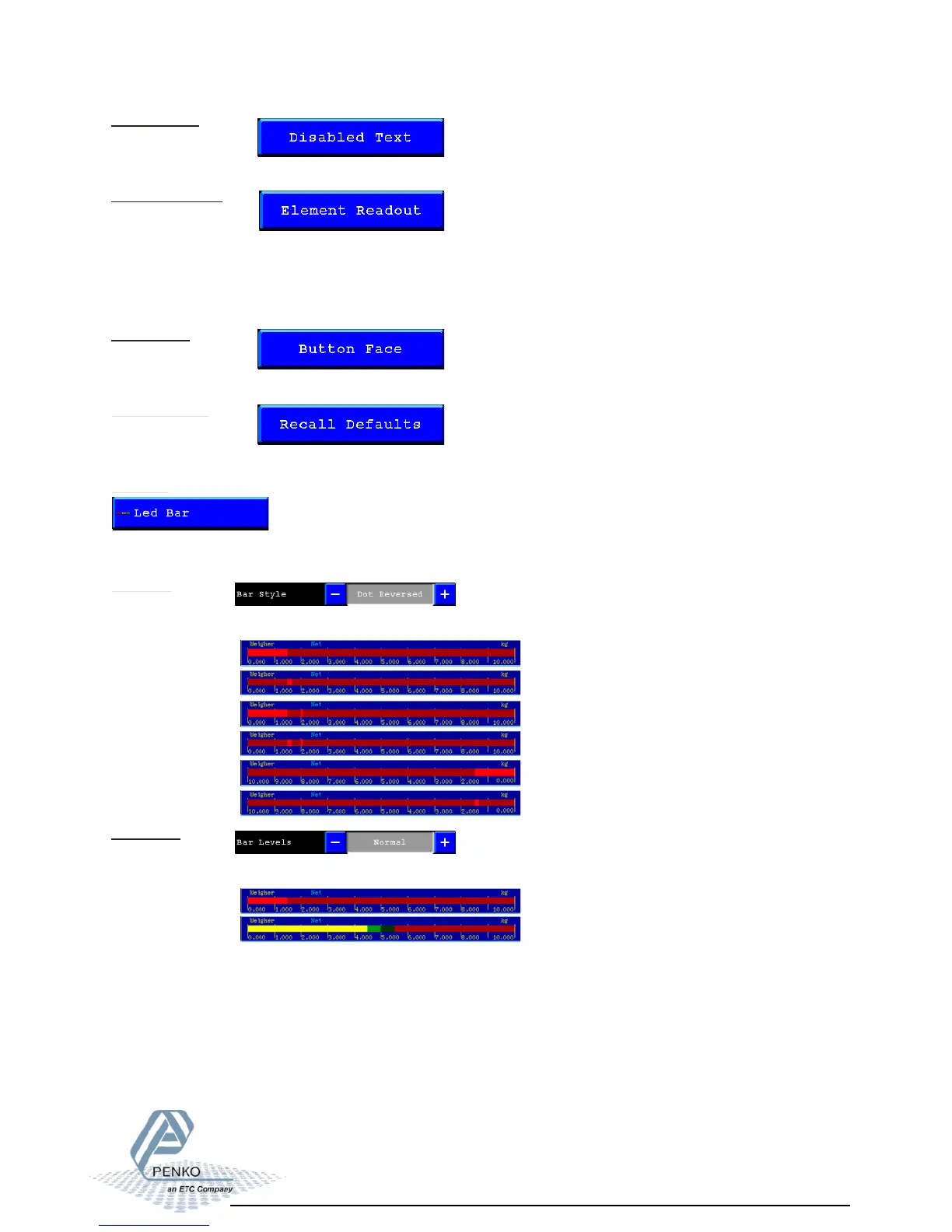
Led Bar:
In this menu you can setup the Bargraph and the history view that you can place on your
screen.
Bar Style:
Here you can select what kind of led bar you want. You can choose from:
- Bar
- Dot
- Bar Peak
- Dot Peak
- Bar Reversed
- Dot Reversed
Bar Levels:
Here you can select what kind of led bar you want. You can choose from:
- Normal
- CheckWeigher



 To Next Page