Printer settings 03/System Recall 01
The Ethernet report can be used to send a report form over ethernet to a printer, pc or
PLC system. For this report a different layout can be programmed using PI. This
connection needs its own IP-number, port number and newline settings
Ethernet report:
The USB report can be used to send a report to the USB stick. For this report a different
layout can be programmed using PI. This report also has its own newline settings.
USB Report
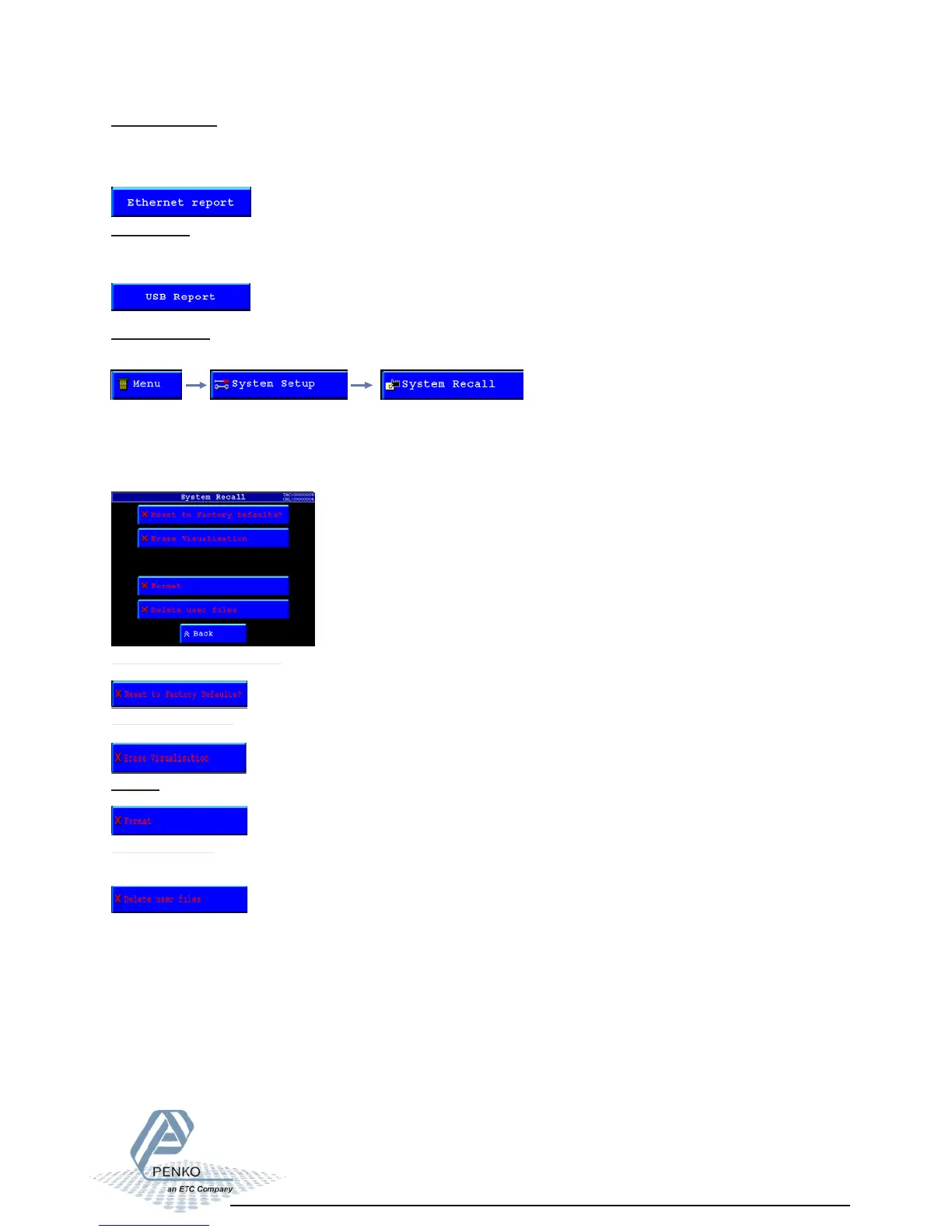
System Recall:
To set all settings back to factory settings, select “System Recall” from the System setup.
The settings can be reset in different ways:
‚Reset to Factory Defaults
Erase Visualisation.
Format
Delete user files
Reset to Factory Defaults?:
Resets the configuration parameters to factory default settings.
Erase Visualisation:
Deletes the visualisation program which is programmed using PI Flexbuilder.
Format:
Erases the entire FLASH file system.
Delete user files:
Deletes only the files created using the report module in the PLC program from the FLASH
file system.



 To Next Page