131
Shooting Functions
4
You can save pictures with three different white balance, saturation, hue,
sharpness and contrast levels.
Unlike exposure bracketing, three pictures are saved with each shot.
You can set the saving order with [9. Auto Bracketing order] in the [A
Custom Setting] menu.
1
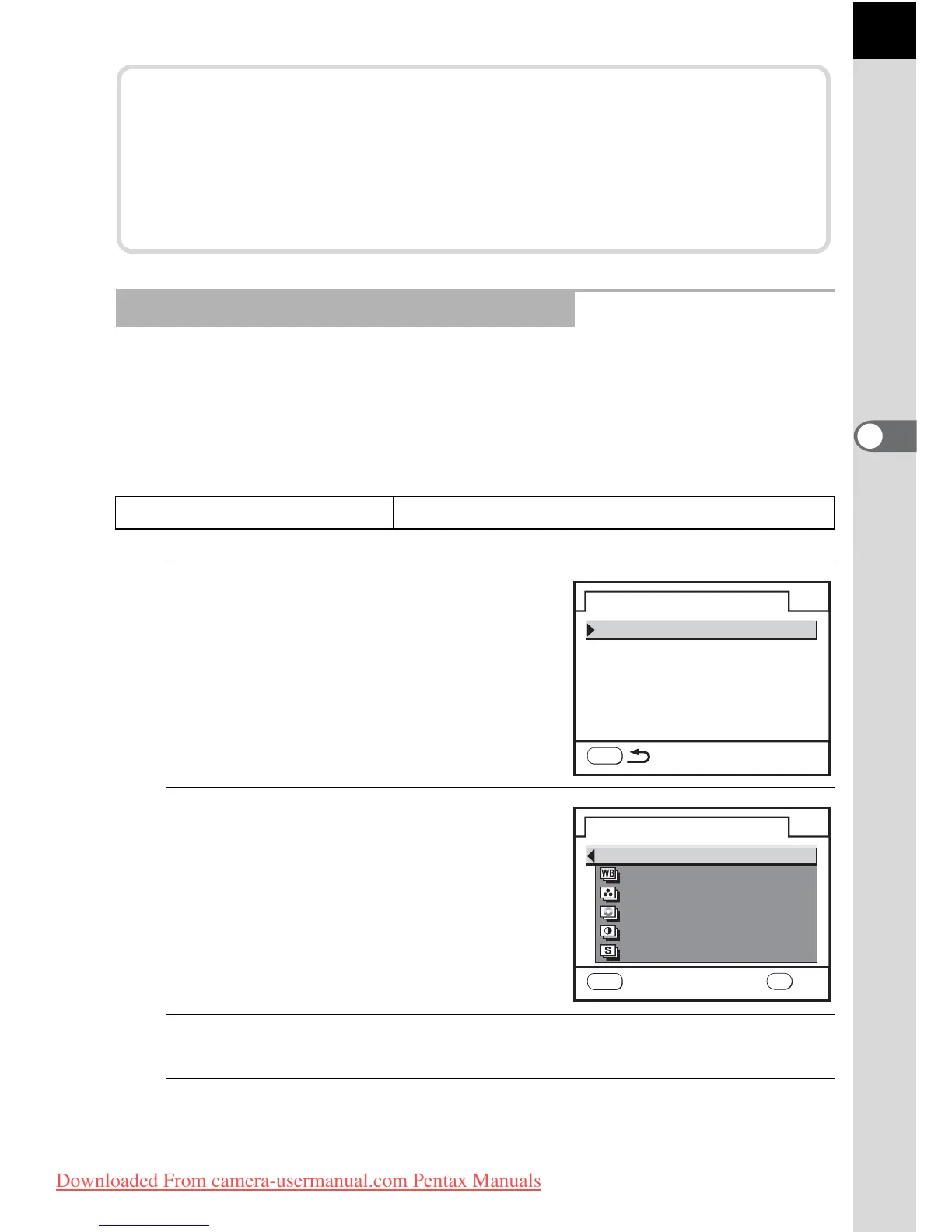
Select [Extended Bracket] in the
[A Rec. Mode] menu and press
the four-way controller (5).
The Extended Bracket screen appears.
2
Press the four-way controller
(5).
3
Use the four-way controller (23) to choose an item.
4
Press the 4 button.
Shooting in Extended Bracket Mode
Auto Bracketing order
0 ´ – ´ +, – ´ 0 ´ +, + ´ 0 ´ –, 0 ´ + ´ –
Taking Only Overexposed or Underexposed Pictures
You can use Auto Bracket mode for only underexposure or
overexposure shots by combining the operation with EV
compensation (p.100). Auto Bracket is performed in both cases on
the basis of the specified EV compensation value.
Extended Bracket
Off
Bracketing amount
MENU
Extended Bracket
Off
White Balance
Sharpness
MENU
Saturation
Contrast
Hue
OK
OK
Cancel
Downloaded From camera-usermanual.com Pentax Manuals



 To Next Page