18
Before Using Your Camera
1
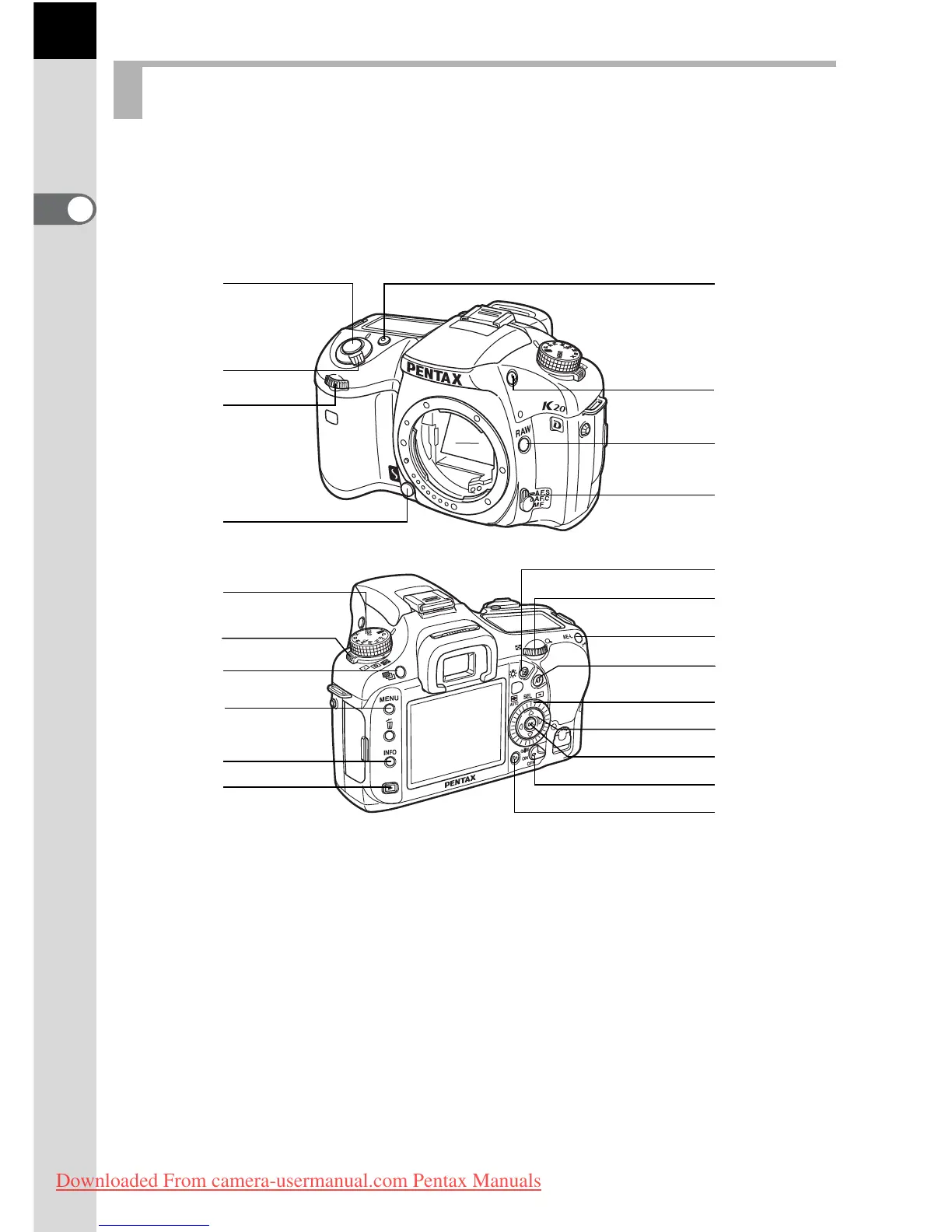
Functions of buttons, dials and levers used during shooting are noted.
* The factory default settings are explained here. Depending on the button
or dial, these settings can be changed in the [A Custom Settings] menu
(p.73).
Capture Mode
1 Green button
Sets the Exposure mode to
Automatic Exposure (p.85,
p.92, p.95) and resets the
settings (p.101, p.136).
2 Shutter release button
Press to capture images.
(p.57)
3 Main switch
Move to turn the power on/off
(p.44) or to preview (p.114).
4 Front e-dial
Sets shutter speed and EV
compensation values.
5 Lens unlock button
Press to detach lens. (p.51)
3
5
2
a
b
c
6
k
j
i
h
g
e
4
7
8
d
0
l
m
9
f
1
Downloaded From camera-usermanual.com Pentax Manuals



 To Next Page