Before Using Your Camera
1
29
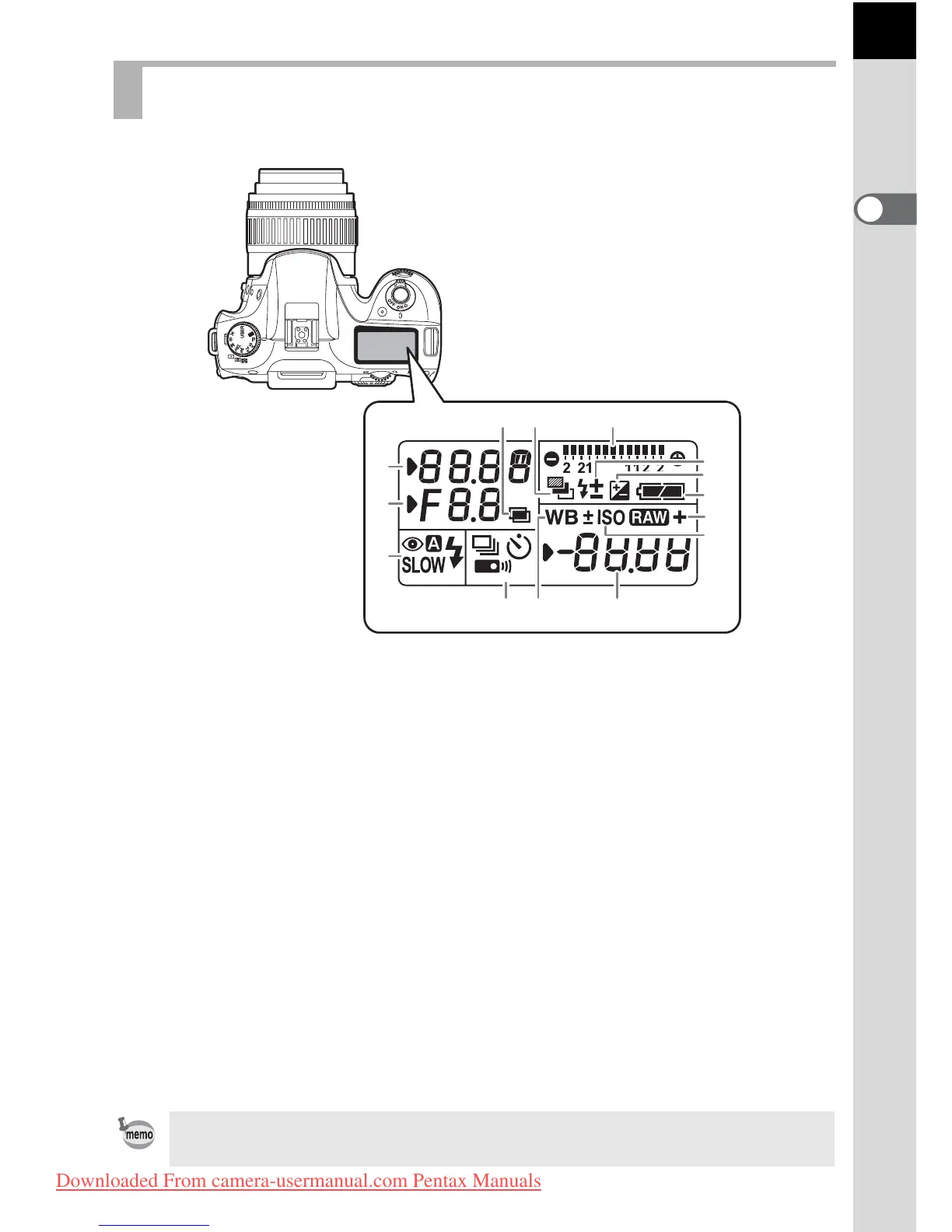
The following information appears in the LCD panel on top of the camera.
LCD Panel
1 Shutter speed (p.76) 6 Auto bracket (p.129)
2 Aperture (p.77)
(blinks when Exposure Bracket and
Extended Bracket are both set)
3 Flash mode (p.60)
b
: Built-in flash is ready
7
Flash exposure compensation (p.136)
(when blinking, flash should
be used)
8 EV compensation (p.100)
9 Battery level
>
: Red-eye reduction flash on
10 White balance (p.160)
(Not displayed when set to Auto)
3
: Auto discharge
Q
: Slow-speed sync
O
: White balance correction
w
:Wireless
11 Sensitivity display
Appears when sensitivity is displayed.
4 Drive mode (p.75)
9
: Single frame shooting
12 1
:RAW capture
j
: Continuous shooting
1P
:RAW+JPEG capture
g
: Self-timer shooting
13 Recordable image no./
EV compensation/PC (Pb)
W
: Remote control shooting
5 EV bar (p.94, p.100) (PC: Personal Computer (mass
storage), Pb: PictBridge)
14 Multi-exposure (p.103)
Press the m button to illuminate the LCD panel. You can set it to not illuminate
in [27. Illuminate LCD panel] in the [A Custom Setting] menu.
2
1
3
5
9
7
8
12
11
6
13104
14
Downloaded From camera-usermanual.com Pentax Manuals



 To Next Page