236
Camera Settings
10
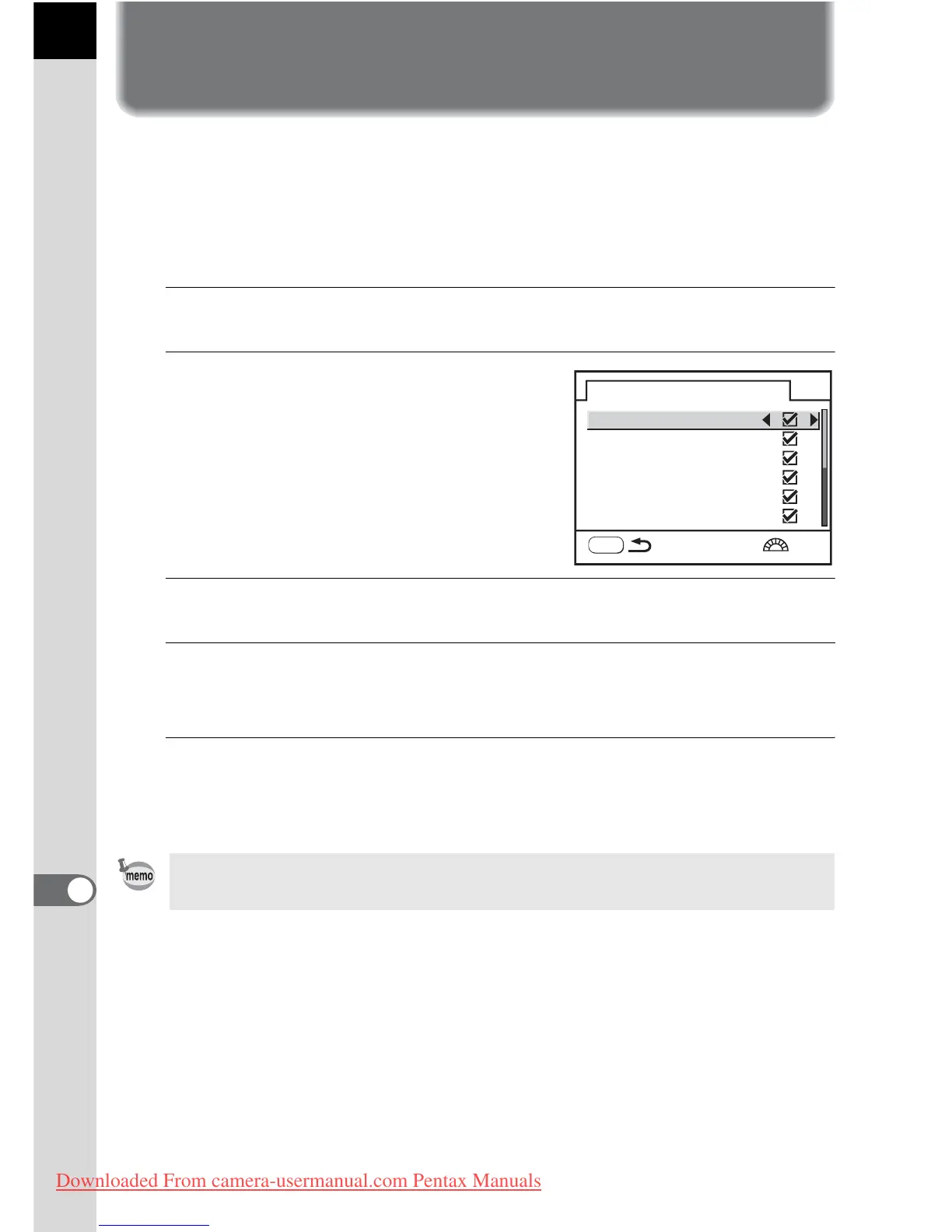
Selecting Capture Mode Settings to
Save in the Camera
You can select which settings to save when the camera is turned off.
The following settings can be saved: Flash mode, Drive mode, White
Balance, Sensitivity, EV Compensation, Flash Exp. Comp., Auto Bracket,
Playback Display and File No. The default setting is all [On].
1
Select [Memory] in the [A Rec. Mode] menu.
2
Press the four-way controller
(5).
The memory screen appears.
3
Use the four-way controller (23) to choose an item.
4
Use the four-way controller (45) to select O (On) or P
(Off).
5
Press the 3 button twice.
The camera is ready to take a picture.
[File No.] sets whether to save a sequential number for the file name. See
“Selecting the File Number Setting” (p.230).
Memory
Flash Mode
Drive Mode
White Balance
Flash Exp. Comp.
Sensitivity
EV Compensation
MENU
1/2
Downloaded From camera-usermanual.com Pentax Manuals



 To Next Page