26
Before Using Your Camera
1
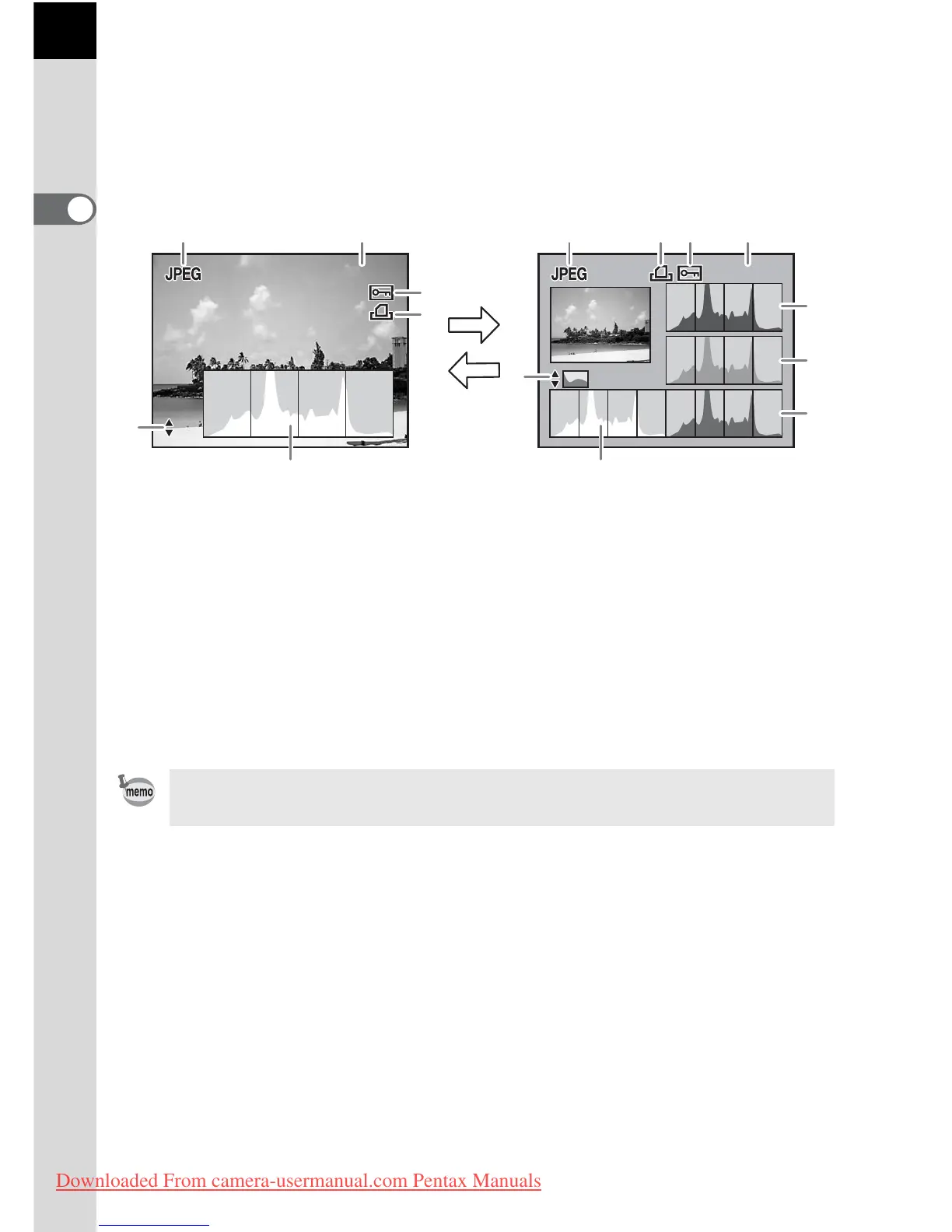
Histogram Display
The u features two histogram displays. The “Brightness histogram”
shows the distribution of brightness and the “RGB histogram” shows the
distribution of color intensity. Press the four-way controller (23) to switch
between “Brightness histogram” and “RGB histogram”.
* Indicator 4 (DPOF settings) only appears for images with DPOF settings.
1 File Format 6 Switch Brightness histogram/
RGB histogram
2 Folder No./File No. of the image
(p.230)
7 Histogram (R)
3 Protect icon (p.189) 8 Histogram (G)
4 DPOF settings (p.204) 9 Histogram (B)
5 Histogram (Brightness) (p.182)
Areas where blooming or dark portions blink if [Bright/Dark area] warning is set
to On in [Playback display] in the [Q Playback] menu. (p.182)
100-0001



 To Next Page