46
Getting Started
2
2
Press the 4 button.
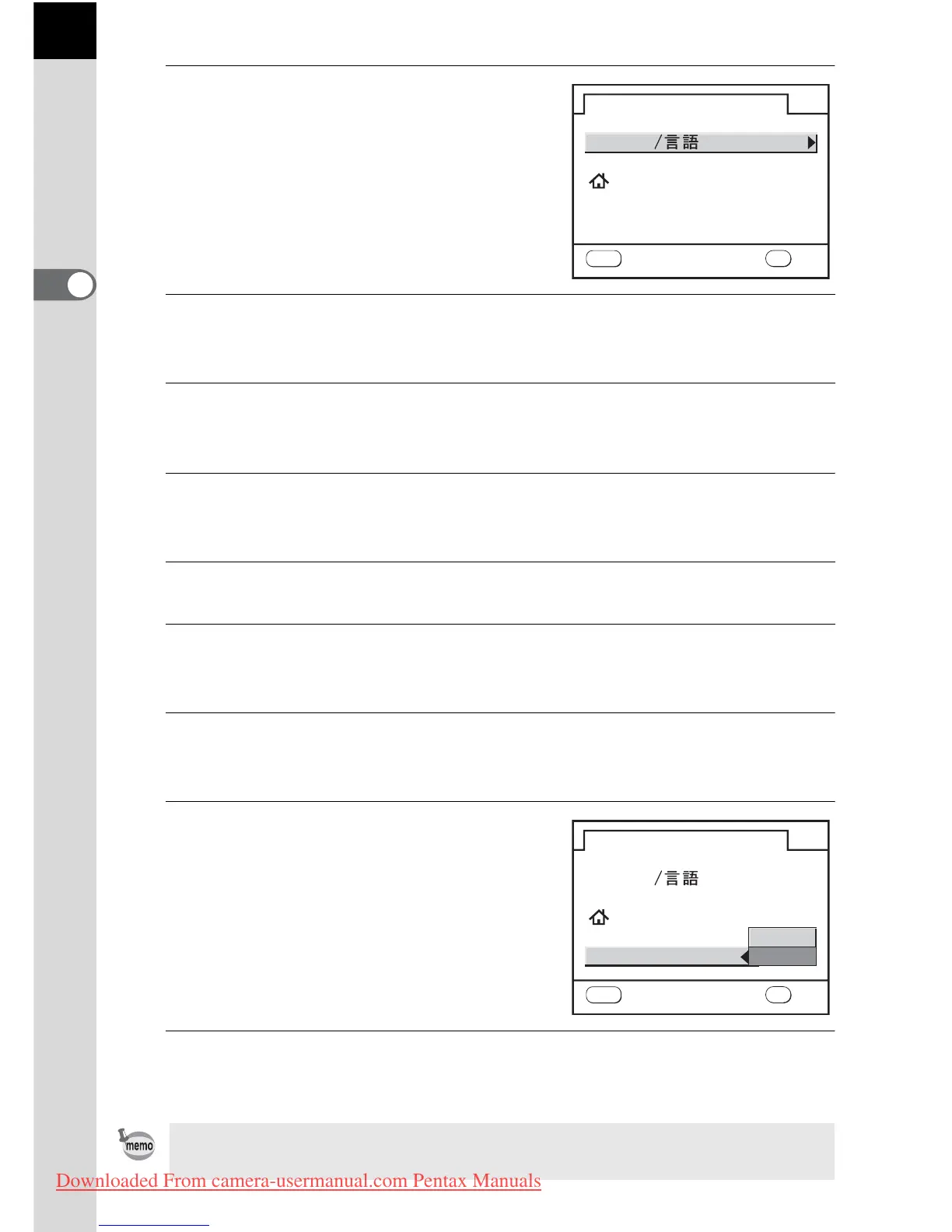
The [Initial Setting] screen for the
selected language appears.
Press the four-way controller (3) twice
and proceed to Step 9 if [Hometown]
does not have to be adjusted.
3
Press the four-way controller (3).
The cursor moves to W.
4
Press the four-way controller (5) and use the four-way
controller (45) to select the city.
5
Press the four-way controller (3).
The cursor moves to DST (daylight saving time).
6
Use the four-way controller (
45
) to select
O
(On) or
P
(Off).
7
Press the 4 button.
The camera returns to the [Initial Setting] screen.
8
Press the four-way controller (3).
The cursor moves to [Text Size].
9
Press the four-way controller
(5) and use the four-way
controller (23) to select [Std.]
or [Large].
Selecting [Large] magnifies the
selected menu item.
10
Press the 4 button twice.
The screen for setting the date and time will be displayed.
In this manual, the menu screens hereafter are described with [Text Size] set
to [Std.].
English
New York
Text Size Std.
Language
Initial Setting
MENU
OK
OK
Cancel
MENU
Std.
English
New York
Text Size Large
Language
Initial Setting
OK
OK
Cancel
Downloaded From camera-usermanual.com Pentax Manuals



 To Next Page