higherapplicationcompatibilitybutmayinhibittheloadbalancingfunctionunlessthere
aremanyclientsusingtheInternet.
Settings
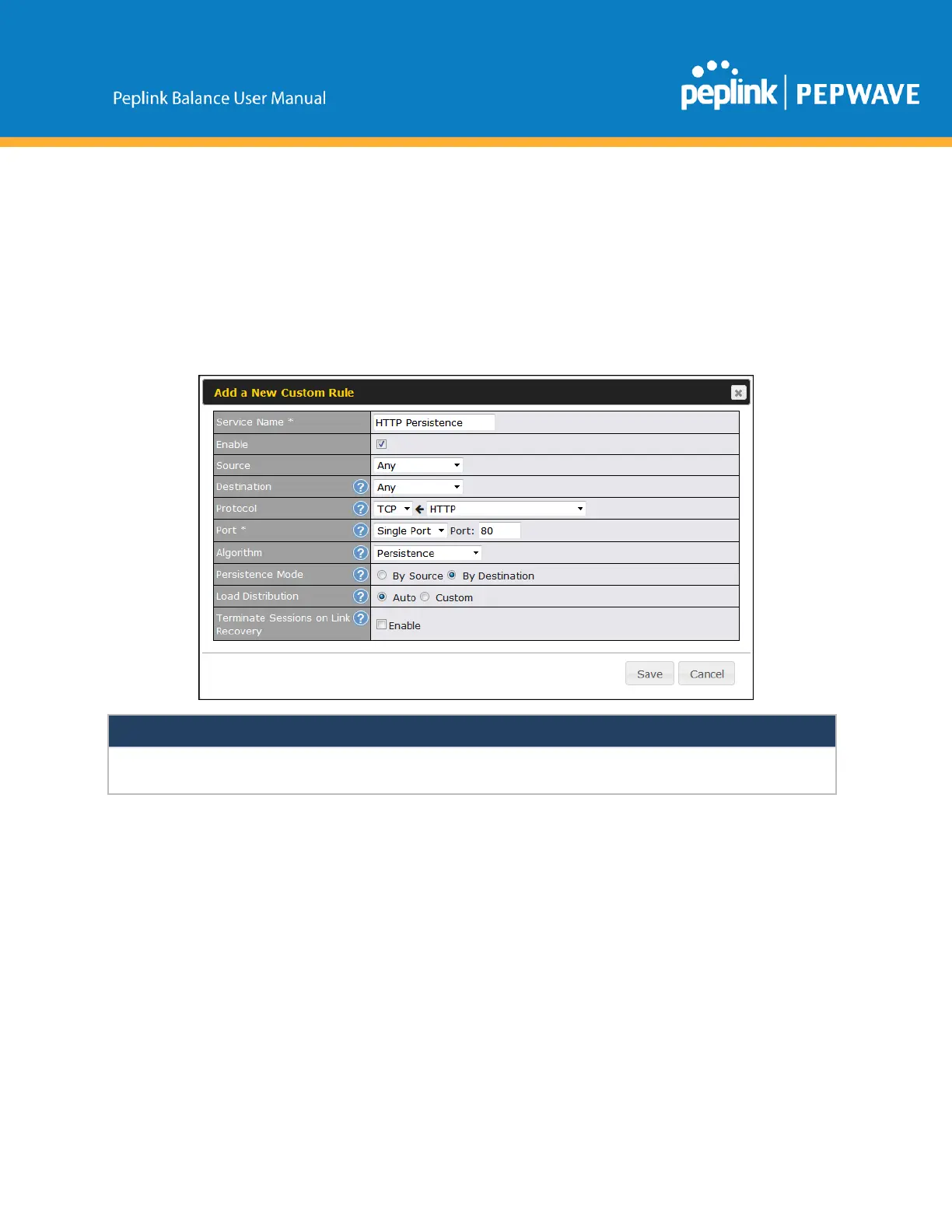
SetpersistenceinatAdvanced>OutboundPolicy.
ClickAddRule,selectHTTP(TCPport80)forwebservice,andselectPersistence.
ClickSaveandthenApplyChanges,locatedatthetoprightcorner,tocompletethe
process.
BypassingtheFirewalltoAccessHostsonLAN
Scenario
TherearetimeswhenremoteaccesstocomputersontheLANisdesirable;for
example,whenhostingwebsites,onlinebusinesses,FTPdownloadanduploadareas,
etc.Insuchcases,itmaybeappropriatetocreateaninboundNATmappingforthe
networktoallowsomehostsontheLANtobeaccessiblefromoutsideofthefirewall.
Solution
ThewebadmininterfacecanbeusedtoaddaninboundNATmappingtoahostandto
bindthehosttotheWANconnection(s)ofyourchoice.Tobegin,navigateto



 To Next Page