28 . Frontier IR Single-range Spectrometers User's Guide
External accessories
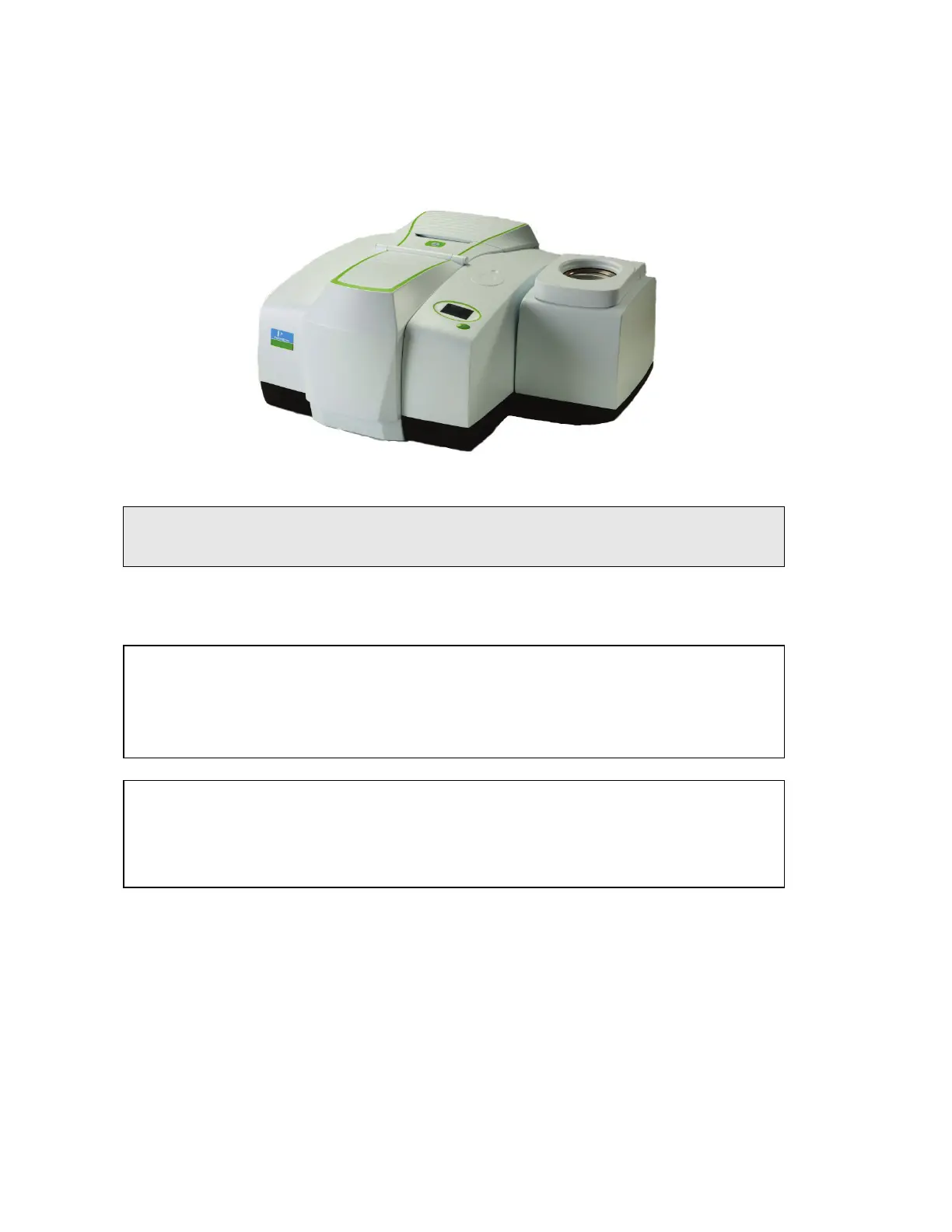
The external beam port on the right side of the instrument is used, for example, with the
optional External Near Infra-Red Accessory (External NIRA). Spectrum software enables you
to switch the instrument between this external accessory and another accessory fitted in the
sample compartment.
Figure 7 Frontier IR with External NIRA accessory
NOTE: To use your instrument with an external accessory, you require the optional External
Beam Pack. If you did not purchase the External Beam Pack with your spectrometer,
it is available as a field-fitted upgrade (L1280248).
For information about removing or refitting an external accessory, refer to its User’s Guide,
which is distributed on the
IR & Raman Manuals CD
(L1050002) as a .pdf file.
For information about moving the instrument, see
Moving the Spectrometer
on page 54.
CAUTION
Do not attempt to remove the external accessory bracket mounted within
the handhold on the right of the instrument or to transfer the bracket to
another spectrometer.
The external accessory bracket is fitted by a PerkinElmer Service
Engineer, along with any other internal components that may be required.
CAUTION
Do not attempt to lift the instrument, or to move it to another location,
when an external accessory is attached.
The optical alignment of the accessory may be disturbed.














 To Next Page