78 . Frontier IR Single-range Spectrometers User's Guide
Installing/Replacing Windows
The following procedure describes how to install a window in one of the external beam ports.
The details apply equally to windows in the sample compartment.
WARNING
Switch off the mains power supply to the spectrometer, wait 60 seconds,
and disconnect the power cable before you open the cover of the
spectrometer. This makes sure that you are safe from electrical shock
and laser radiation.
1. Open the main cover of the instrument, as detailed on page 70.
– Using the hexagonal wrench supplied with the new window kit, slacken and
remove the screws and washers securing the beam port cover or current window
to the main cover.
Remove the screws carefully, and ensure that the washers do not fall into the
instrument.
– Remove the beam port cover or current window and seal. Retain for further use.
CAUTION
Be careful not to get moisture on the optical surface of the window. Do
not touch or breathe on the optical surface of the window.
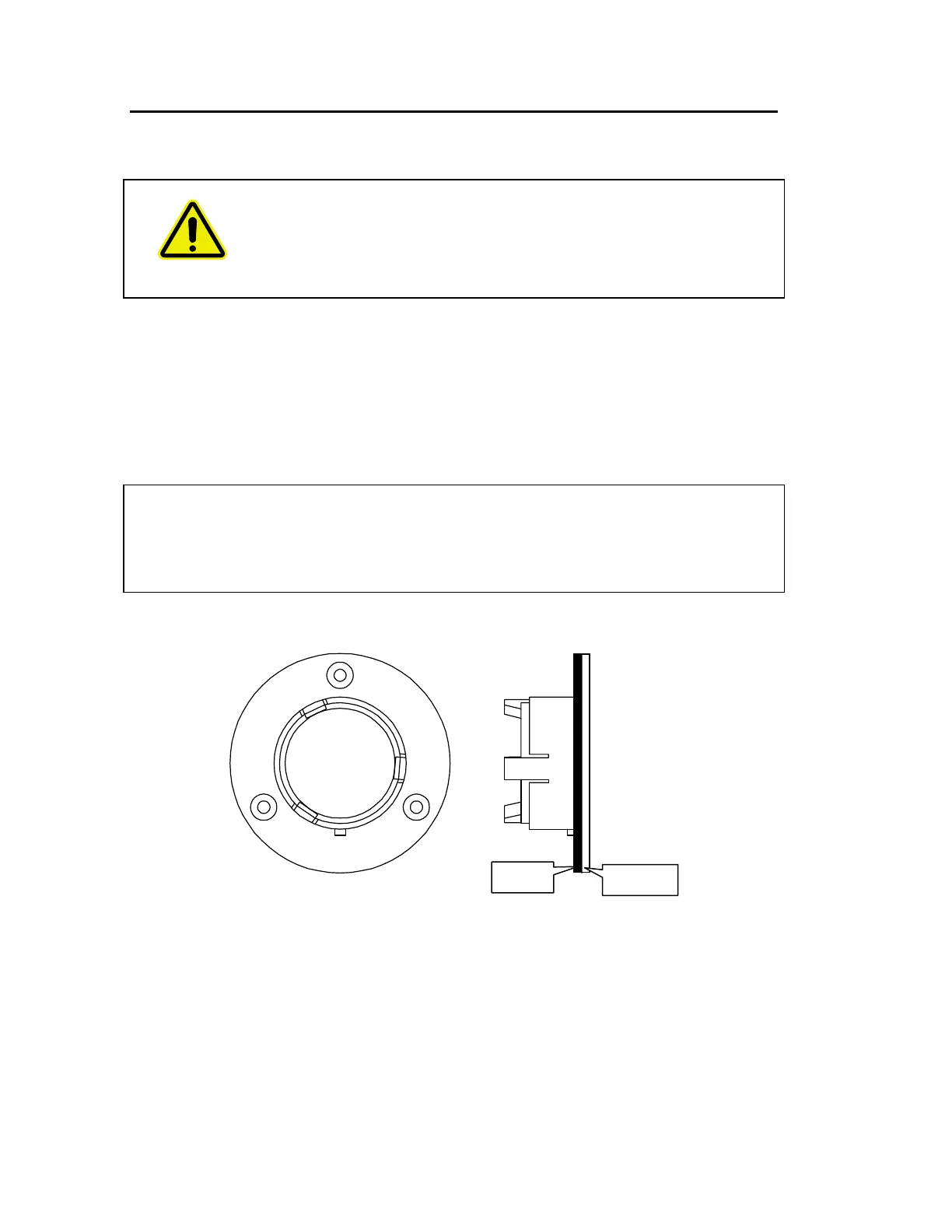
2. Ensure the seal is fitted to the window and is correctly seated (Figure 45).
Figure 45 Seal fitted to window














 To Next Page