50 . Frontier IR Single-range Spectrometers User's Guide
AVI Correction
AVI correction can be selected in the Setup Instrument Advanced tab in Spectrum
(Figure 18).
AVI correction can only be performed if an AVI Calibration has been set up for the current
configuration and resolution. Select AVI from the Adjustments Toolbox, available from the
Setup Instrument Advanced Tab. Follow the instructions on-screen. For further information,
refer to the Spectrum on-screen Help file.
NOTE: AVI correction uses a methane gas cell installed in the filter wheel.
What is AVI correction?
The objectives of Absolute Virtual Instrument (AVI) correction are:
• Consistent performance over time and between instruments
• Traceability for all measurements.
Although FT-IR spectrometers use a reference laser, the wavenumber calibration and
lineshape are affected by differences in beam divergence and uniformity. This is true for all
FT-IR spectrometers. Differences can occur between instruments, when using different
sampling accessories and when components are changed. AVI allows calibration and
lineshape to be maintained.
The Absolute Virtual Instrument is an instrument with theoretical performance, such that the
result of measuring a known sample on such an instrument can be predicted. So, if we
measure with a real instrument and calculate the software transform to match the theoretical
result, we can apply this transform to future measurements.
The Absolute Virtual Instrument is defined by wavenumber calibration, instrument lineshape
and ordinate accuracy.
What does AVI correction do?
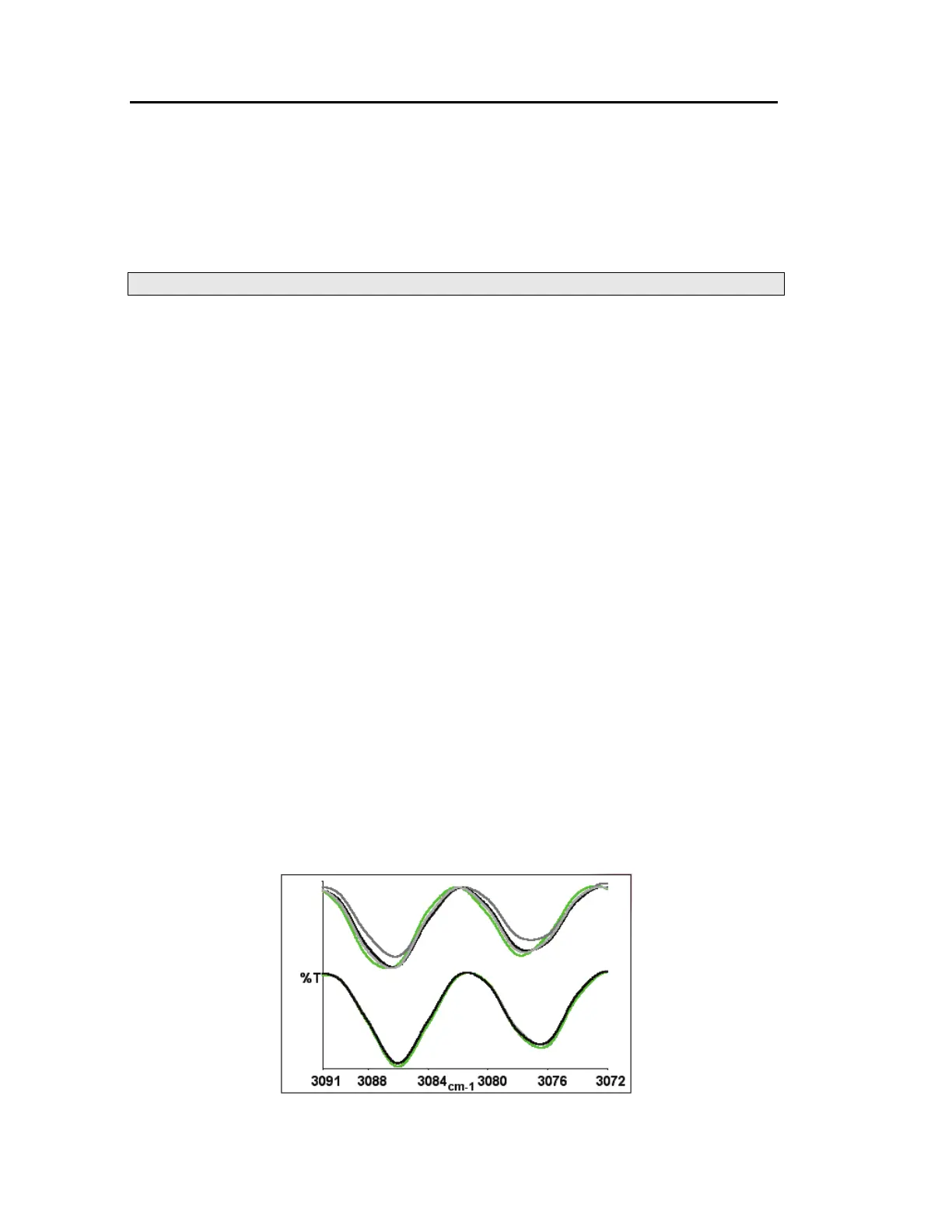
When AVI is switched on, the software measures the current instrument profile relative to an
absolute standard (the methane cell) and an ideal lineshape function, and applies a
correction (Figure 21). If you have an automated, internal filter wheel, this can provide
correction for any sampling configuration.
Figure 21 Spectra of methane at 4 cm
−1
resolution as measured (top) and with
AVI (bottom)














 To Next Page