Using the Spectrometer with Spectrum . 47
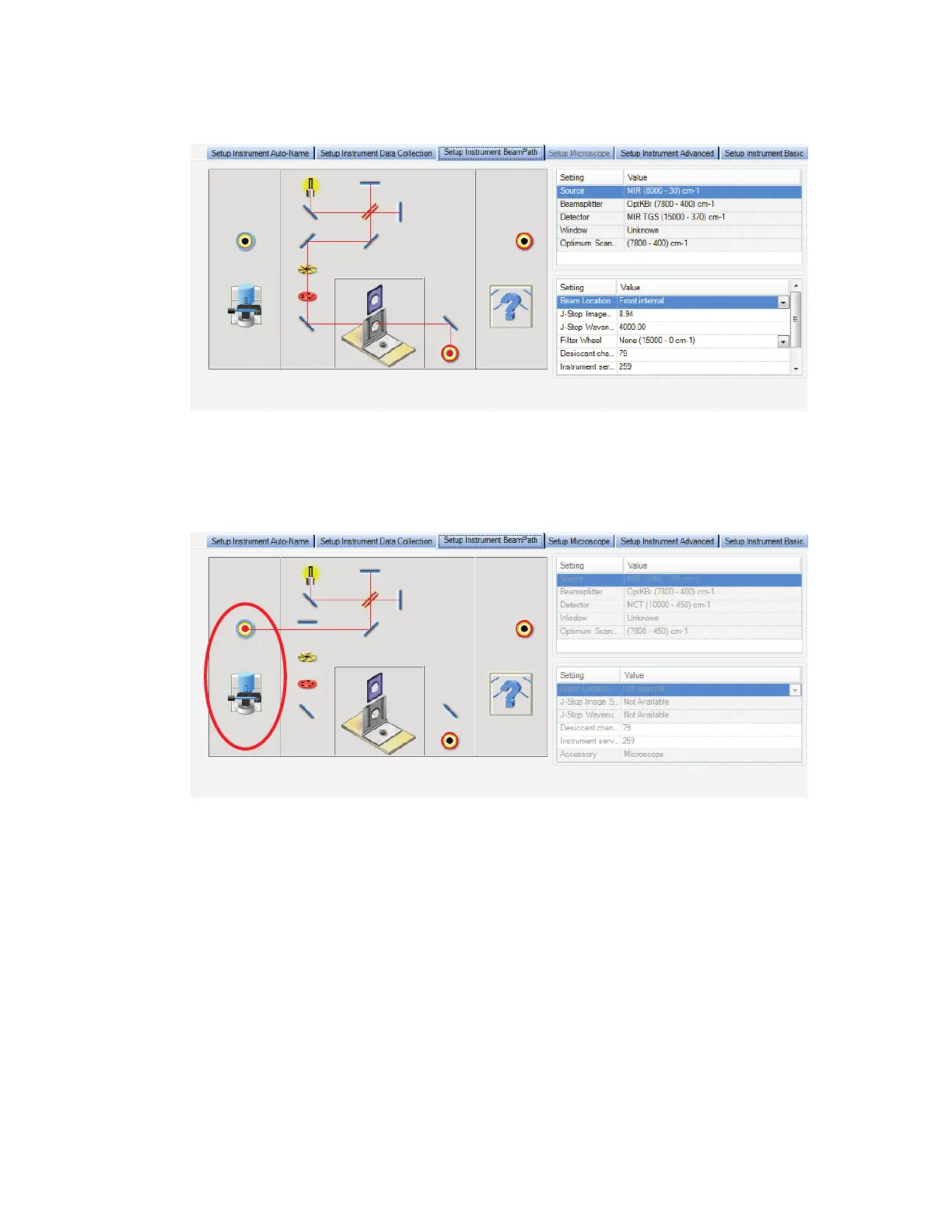
In Figure 16 the beam path is directed to the standard sample slide. In this example, the
additional interface elements for the Spotlight microscope are also shown.
Figure 16 Setup Instrument BeamPath tab with the beam path directed to the
Slide Holder
To direct the beam to the Spotlight microscope, select Left external from the Beam
Location drop-down list.
Figure 17 Setup Instrument BeamPath tab with the beam path directed to the
Microscope (circled)
Using the Spectrum on-screen Help system
Use the Spectrum Help system to find further information about using Spectrum software to
control, set up and adjust your instrument.
To open the Help file, select Contents from the Help menu. This menu also includes links to
on-screen tutorials (Tutorials), and information about the software (About).














 To Next Page