76 . Frontier IR Single-range Spectrometers User's Guide
Replacing the Beamsplitter
WARNING
Switch off the mains power supply to the spectrometer, wait 60 seconds,
and disconnect the power cable before you open the cover of the
spectrometer. This makes sure that you are safe from electrical shock
and laser radiation.
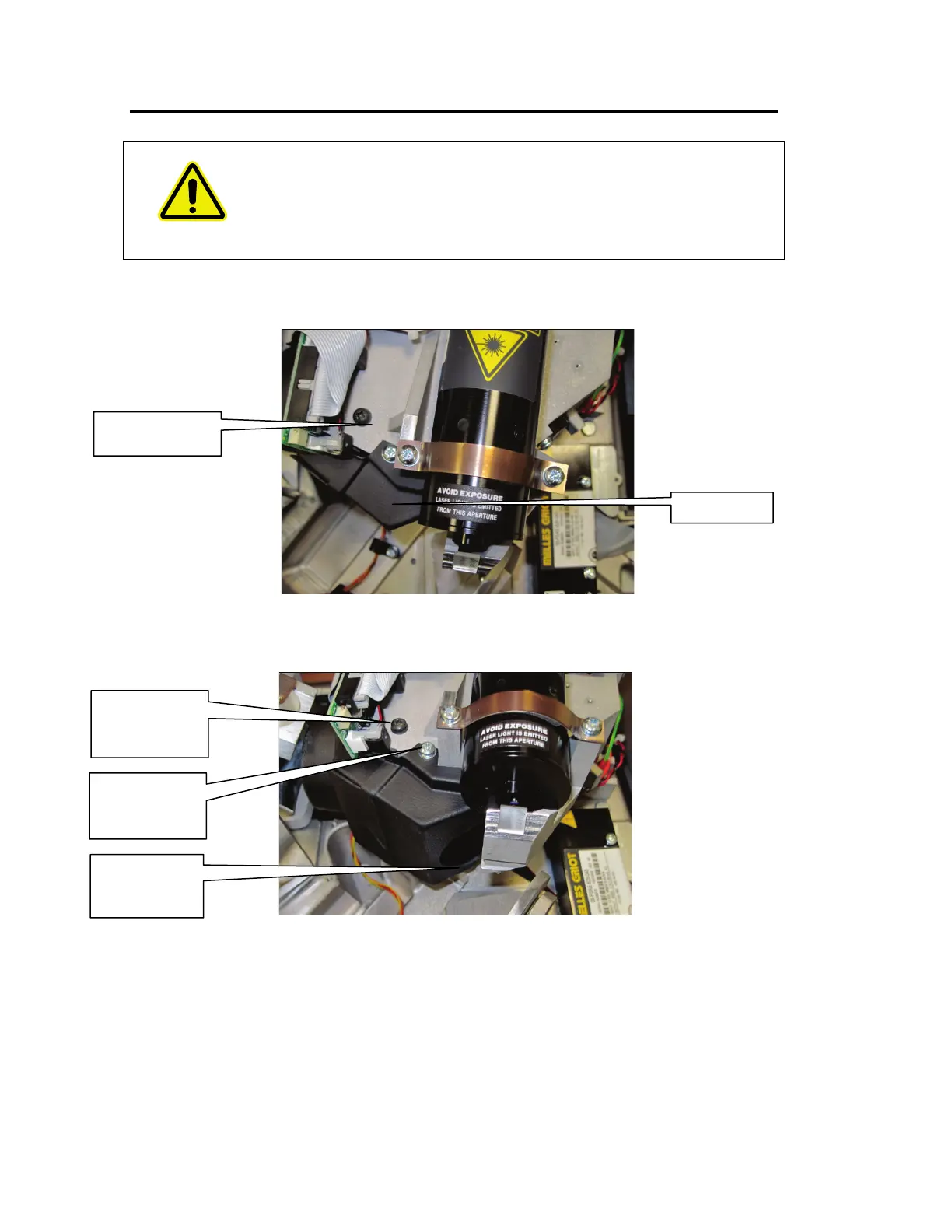
1. Open the main cover of the instrument, as detailed on page 70 and identify the
Beamsplitter, which is behind the laser baffle (Figure 43).
Figure 43 Beamsplitter location
2. Unscrew the laser baffle retaining screws and remove the laser baffle (Figure 44).
Figure 44 Laser baffle
3. Remove the beamsplitter retaining screw.
4. Noting its installed position, pull out the beamsplitter.
5. Install the new beamsplitter and secure with the retaining screw.
retaining screw
(silver)
retaining screw
retaining screw
(black)
Beamsplitter
(behind baffle)














 To Next Page