Advanced Maintenance . 75
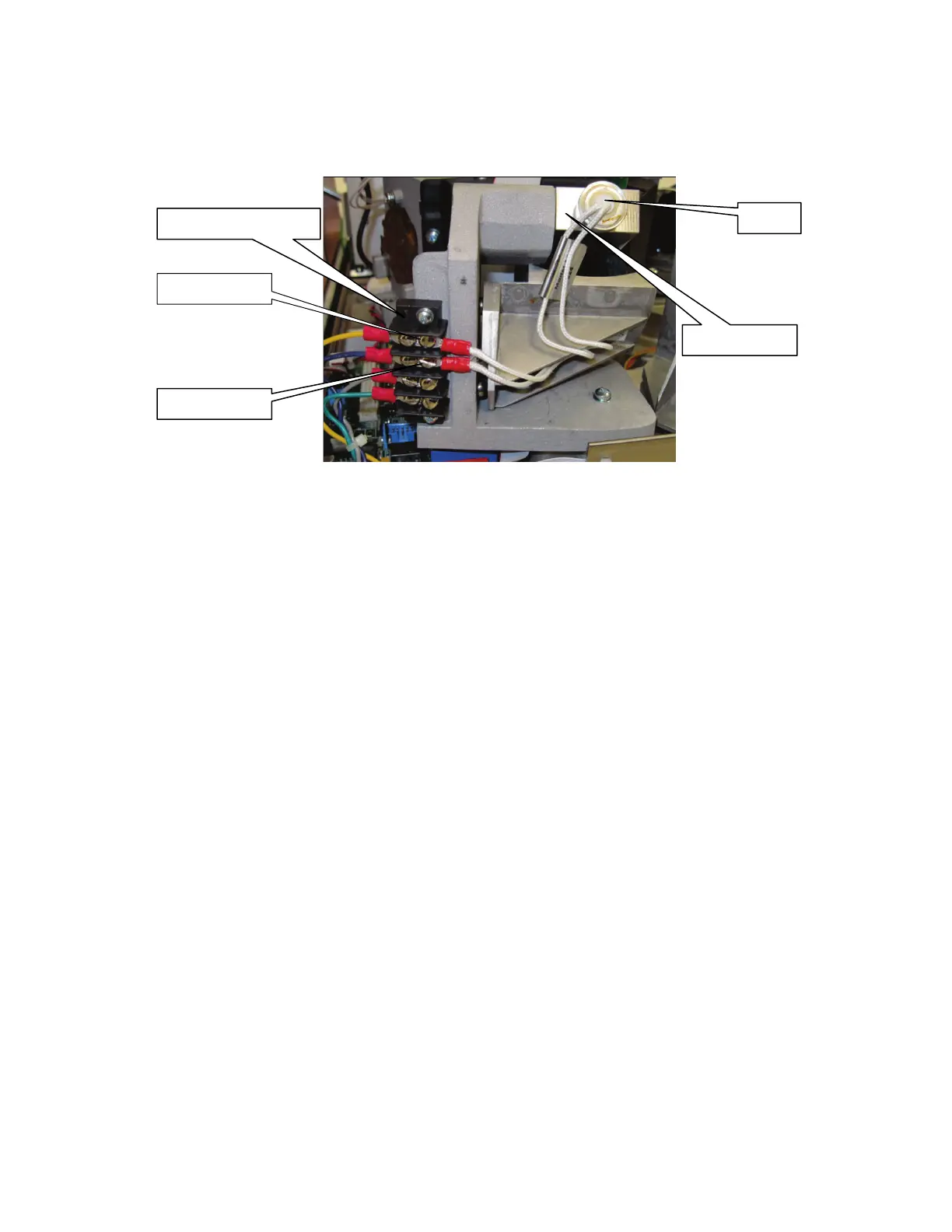
2. Slacken the two terminal screws (Figure 42) securing the wires leading to the source.
Disconnect the wires from the connectors.
For the Frontier FT-IR spectrometer, the connecting wires for the MIR source are white.
For the Frontier FT-NIR spectrometer, the connecting wires for the NIR source are red.
Figure 42 Terminal screws (MIR source shown)
3. By grasping the round metal source body, NOT the wires, remove the source from its
housing by pulling, noting its installed position.
4. Install the new source in its housing, by pushing in until it clicks into place.
5. Reconnect the two wires to the terminals and secure by tightening the two terminal
screws.
6. Close and secure the main cover.
Refer to page 72, steps 10 to 15.
Allow the source temperature to stabilize for approximately 2 hours before using the
instrument.














 To Next Page