72 . Frontier IR Single-range Spectrometers User's Guide
9. Perform the necessary maintenance inside the instrument.
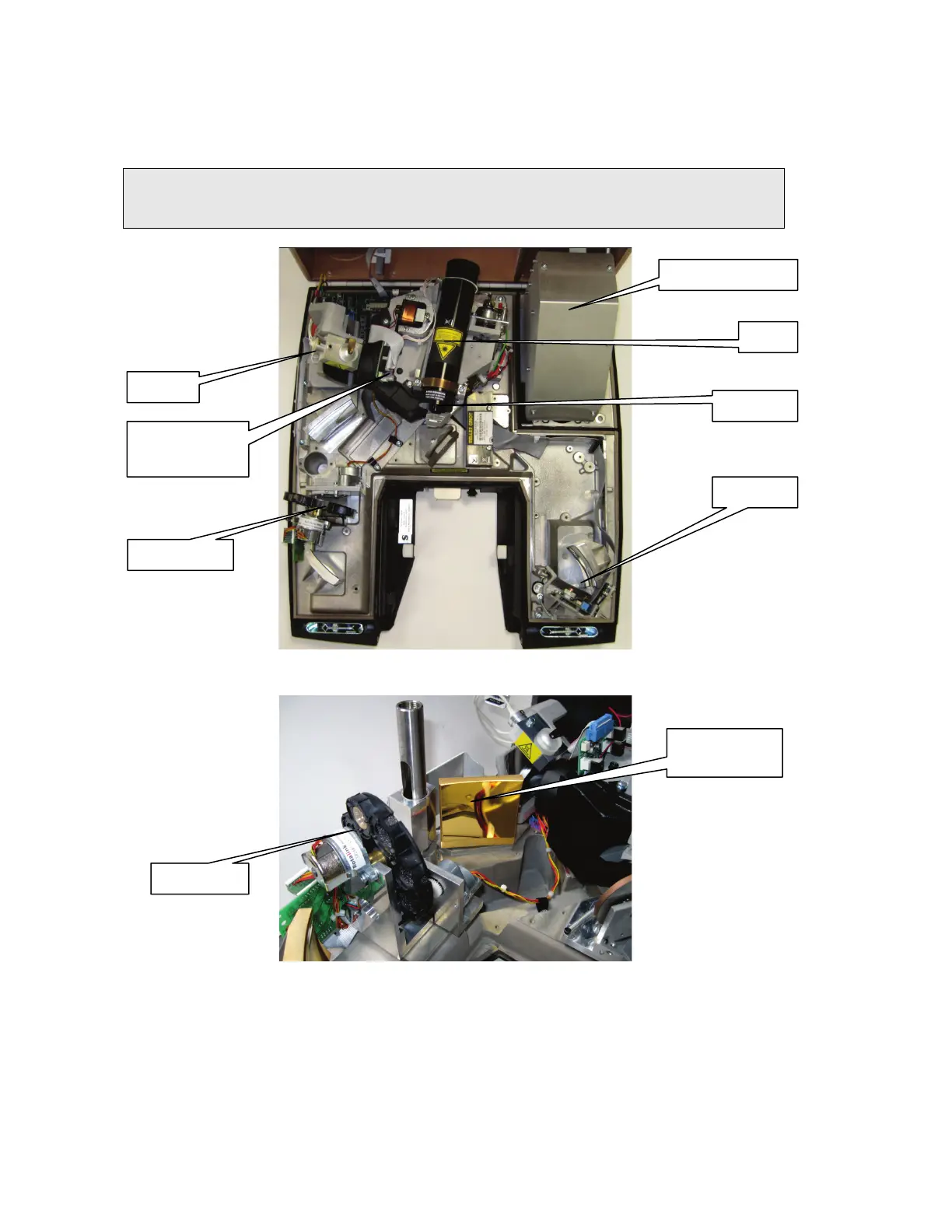
Figure 39 illustrates the primary component parts of a Frontier IR Single-Range
spectrometer.
NOTE: The exact configuration will depend on your instrument type. For example, if you
have the External Beam Pack installed the laser power supply will be in a different
position, and the mirrors for changing the beam direction will be installed (Figure 40).
Figure 39 Frontier IR Single-Range spectrometer component parts
Figure 40 Flipper mirror included with the External Beam Pack option
10. Close the cover.
11. Lock the two locking bolts by inserting the wrench into each bolt in turn and rotating it
opposite to the direction indicated by the arrows in Figure 38.
12. If required, reinstall the sampling accessory by sliding it on the ledge and pushing it into
the sample compartment until it engages with the connector.
13. If required, refit the sample cover by inserting the hinge into the grooves and pushing
the cover downwards until the clip engages.
assembly
Beamsplitter
(behind baffle)














 To Next Page