56 . Frontier IR Single-range Spectrometers User's Guide
The Desiccant Indicator in Detail
The optical system of the spectrometer is purged at the factory. This protects the KBr (or
CaF
2
) beamsplitters, sample compartment windows, or external port windows from being
damaged by humidity. Replaceable packs of desiccant maintain the purge.
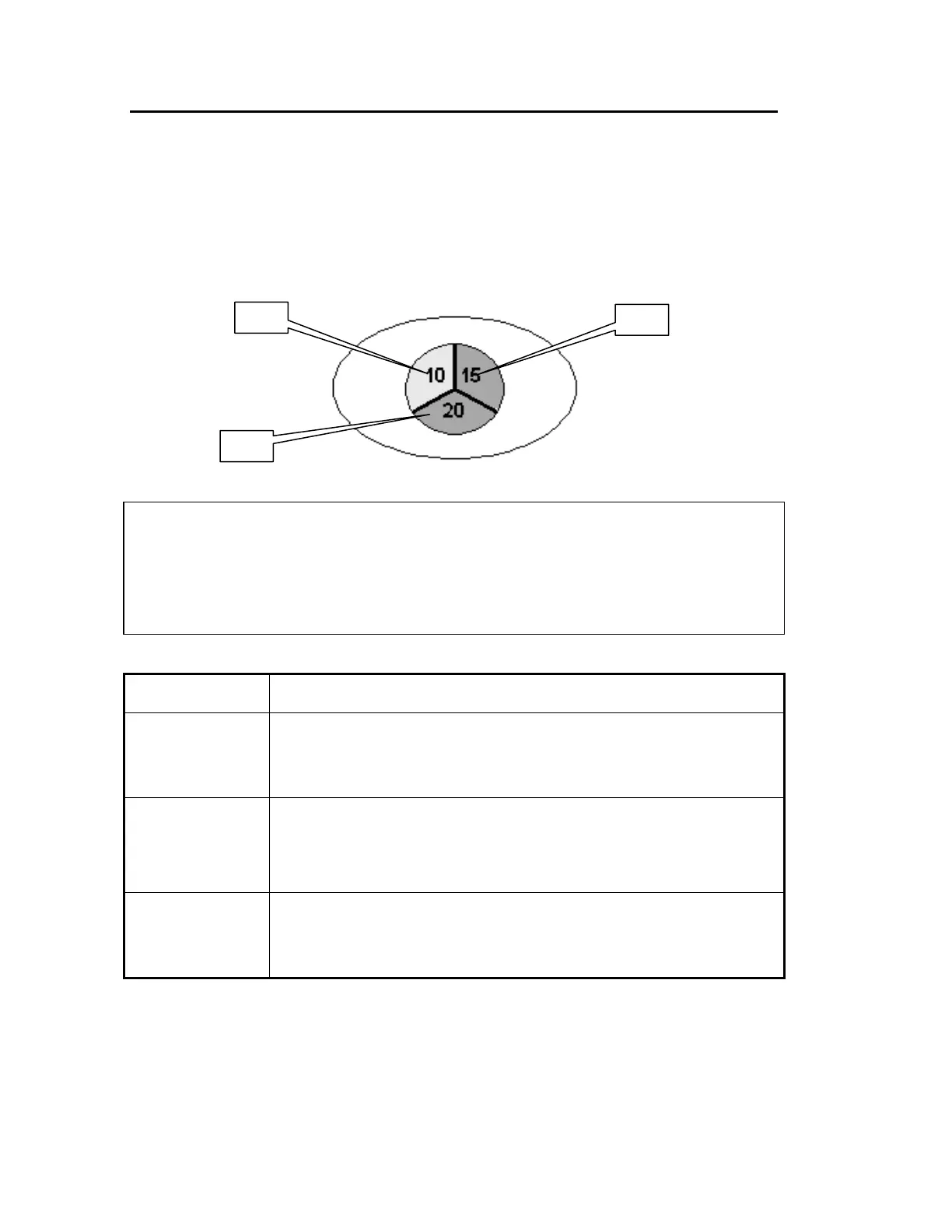
The top panel of the instrument includes a desiccant indicator (Figure 23), whose sectors
change sequentially from blue to pink as the desiccant becomes exhausted. Change the
desiccant packs in the instrument when the sector marked 10 becomes pink, but while the
sectors marked 15 and 20 are still blue. These numbers correspond to the approximate
% Relative Humidity in the instrument.
Figure 23 The desiccant indicator: when desiccant packs should be changed
CAUTION
If all three sectors of the desiccant indicator are pink, then you
change
the desiccant.
The instrument optics may be fogged. Do not switch the instrument either ON
or OFF until all sectors are blue.
Sector Action Required
All sectors blue None.
The humidity levels in the instrument are below approximately 10%
Relative Humidity.
Sector 10 pink
Desiccant change is recommended.
If the instrument has been switched OFF for an extended period, do not
switch ON until you have changed the desiccant and all sectors are
blue.
Sector 10 & 15
pink
Replace desiccant the immediately to avoid instrument damage.
Do not switch the instrument ON or OFF until you have changed the
desiccant and all sectors are blue.














 To Next Page