RemoteControlButtons(cant'd)23
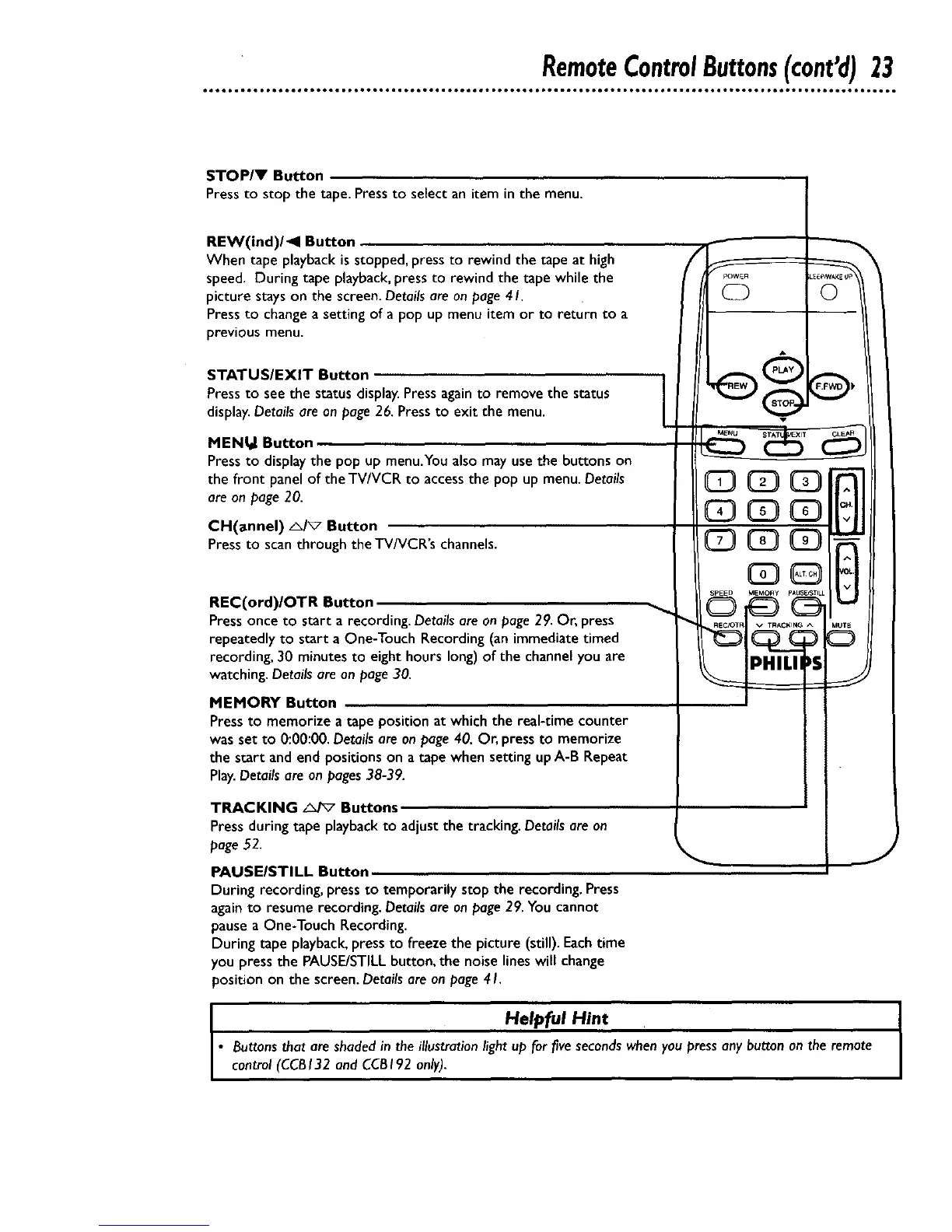
STOP/V Button
Press to stop the tape. Pressto select an item in the menu.
REW(ind)/<l Button
When tape playback is stopped, press to rewind the tape at high
speed. During tape playback, press to rewind the tape while the
picture stays on the screen. Details are on page 4 I.
Press to change a setting of a pop up menu item or to return to a
previous menu.
STATUS/EXIT Button
Pressto see the status display.Pressagain to remove the status
display.Details are on page 26.Press to exit the menu.
©
MENIal Button
Pressto displaythe pop up menu.You also may usethe buttons on
the front panel of the TV/VCR to accessthe pop up menu.Details
are on page20.
CH(annel) _/_7 Button
Pressto scan through the TV/VCR's channels.
REC(ord)/OTR Button
Press once to start a recording. Details are on page 29. Or, press
repeatedly to start a One-Touch Recording (an immediate timed
recording, 30 minutes to eight hours long) of the channel you are
watching. Detailsare on page30.
MEMORY Button
Pressto memorize a tape positionat which the real-time counter
was set to 0:00:00. Details are on page 40. Or, press to memorize
the start and end positions on a tape when setting up A-B Repeat
Play.Detailsare on pages38-39.
TRACKING _ Buttons
Press during tape playbackto adjust the tracking. Details are on
page52.
PAUSEISTILL Button
During recording, press to temporarily stop the recording. Press
again to resume recording. Details are on page 29. You cannot
pause a One-Touch Recording.
During tape playback, press to freeze the picture (still). Each time
you press the PAUSE/STILL button, the noise lines will change
position on the screen. Details are on page 41.
I Helpful Hint
• Buttonsthat are shadedin the illustrationlight up for fivesecondswhenyou pressany button on the remote
control (CCBI32 and CCBI92 only).










 To Next Page