28 Playing
Follow the steps below to playa tape.
I
Insert a tape in the TV/VCR. The power will come on. If the
tape's record tab has been removed, playback should start auto-
matically.
2
Insert a tape in the "I-V/VCR.
Pressthe STOP/EJECTbutton
on the TV/VCR.
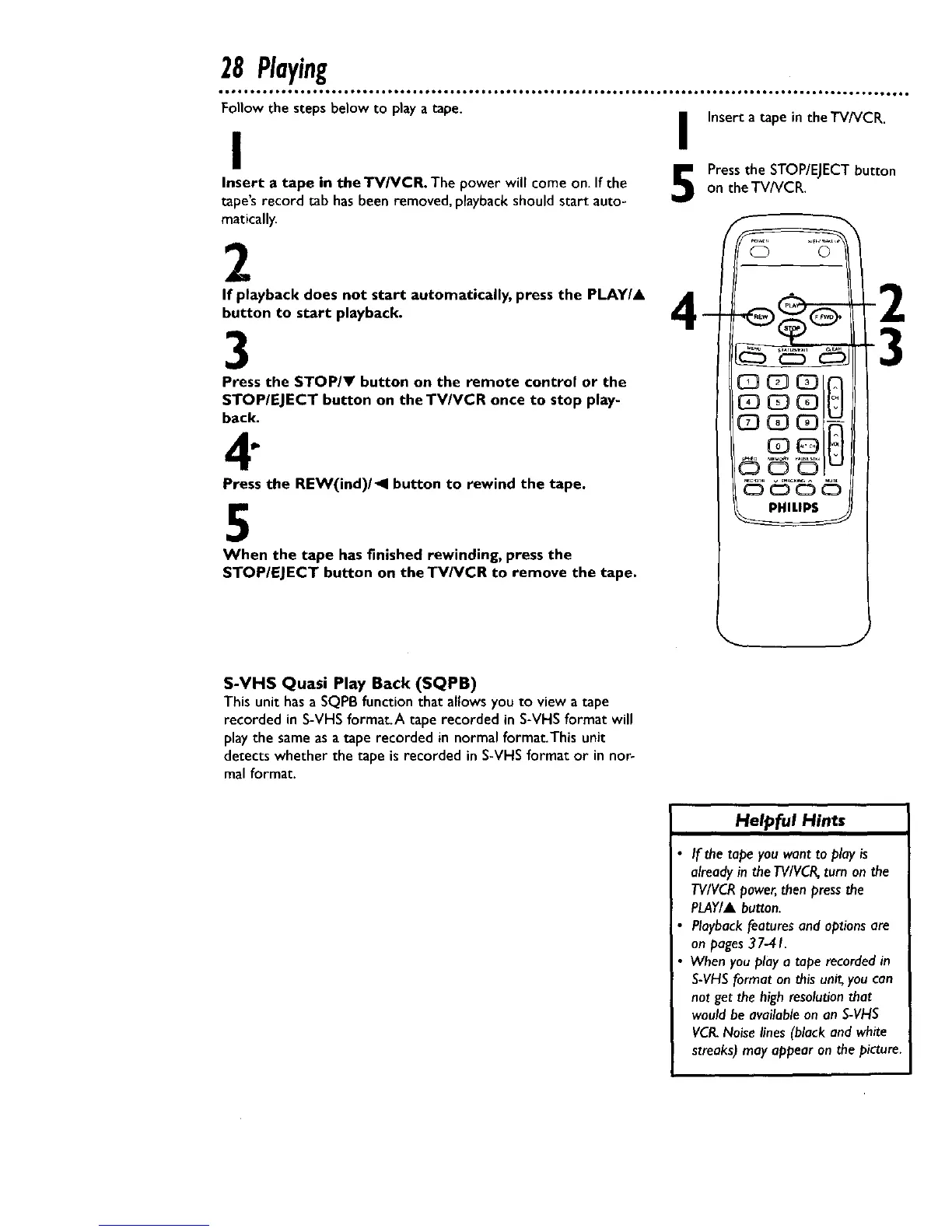
If playback does not start automatically, press the PLAY/A A
button to start playback. I_
3
Press the STOP/Y button on the remote control or the
STOP/EJECT button on the TV/VCR once to stop play-
back.
_
Press the REW(ind)/_l button to rewind the tape.
5
When the tape has finished rewinding, press the
STOP/EJECT button on theTV/VCR to remove the tape.
3
S-VHS Quasi Play Back (SQPB)
This unit hasa SQPBfunction that allowsyou to view a tape
recorded in S-VHSformat.A tape recorded in S-VHSformat will
playthe same asa tape recorded in normal format.This unit
detects whether the tape is recorded in S-VHSformat or in nor-
mal format.
Helpful Hints
If the tape you want to play is
already in the TVIVCR,turn on the
TV/VCR power, then press the
PLAY/A button.
Playback features and options are
on pages 37-41.
When you play a tape recorded in
S-VHS format on this unit, you can
not get the high resolution that
would be available on an S-VHS
VCR.Noise lines (black and white
streaks) may appear on the picture.










 To Next Page