Reminder27
ilotto,toomo,l,o oo Io,lJlJt,,elt o ioe,6 o iJ_t6oloo_,, o Ql_lo*llltQetotll_t6otlgQ_eto oo t iq OlIt*I.OlOaQO_IlOlO61O* ° •
The channel number will remain on the screen at all times when I_
you set REMINDER to ON.The exception is when closed caption- Z " J
ing is selected.
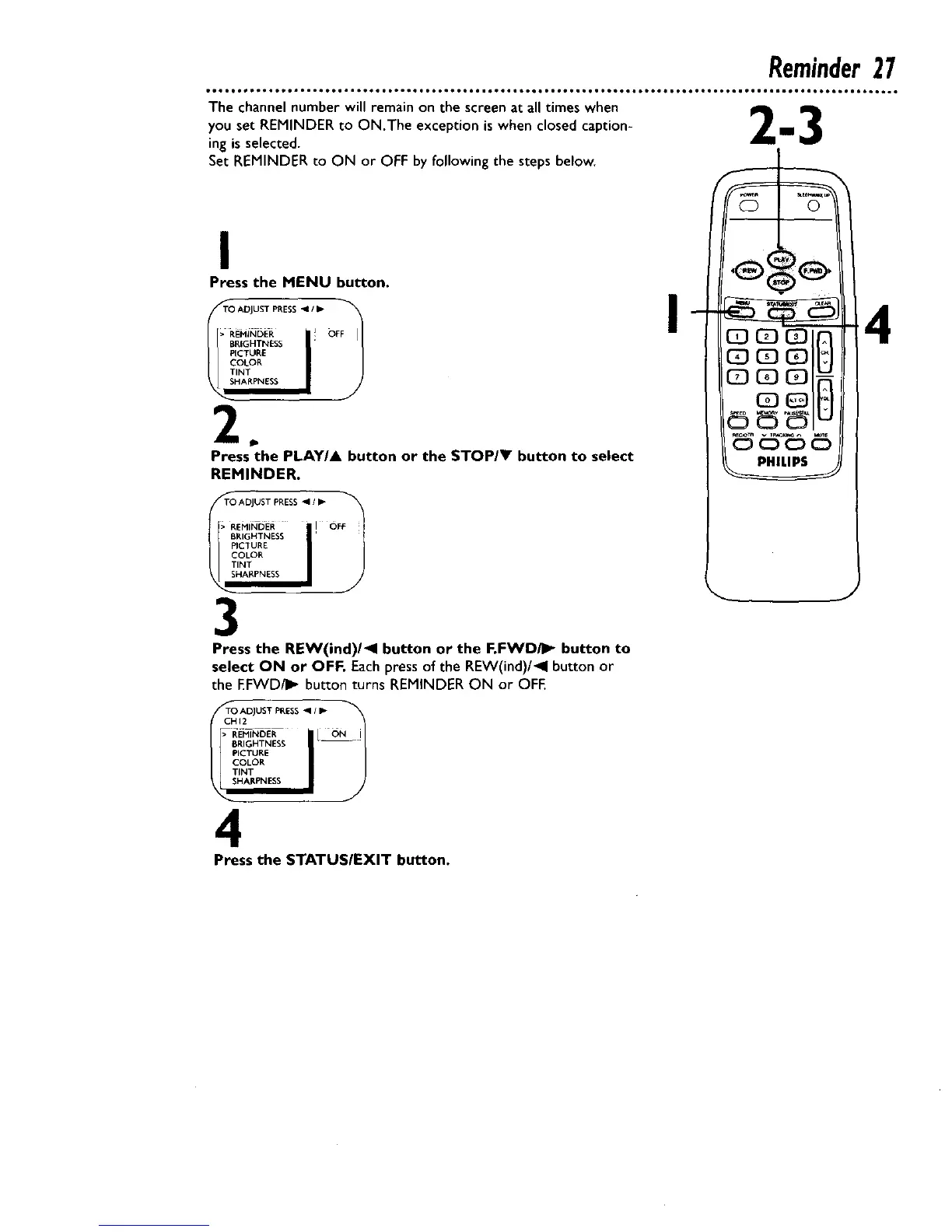
Set REMINDER to ON or OFF by following the steps below.
I
Press the MENU button.
T_ AOJUST PRESS _1 / I_ F_
EPI#_DER / ! OF
PICTURE
COLOR
TINT
HARPNESS
Press the PLAY/A button or the STOP/V button to select
REMINDER.
TO ADJUST PRESS _1 / _-
> REMINDER I OFF
__ 1BRIGHTNESS l
PICTURE
COLOR
TINT
3
Press the REW(ind)/<l button or the F.FWDi]_ button to
select ON or OFF. Each press of the REW(ind)/_l button or
the EFWD/I_ button turns REMINDER ON or OFF.
CH,2T_ ADJUST PRESS m' _
RIGHTNESS
COLOR
TINT
HAI_PNESS
4
Press the STATUSIEXIT button.
I
4










 To Next Page