The One-Touch Recording (OTR) function allowsyou to programan
immediatetimed recording from 30 minutes to eight hours long
without setting the timer.
Beforeyou begin,make sure:
Channelsare set up.
There is a tape in the'l-V/VCR.The record tab must be intact.
Pressthe STOP/EJECTbutton
on the TV/VCR to stop the
OTR.
I
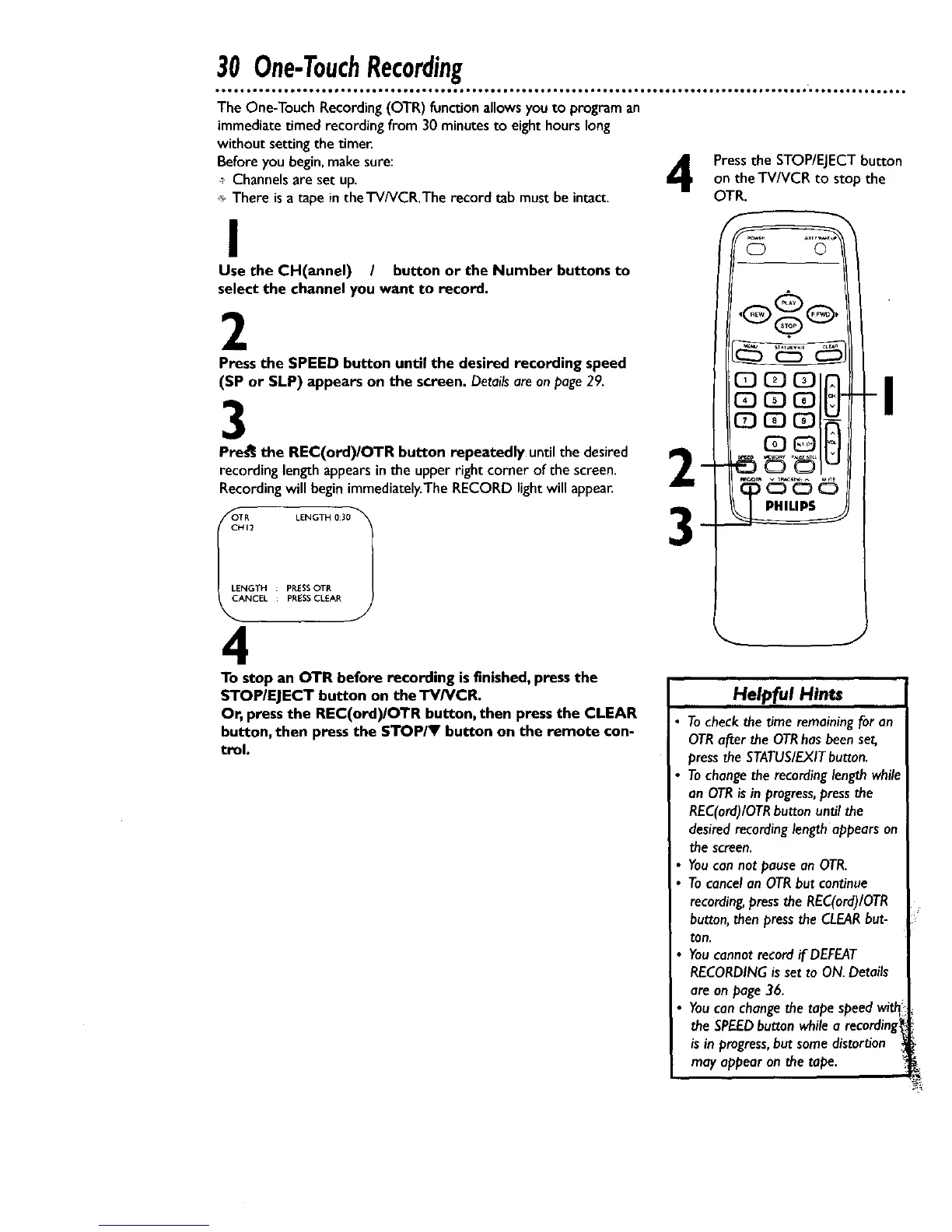
Use the CH(annel) / button or the Number buttons to
select the channel you want to record.
2
Press the SPEED button until the desired recording speed
(SP or SLP) appears on the screen. Detailsareon page29.
3
Pres_ the REC(ord)IOTR button repeatedly until the desired _IE
recording lengthappearsinthe upperright corner of the screen. _.
Recordingwill beginimmediately.TheRECORD lightwill appeal
_OOTR LENGTH 0:301
CHI2
PRESSOTRLENGTH :
CANCEL PRESSCLEAR
4
To stop an OTR before recording isfinished, press the
STOP/ElECT button on the TV/VCR.
Or, press the REC(ord)/OTR button, then pressthe CLEAR
button, then press the STOP/Y button on the remote con-
trol.
Helpful Hints
Tocheckthe time remainingfor an
OTRafter the OTRhas beenset,
pressthe STATUS/EXITbutton.
Tochangethe recordinglengthwhile
an OTRisin progress,pressthe
REC(ord)/OTRbutton until the
desiredrecordinglength appearson
the screen,
Youcannot pausean OTR.
Tocancelan OTRbut continue
recording,pressthe REC(ord)/OTR
button,then pressthe CLEARbut-
ton.
Youcannotrecordif DEFEAT
RECORDINGisset to ON.Details
are on page36.
Youcanchangethe tape speedwith
the SPEEDbutton whilea recording1
isin progress,but somedistortion
may appear on the tope.










 To Next Page