SmartLock(cont'd)45
To check the SmartLock settings, follow these steps.
I
Press the MENU button.
EXIT
PRli'4 SETUP
VCR PROGRAM
VCR SETUP
CAPTION
2
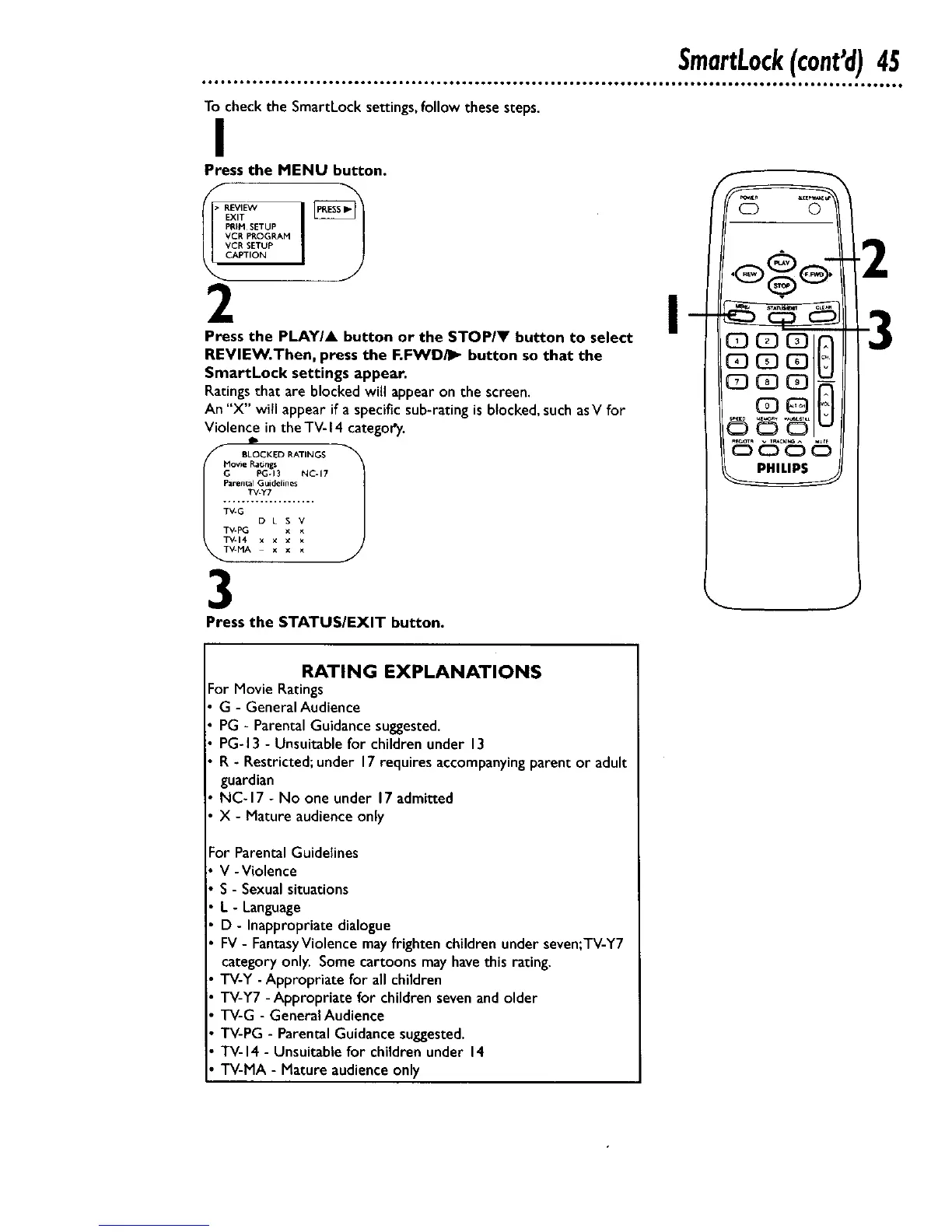
Press the PLAY/A button or the STOP/V button to select
REVIEW.Then, press the F.FWD_ button so that the
SmartLock settings appear.
Ratingsthat are blocked will appearon the screen.
An "X" wiFIappear if a specific sub-rating is blocked, such asV for
Violence in the TV- 14 category.
Movie Ratings
G PG-13 NC-17
Parent_J Guidelines
TV-Y7
TV-PG x x
TV-14 x x x x
V-MA x x x
3
I
Press the STATUS/EXIT button.
RATING EXPLANATIONS
For Movie Ratings
G - General Audience
PG - Parental Guidance suggested.
PG-13 - Unsuitable for children under 13
R - Restricted; under 17requires accompanyingparent or adult
guardian
NC-17 - No one under 17admitted
X - Mature audience only
or Parental Guidelines
V -Violence
S - Sexual situations
L - Language
D - Inappropriate dialogue
FV- FantasyViolence may frighten children under seven;TV-Y7
category only. Some cartoons may havethis rating.
TV-Y - Appropriate for all children
TV-Y7 - Appropriate for children seven and older
TV-G - General Audience
TV-PG - Parental Guidance suggested.
TV-14 - Unsuitable for children under 14
TV-MA - Mature audience only










 To Next Page